Radxa RTC Battery
The Radxa RTC battery provides continuous power to the Real-Time Clock (RTC) chip on the motherboard during power-off, enabling continuous system clock timing and ensuring accurate system time even when the power is disconnected.
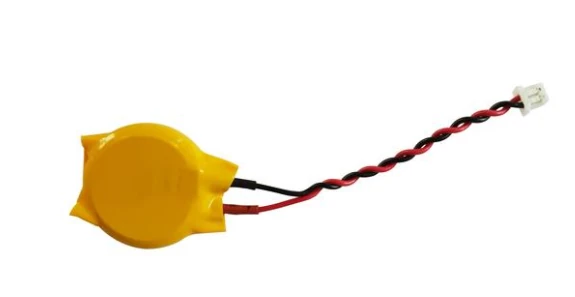
- Connector Type: 2-Pin XH1.25mm
- Battery Model: CR2032
- Voltage: 3.3V
Usage Guide
Connect the RTC battery connector to the RTC header on the board.
Check RTC
Run the following command to verify if the RTC battery is properly recognized:
sudo dmesg | grep rtc
If the output shows registered as rtc0, the RTC battery is correctly recognized.
[    6.259233] rtc-ds1307 10-0068: registered as rtc0
[    6.260658] rtc-ds1307 10-0068: setting system clock to 2025-08-06T08:39:15 UTC (1754469555)
Read RTC Time
Use hwclock command to read the current time from the RTC chip (/dev/rtc0):
sudo hwclock -r -f /dev/rtc0
Display System Time
Use date command to display the current system time:
date
Set RTC Time
If the RTC time is inconsistent with the system time, use hwclock to write the current system time to the RTC:
sudo hwclock -w -f /dev/rtc0
Verify RTC
Record the current system time, then disconnect the board's power and network. Wait for about 10 minutes, then reconnect power and check if the system time is correctly maintained.