Radxa Dual 2.5G Router HAT
Overview
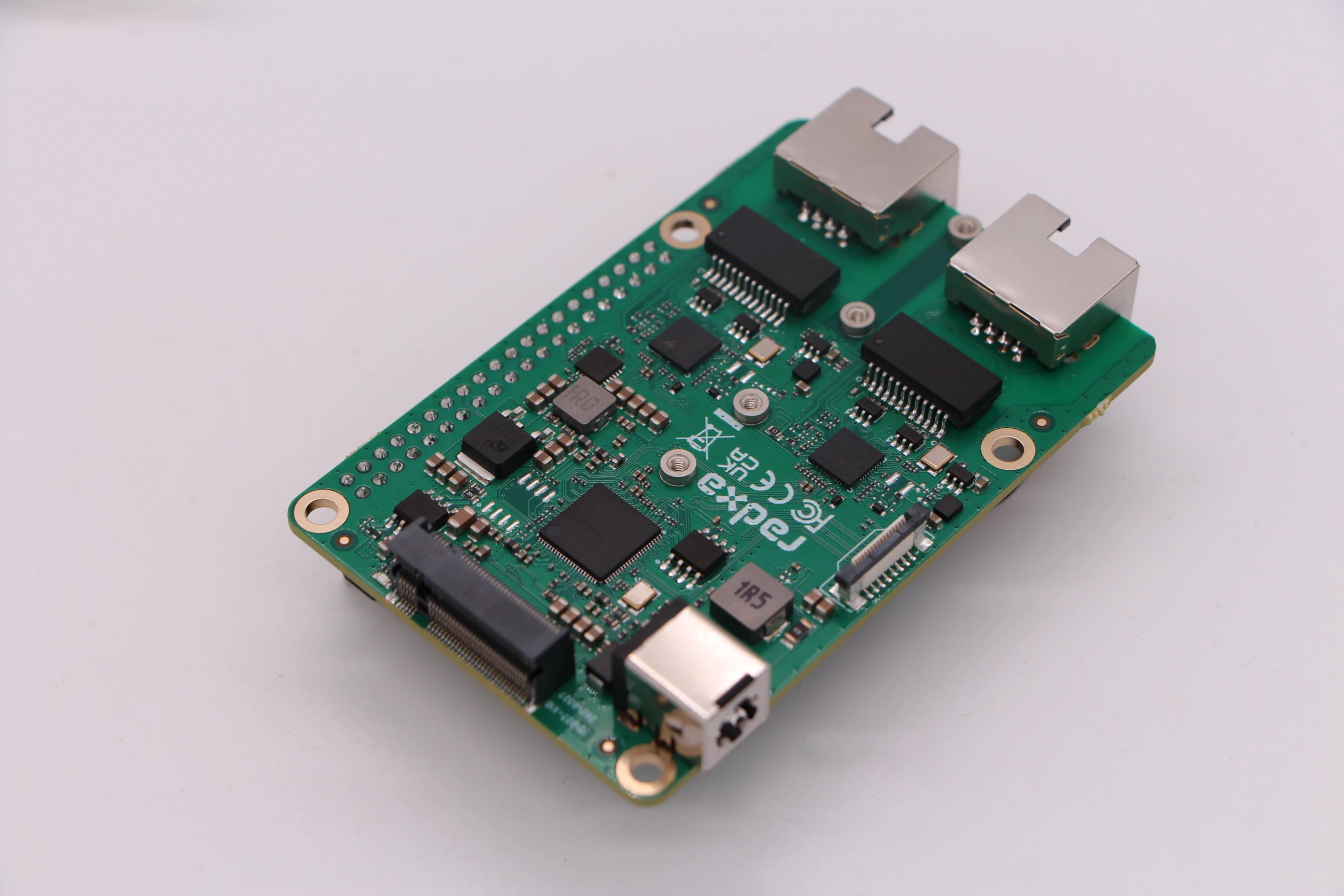
The Radxa Dual 2.5G Router HAT is designed for the ROCK series and Raspberry Pi 5. It provides high-performance networking and storage expansion through the PCIe interface. Key features include:
- Two 2.5GbE Ethernet ports for high-speed and stable networking
- NVMe SSD storage expansion via an M.2 M Key connector
- Additional PCIe expansion via an FPC connector
This HAT is ideal for networking applications and high-performance storage solutions, significantly extending the capabilities of your single-board computer.
Compatible SBCs
The Radxa Dual 2.5G Router HAT currently supports the following single-board computers:
- ROCK 2A / 2F
- ROCK 4D
- ROCK 5C
- Raspberry Pi 5
Features
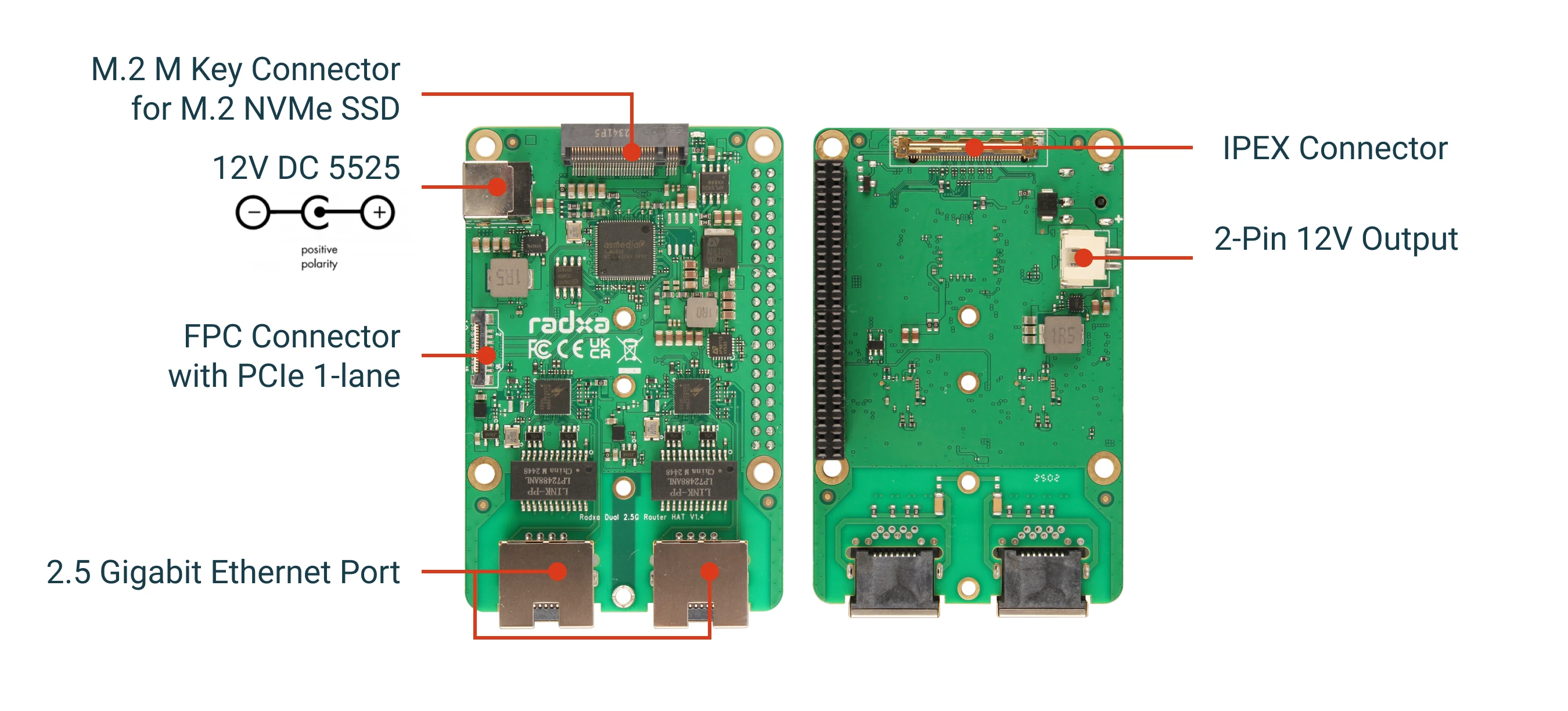
- 2 x 2.5GbE Ethernet ports for high-speed networking
- 1 x M.2 M Key connector with PCIe 3.0/2.0 1-lane for NVMe SSD
- 1 x FPC connector with PCIe 3.0/2.0 1-lane for additional expansion
- 1 x 12 V DC jack (5.5 mm outer diameter / 2.5 mm inner diameter)
Specifications
| Item | Specification |
|---|---|
| Ethernet controller | Realtek RTL8125B |
| Ethernet speed | 2 x 2.5GbE |
| PCIe | PCIe 3.0/2.0 1-lane |
| Storage | M.2 M Key 2280 NVMe SSD |
| Power input | 12 V DC (5.5/2.5 mm jack) |
| Form factor | HAT-compatible |
Package contents
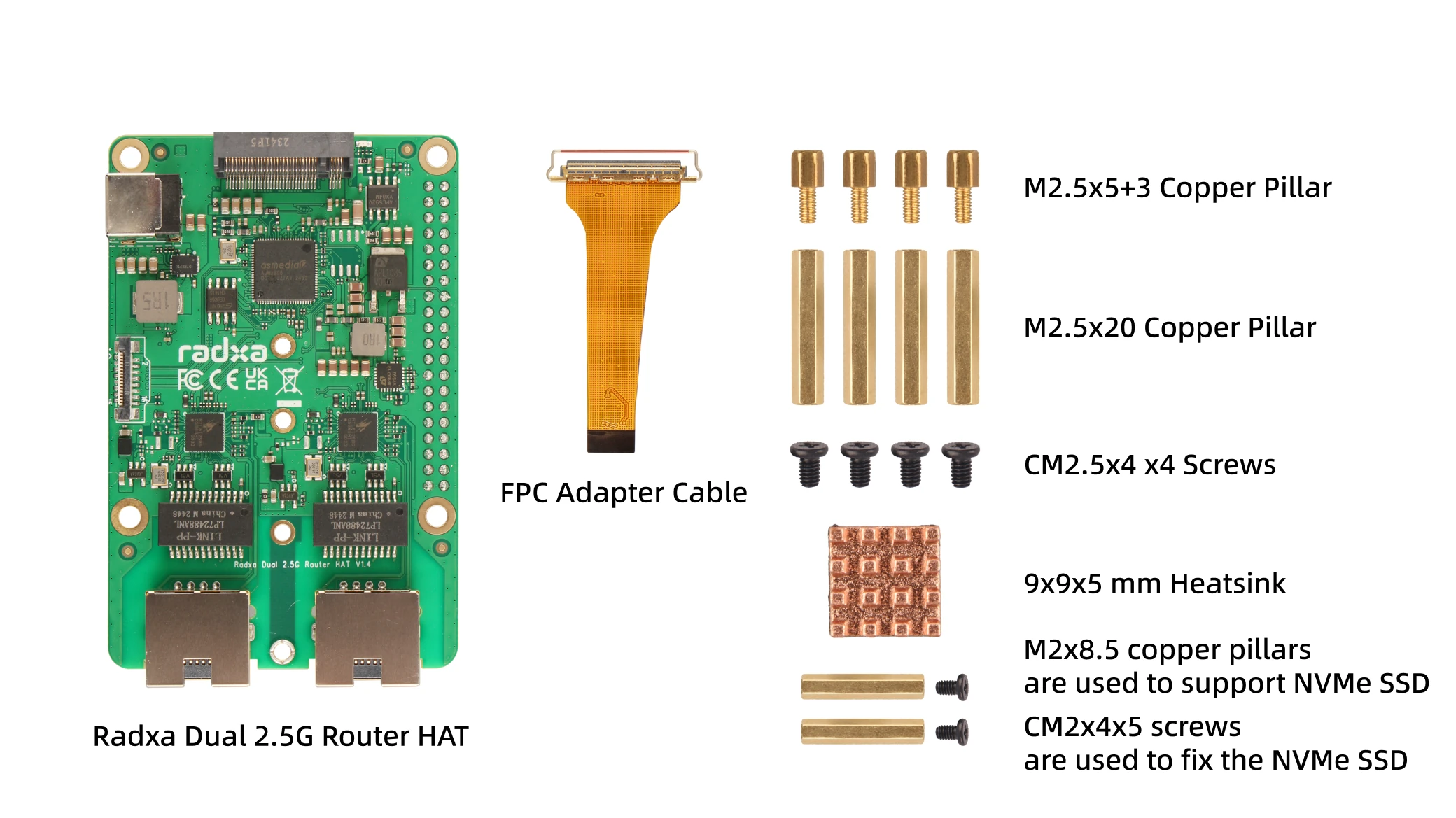
- 1 x Radxa Dual 2.5G Router HAT
- 4 x standoffs
- 8 x screws (for securing the HAT and SSD)
- 1 x heatsink (for cooling the Ethernet controller)
- 1 x adapter board (for connecting to compatible SBCs)
- 1 x connection cable
Board layout
40-pin header pinout
| Description | Function | Pin # | Pin # | Function | Description |
|---|---|---|---|---|---|
| Not used | 1 | 2 | VCC | 5 V | |
| Not used | 3 | 4 | VCC | 5 V | |
| Not used | 5 | 6 | GND | Ground | |
| Not used | 7 | 8 | Not used | ||
| Ground | GND | 9 | 10 | Not used | |
| Not used | 11 | 12 | Not used | ||
| Not used | 13 | 14 | GND | Ground | |
| Not used | 15 | 16 | GPIO | FPC power (controls FPC power) | |
| Not used | 17 | 18 | Not used | ||
| Not used | 19 | 20 | GND | Ground | |
| Not used | 21 | 22 | Not used | ||
| Not used | 23 | 24 | Not used | ||
| Ground | GND | 25 | 26 | Not used | |
| EEPROM I2C | I2C_SDA | 27 | 28 | I2C_SCL | EEPROM I2C |
| Not used | 29 | 30 | GND | Ground | |
| Not used | 31 | 32 | Not used | ||
| Not used | 33 | 34 | GND | Ground | |
| Not used | 35 | 36 | Not used | ||
| Not used | 37 | 38 | Not used | ||
| Ground | GND | 39 | 40 | Not used |
Installation
Install on ROCK series boards
- Power off your SBC completely.
- Install the standoffs on the SBC.
- Connect the adapter board to the SBC PCIe interface.
- Align the Dual 2.5G Router HAT with the 40-pin header and standoffs.
- Secure the HAT using the provided screws.
- If you use an NVMe SSD, install it into the M.2 slot and secure it with a screw.
- Connect a 12 V power supply to the DC jack.
- Power on the SBC.
Install on Raspberry Pi 5
- Power off your Raspberry Pi 5 completely.
- Connect the adapter board to the Raspberry Pi 5 PCIe interface.
- Align the Dual 2.5G Router HAT with the 40-pin header.
- Secure the HAT using the provided standoffs and screws.
- If you use an NVMe SSD, install it into the M.2 slot and secure it with a screw.
- Connect a 12 V power supply to the DC jack.
- Power on the Raspberry Pi 5.
Software configuration
Network setup
The Ethernet ports typically appear as additional network interfaces (for example, eth1 and eth2). You can configure them with standard Linux networking tools.
Example configuration:
# List available interfaces
ip addr

# Configure a static IP for eth1
sudo ip addr add 192.168.1.100/24 dev eth1
sudo ip link set eth1 up

# Request an IP address via DHCP for eth2
sudo dhclient eth2
NVMe SSD setup
After installing an NVMe SSD, you can format and mount it using standard Linux commands:
# Check whether the SSD is detected
lsblk

# Format the SSD (replace nvme0n1 with your device)
sudo mkfs.ext4 /dev/nvme0n1

# Mount the SSD
sudo mkdir -p /mnt/ssd
sudo mount /dev/nvme0n1 /mnt/ssd
Troubleshooting
Common issues
-
Ethernet ports are not detected
- Make sure the HAT is properly connected to the PCIe interface
- Check that the 12 V power supply is connected and working
- Verify that your Linux kernel supports the RTL8125B controller
-
NVMe SSD is not detected
- Make sure the SSD is properly seated in the M.2 slot
- Try a different SSD to rule out compatibility issues
- Check PCIe-related kernel logs:
dmesg | grep -i pcie
-
Poor network performance
- Update to the latest OS and Linux kernel version
- Check network cabling (use Cat5e or better for 2.5GbE)
- Make sure the connected network equipment supports 2.5GbE
Use cases
The Radxa Dual 2.5G Router HAT is well suited for:
- Building a high-performance router or firewall
- Network-attached storage (NAS) with fast networking
- Edge computing workloads that require high data throughput
- Home lab servers that need multiple network interfaces
- Media servers with fast networking and storage