Radxa Wireless Module A8
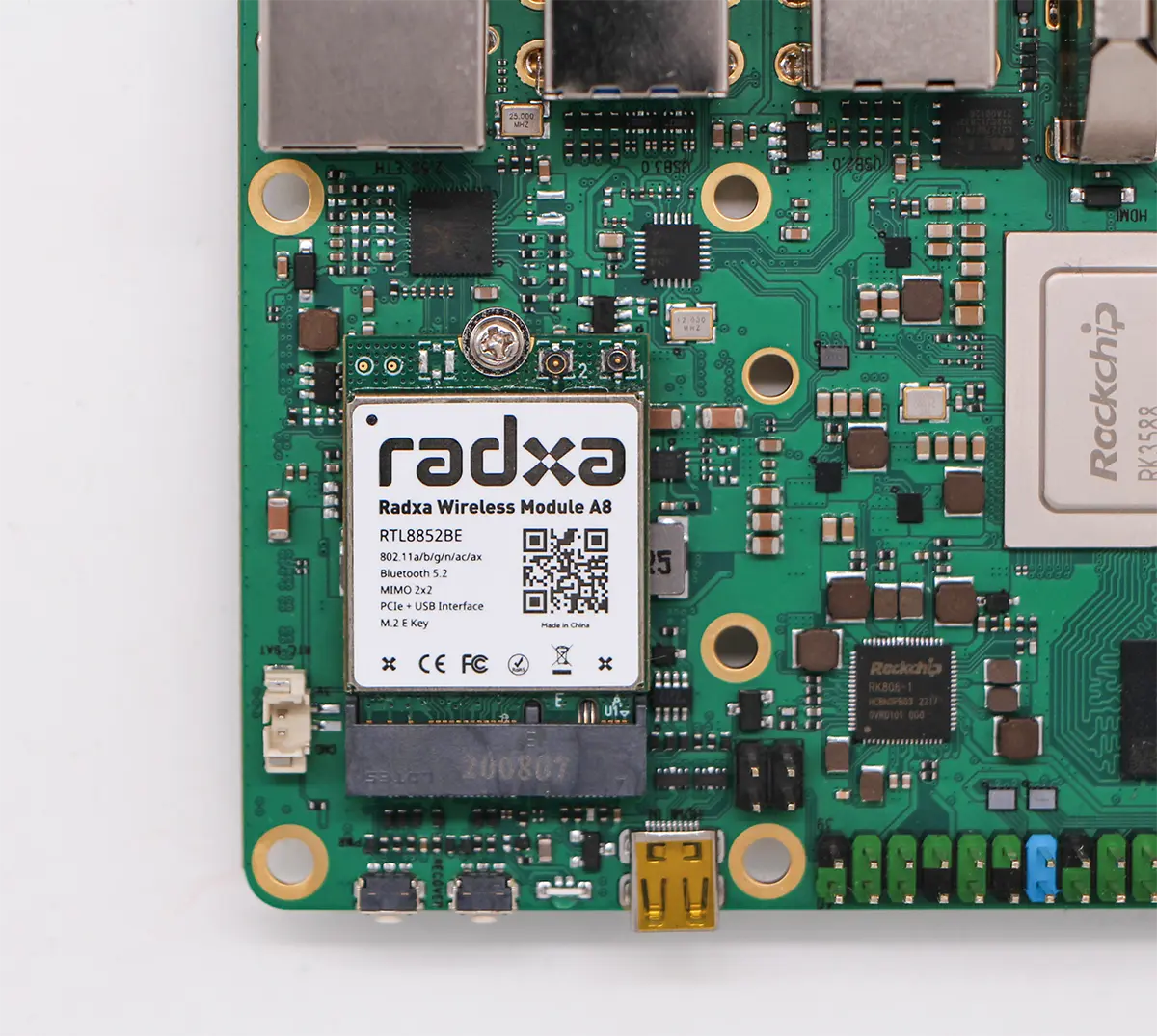
Radxa Wireless Module A8 is a standard M.2 2230 wireless module based on the Realtek RTL8852BE chipset. It supports Wi-Fi 6 and Bluetooth 5.2.
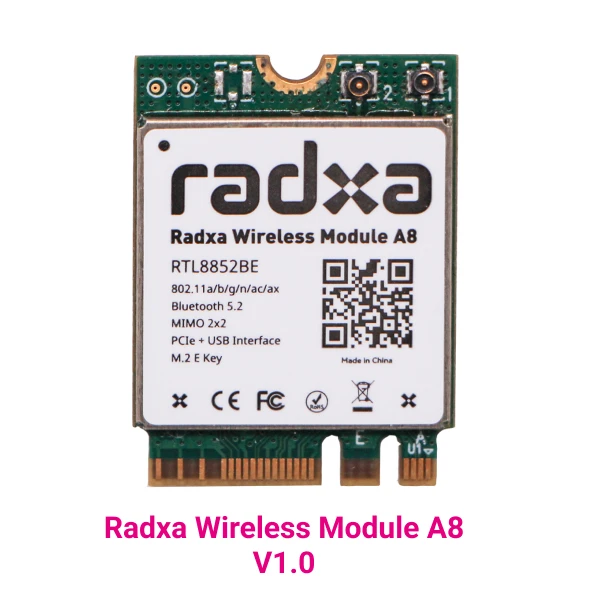
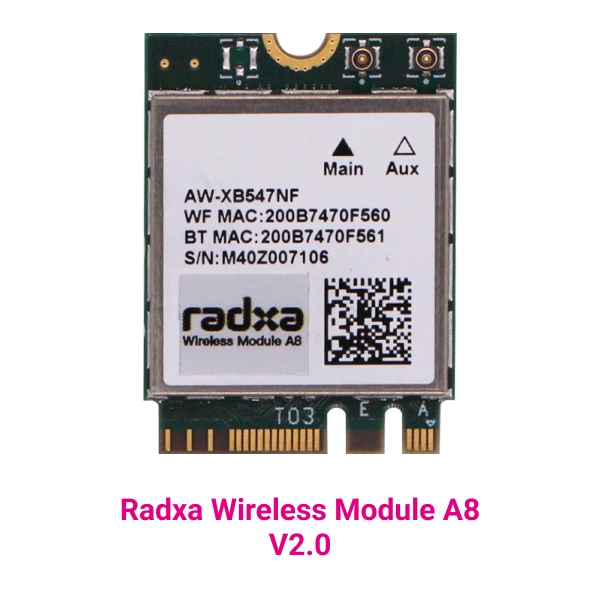
Currently, Radxa Wireless Module A8 is available in two versions.
- V1.0
- V2.0
Hardware information
Basic specifications
| Item | Description |
|---|---|
| Name | Radxa Wireless Module A8 |
| Product description | IEEE 802.11a/b/g/n/ac/ax WLAN 2T2R + Bluetooth 5.2 combo module (M.2 2230) |
| Chipset | RTL8852BE |
| Host interface | Wi-Fi: PCIe, Bluetooth: USB |
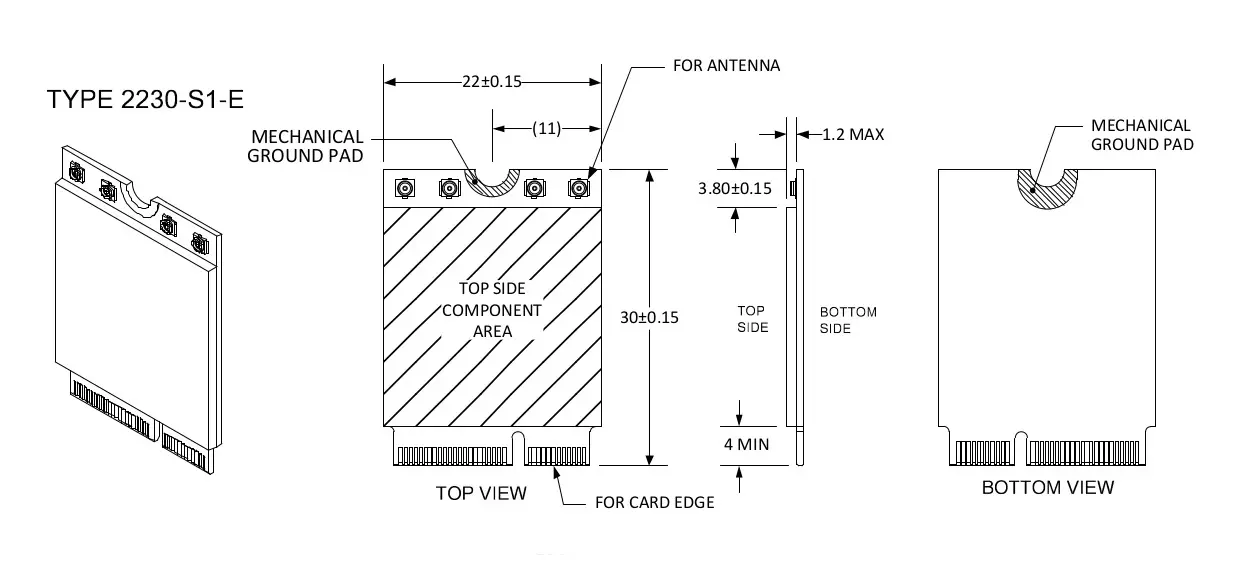
| Dimensions | 22 mm x 30 mm x 2.25 mm |
| Form factor | M.2 2230 E Key |
| Antenna connectors | I-PEX MHF4 (20449), ANT1 (Main): WiFi/Bluetooth TX/RX, ANT2 (AUX): WiFi TX/RX |
| Operating temperature | 0 to +70°C |
| Weight | 3 g |
WLAN
- IEEE 802.11 a/b/g/n/ac/ax WLAN
- IEEE 802.11 ac/ax supports 2T2R and complies with the Wave 2 standard, supporting MU-MIMO.
- IEEE 802.11 n supports standard MIMO and works on both 2.4 GHz and 5 GHz bands.
- Maximum PHY rate: 286.8 Mbps @ 20 MHz, 573.5 Mbps @ 40 MHz, 1201 Mbps @ 80 MHz.
- Backward compatible with 802.11a/b/g devices when operating in 802.11n mode.
- Backward compatible with 802.11a/n/ac devices when operating in 802.11ax mode.
- Supports IEEE 802.11i including WPA/WPA2/WPA3, and also supports WAPI.
- Maximum data rate: 54 Mbps for 802.11g, 300 Mbps for 802.11n, 1201 Mbps for 802.11ax.
Bluetooth
- Bluetooth 5.2
- Backward compatible with Bluetooth 2.1 + EDR
- WLAN/Bluetooth coexistence
- Bluetooth Low Energy (BLE)
- Supports all Bluetooth packet types in BR and EDR modes
ID list
| Version | WLAN VID | WLAN PID | Bluetooth VID | Bluetooth PID |
|---|---|---|---|---|
| V1.0 | 10EC | B852 | 0BDA | B85B |
| V2.0 | 10EC | B852 | 13D3 | 3570 |
Compatibility list
| Board / System | V1.0 (Linux) | V1.0 (Android) | V1.0 (Windows) | V2.0 (Linux) | V2.0 (Android) | V2.0 (Windows) |
|---|---|---|---|---|---|---|
| Radxa X2L | Supported | N/A | Supported | Supported (Linux >= 6.7) | N/A | Supported |
| Radxa ROCK 3A | Supported | Supported | N/A | Supported | Debugging | N/A |
| Radxa ROCK 3B | Supported | Supported | N/A | Supported | Debugging | N/A |
| Radxa ROCK 5A | Supported | Supported | N/A | Supported | Supported | N/A |
| Radxa ROCK 5B | Supported | Supported | N/A | Supported | Supported | N/A |
| Radxa ROCK 5 ITX | Supported | Supported | N/A | Supported | Supported | N/A |
| Radxa CM3I + Radxa CM3I IO Board | Supported | Supported | N/A | Supported | Supported | N/A |
| Radxa NX5 + Radxa NX5 IO Board | Supported | Supported | N/A | Supported | Supported | N/A |
| Radxa CM5 + Radxa CM5 IO Board | Supported | Supported | N/A | Supported | Supported | N/A |
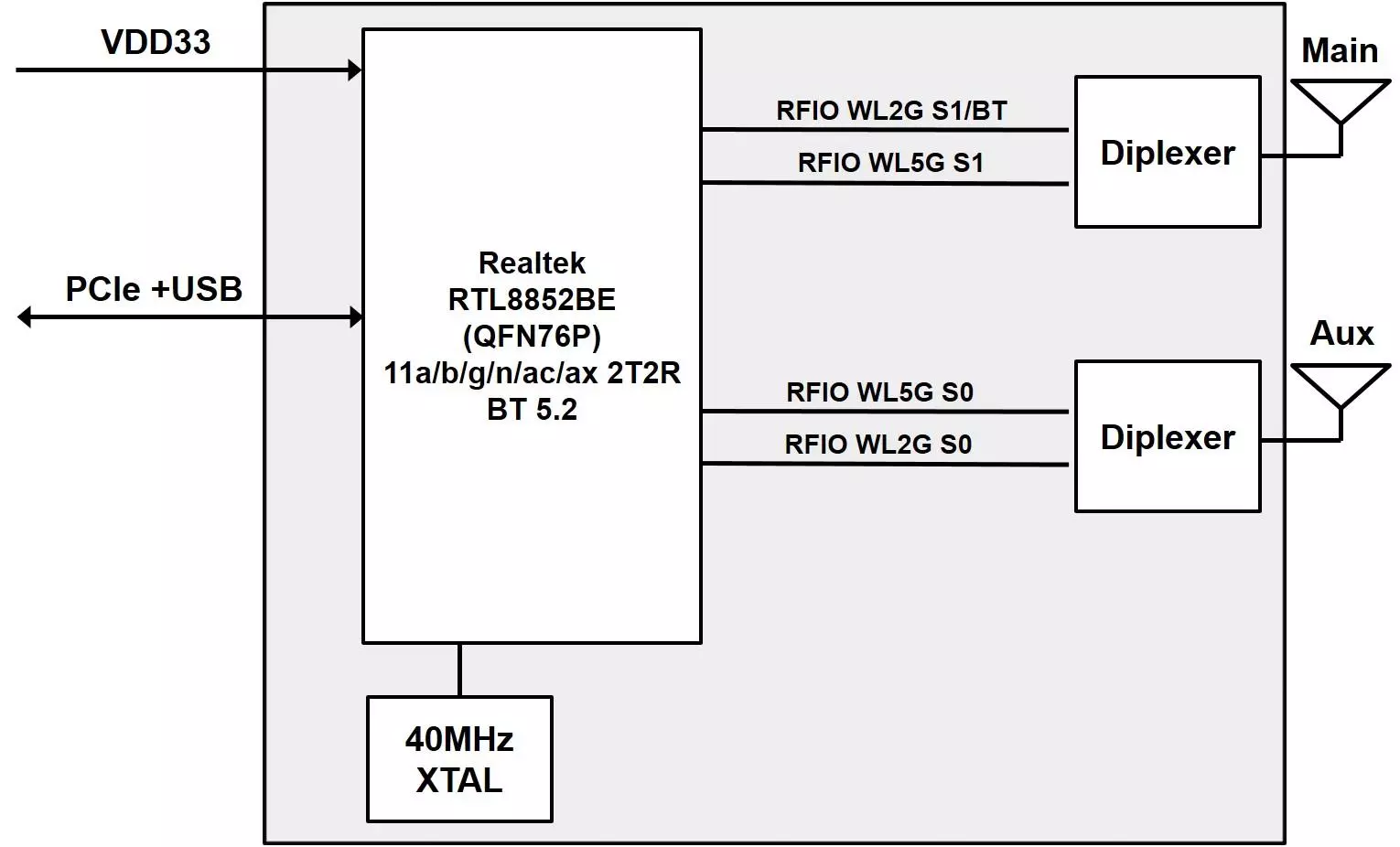
Block diagram
Dimensions
Usage
Installation
For products that support the A8 module, Radxa official images already include the required drivers. Insert the module into an M.2 E Key socket to use it.
The following example shows installation on ROCK 5B with Radxa official Debian image:
Wi-Fi
-
After booting into the system, open a terminal.
-
Run the following command to enable Wi-Fi:
sudo nmcli r wifi on
The first time you use sudo, you will be prompted for the password of your login account.
- Scan available Wi-Fi networks:
sudo nmcli dev wifi
- Connect to a Wi-Fi network:
sudo nmcli dev wifi connect "wifi_name" password "wifi_password"
Replace wifi_name with your Wi-Fi SSID and wifi_password with the Wi-Fi password.
Alternatively, you can use the Wi-Fi UI provided by the Linux desktop environment.
Bluetooth usage
- Check the Bluetooth service status:
sudo systemctl status bluetooth
- Start the Bluetooth service:
sudo systemctl start bluetooth
- Verify the Bluetooth adapter:
sudo hciconfig

# Output
hci0:   Type: Primary  Bus: UART
       BD Address: 10:2C:6B:49:D5:53  ACL MTU: 1021:8  SCO MTU: 64:1
       UP RUNNING
       RX bytes:850 acl:0 sco:0 events:58 errors:0
       TX bytes:2814 acl:0 sco:0 commands:58 errors:0
-
Test Bluetooth functionality
Connect to a Bluetooth speaker:
First install
pulseaudio:sudo apt-get install -y pulseaudio-module-bluetooth pulseaudioStart
pulseaudio:sudo pulseaudio --startUse
bluetoothctlto pair and connect:sudo bluetoothctl
[bluetooth]# default-agent
[bluetooth]# power on
[bluetooth]# scan on
[bluetooth]# trust 41:42:1A:8D:A9:65 #BT-280
[bluetooth]# pair 41:42:1A:8D:A9:65
[bluetooth]# connect 41:42:1A:8D:A9:65
FAQ
When using Radxa OS Bookworm, only one WLAN device appears
This is caused by different Wi-Fi drivers. Radxa OS Bookworm uses the rtw89 driver, which performs better on low-memory devices. Radxa OS Bullseye uses the 8852be driver, which may provide more features.
You can switch drivers with the following steps:
sudo apt-get update
sudo apt-get install make gcc linux-headers-$(uname -r) build-essential git
git clone https://github.com/lwfinger/rtw8852be.git
cd rtw8852be

echo "EXTRA_CFLAGS += -Wno-error=address" >> Makefile
sed -i "s/CONFIG_CONCURRENT_MODE = n/CONFIG_CONCURRENT_MODE = y/g" Makefile

make
sudo make install

echo "alias   pci:v000010ecd0000b852sv*sd*bc*sc*i* 8852be" | sudo tee /etc/modprobe.d/8852be.conf
echo "blacklist       rtw_8852be" | sudo tee -a /etc/modprobe.d/8852be.conf
sudo update-initramfs -u -k all
sudo reboot
For more information, see rtw8852be.
Can't enable a 5 GHz hotspot with NetworkManager
See Wi-Fi hotspot and try specifying the Channel as A (5 GHz) 36.