Install System to microSD Card
This guide introduces how to install the system to a microSD card using Raspberry Pi Imager.
Prerequisites
- microSD card (16GB or above recommended)
- microSD card reader
- Host computer (Linux or macOS)
Install System
Use Raspberry Pi Imager to install the system image to the storage device.
Install Raspberry Pi Imager
- Debian/Ubuntu
- macOS
Use the following command in the terminal to install Raspberry Pi Imager.
sudo apt update
sudo apt install rpi-imager -y
Visit the Raspberry Pi Imager download page to download and install Raspberry Pi Imager.
Using Raspberry Pi Imager
Use Raspberry Pi Imager to install the system image to the storage device.
Open Raspberry Pi Imager
Different versions of Raspberry Pi Imager may have slightly different interfaces. Please operate according to the actual situation.
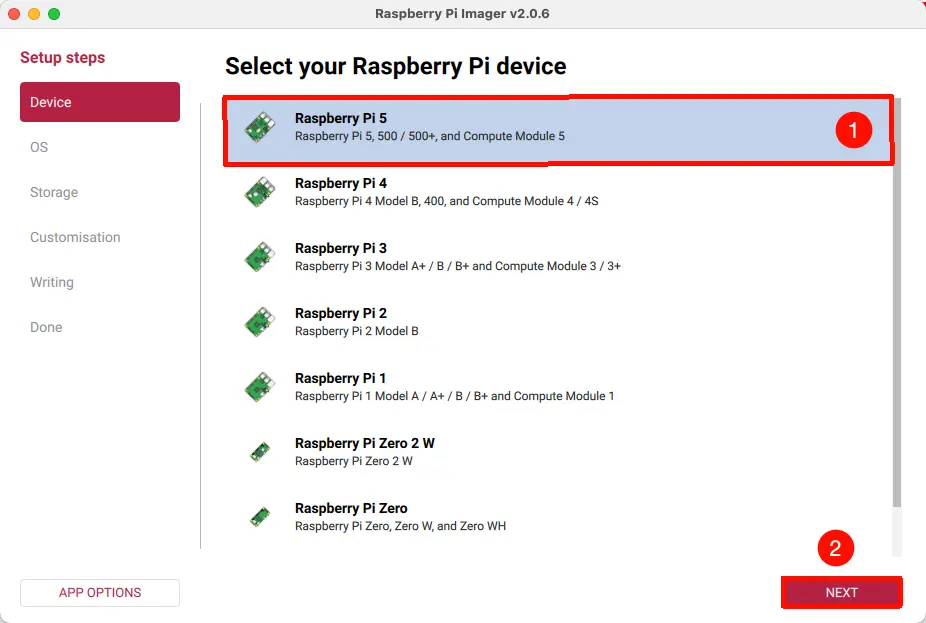
Select Device
Open Raspberry Pi Imager, select the Device option, and choose Raspberry Pi CM5. This option includes the Raspberry Pi CM5 device.
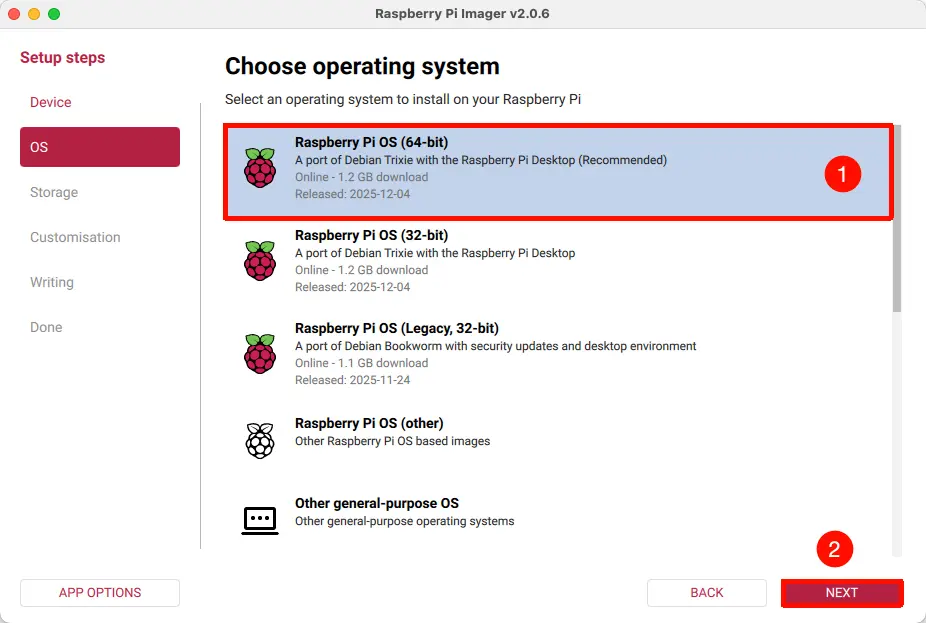
Select Operating System
Open Raspberry Pi Imager, select the Operating System option, and choose the system image you want to install.
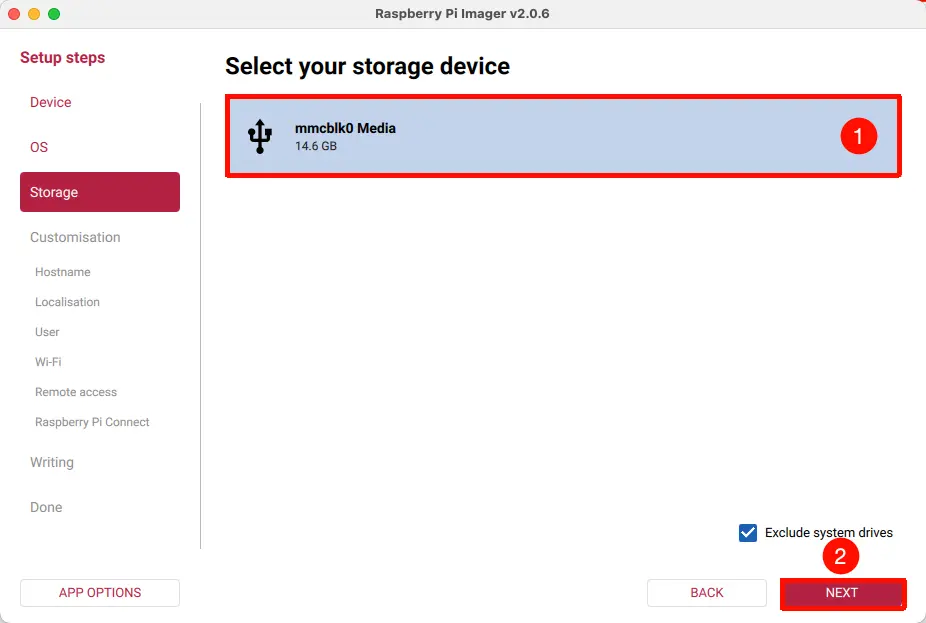
Select Storage Device
Open Raspberry Pi Imager, select the Storage option, and choose the storage device for the Raspberry Pi CM5.
You can determine if the correct storage device is selected based on its capacity or by safely ejecting the storage device. Selecting the wrong storage device will result in data loss.
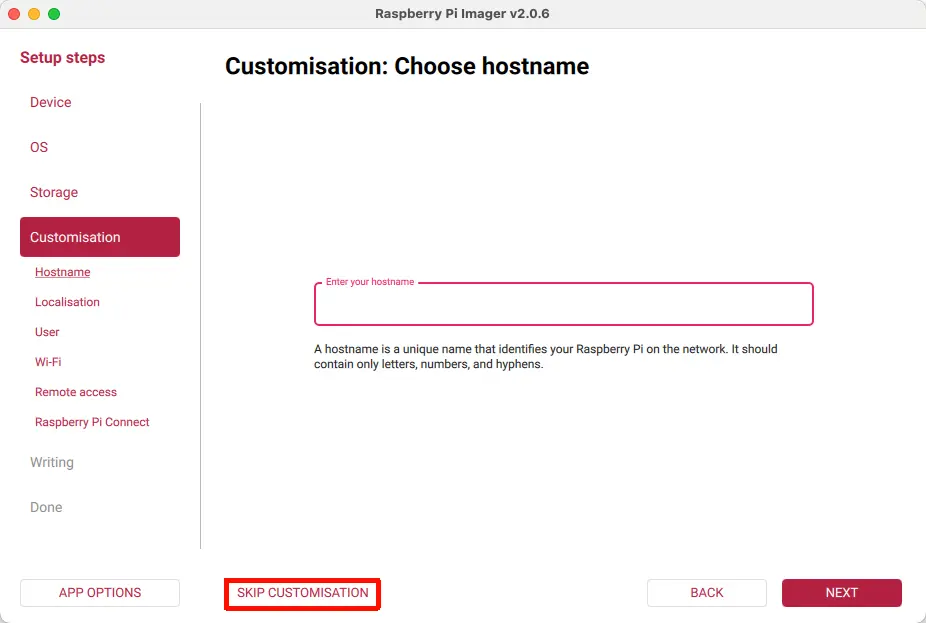
Configure System Information
System information can be configured according to your needs. Here we will skip the system information settings.
Start Installation
Click Write and confirm with I Understand ... to start installing the system image to the storage device.
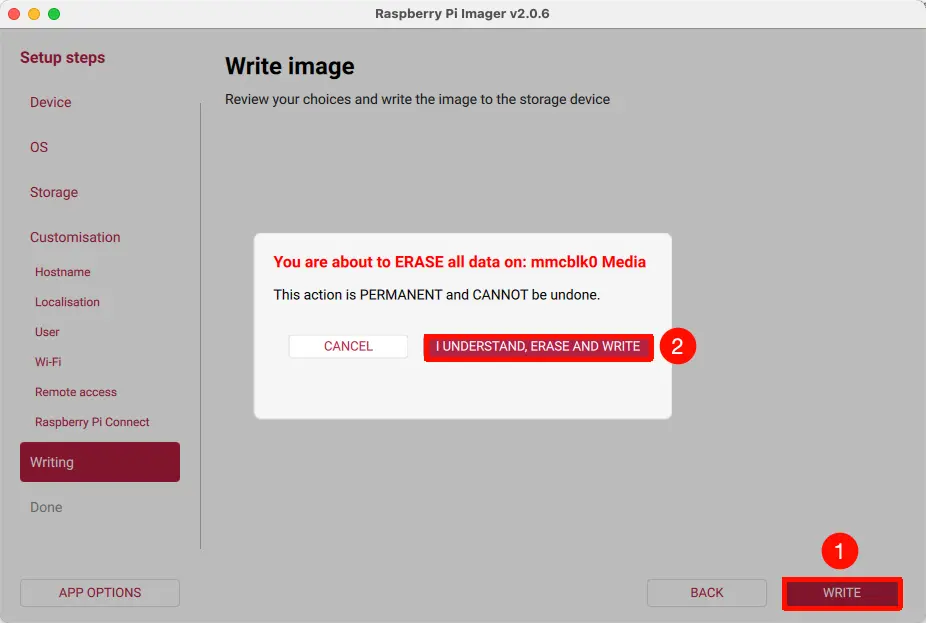
The entire installation process will write and verify the system image. Please wait patiently until the installation is complete.
Installation Complete
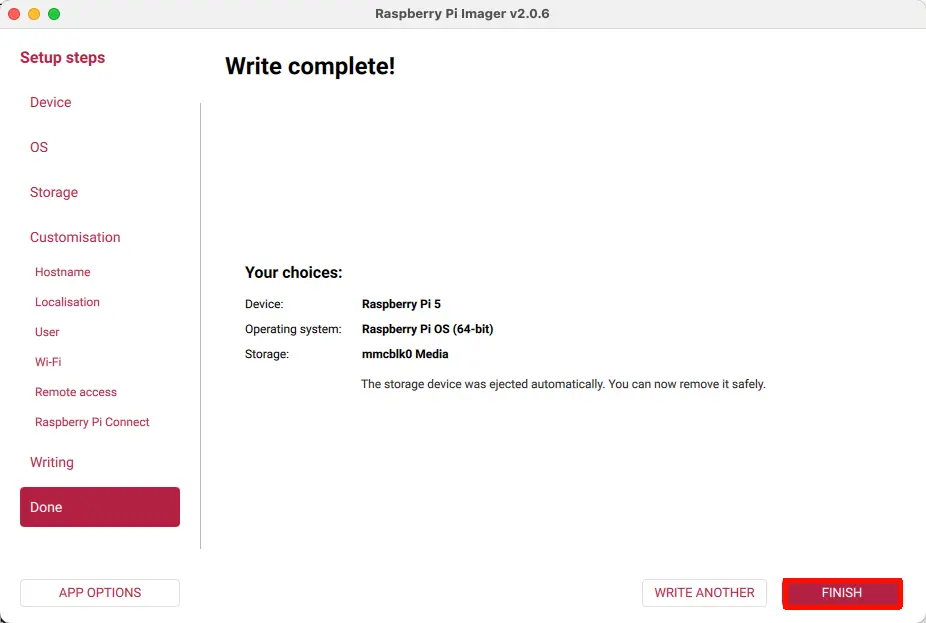
After the installation is complete, click FINISH to complete the installation.