DX Model Zoo
DX Model Zoo provides a collection of pre-compiled DXNN models for tasks such as image classification, object detection, image segmentation, face recognition, and image denoising. Each model includes the original model source, the ONNX model, the compiled DXNN model, downloadable compilation configuration files, and related data such as benchmarks and accuracy.
DX Model Link
Link: DX Model Zoo
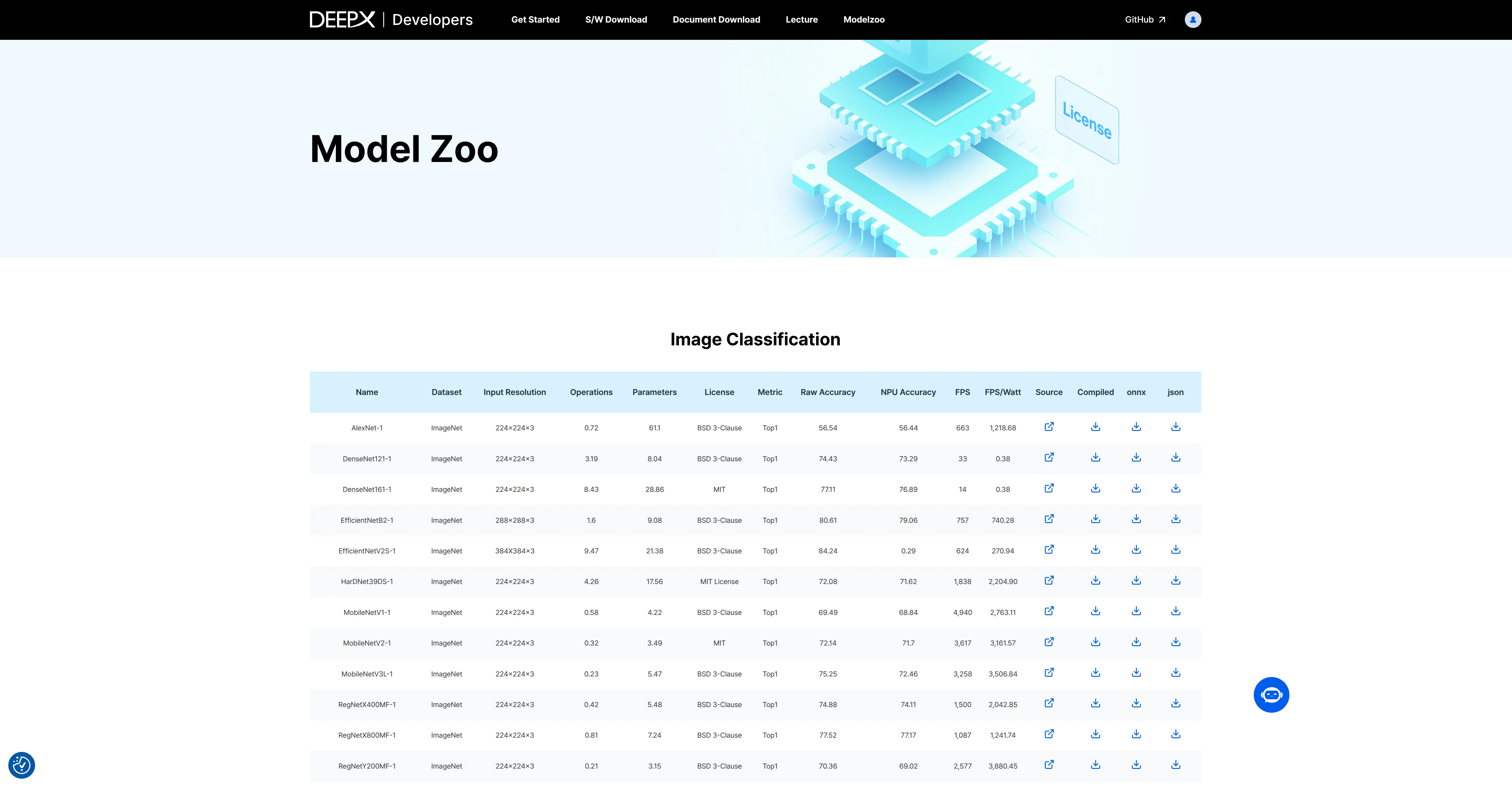
DX Model Zoo
Installation
DX-Model-Zoo is only supported on x86 Ubuntu 20.04 LTS or 22.04 LTS.
Clone the DX-ALL-SUITE repository
Follow DX-ALL-SUITE to clone the specified version of the DX-ALL-SUITE repository.
Install DXMZ (Deepx Model Zoo)
Manual installation
Enter the dx-all-suite/dx-modelzoo directory.
cd dx-all-suite/dx-modelzoo
./install.sh
After installation, a virtual environment named ./venv-dx-modelzoo-local will be created in the current directory.
source ./venv-dx-modelzoo-local/bin/activate
CLI usage
List models
Command:
dxmz models
Description: List models available in Deepx Model Zoo.
dxmz models
Evaluate model accuracy
Command:
dxmz eval <model_name> [--onnx <path> | --dxnn <path>] --data_dir <dataset_path>
Description: Measure the accuracy of a specified model.
# To use onnx runtime:
dxmz eval <Model Name> --onnx <onnx file path> --data_dir <dataset root dir path>
# Example:
dxmz eval ResNet18 --onnx ./ResNet18.onnx --data_dir ./datasets/ILSVRC2012/val


# To use DX-Runtime:
dxmz eval <Model Name> --dxnn <dxnn file path> --data_dir <dataset root dir path>
# Example:
dxmz eval ResNet18 --dxnn ./ResNet18.dxnn --data_dir ./datasets/ILSVRC2012/val
Build DX-Model-Zoo documentation
For more details on how to use DX-Model-Zoo, build the full documentation and refer to it.
Install MkDocs
pip install mkdocs mkdocs-material mkdocs-video pymdown-extensions mkdocs-with-pdf markdown-grid-tables
Build the docs
cd docs
mkdocs build
After the build finishes, dx-modelzoo_v0.1.0.pdf will be generated under output_web.
Serve the docs
You can access the documentation website in a browser.
mkdocs serve