Hardware Interfaces
This section provides information about the board's hardware interfaces.
System Block Diagram
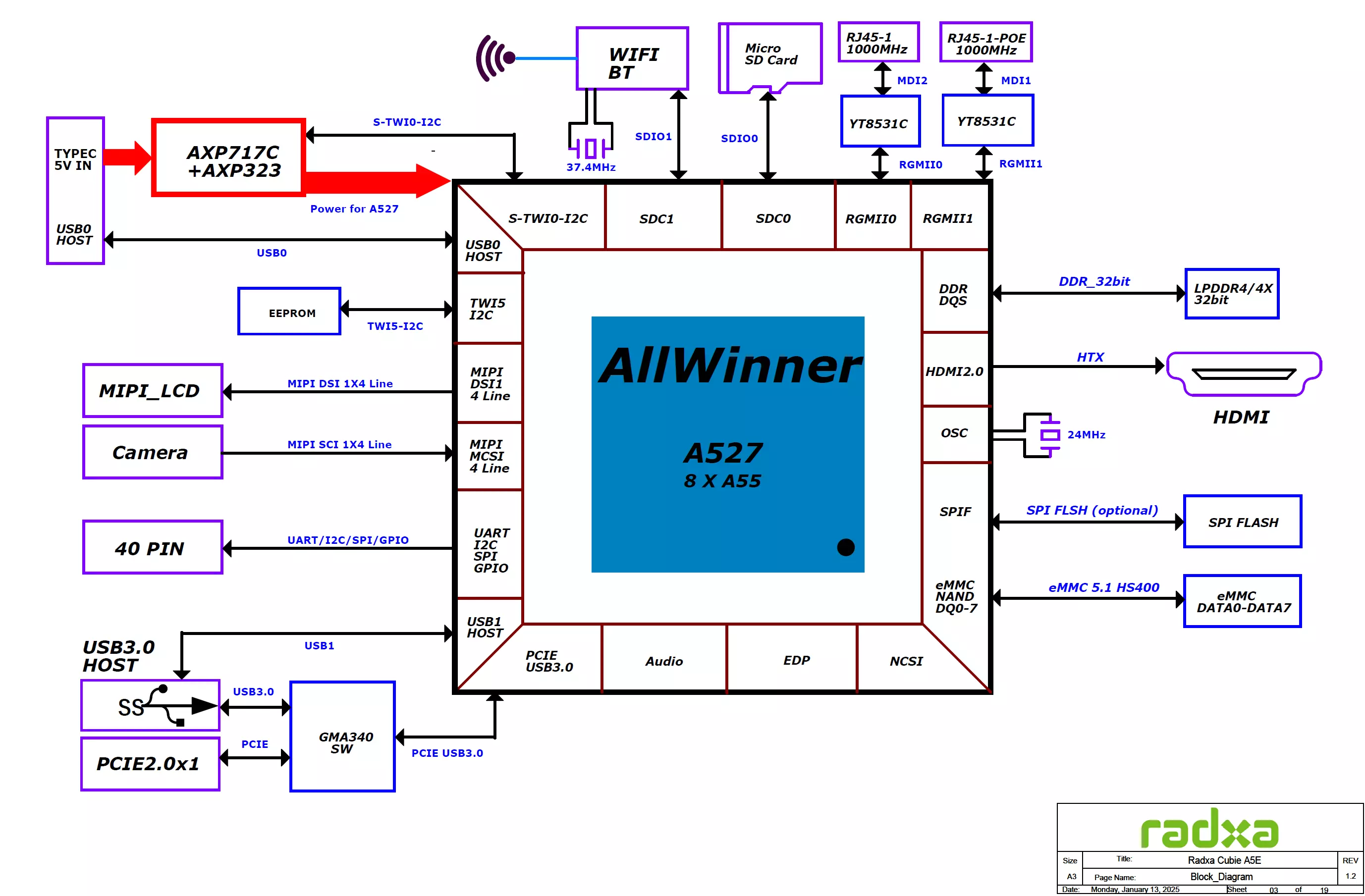
Interface Description
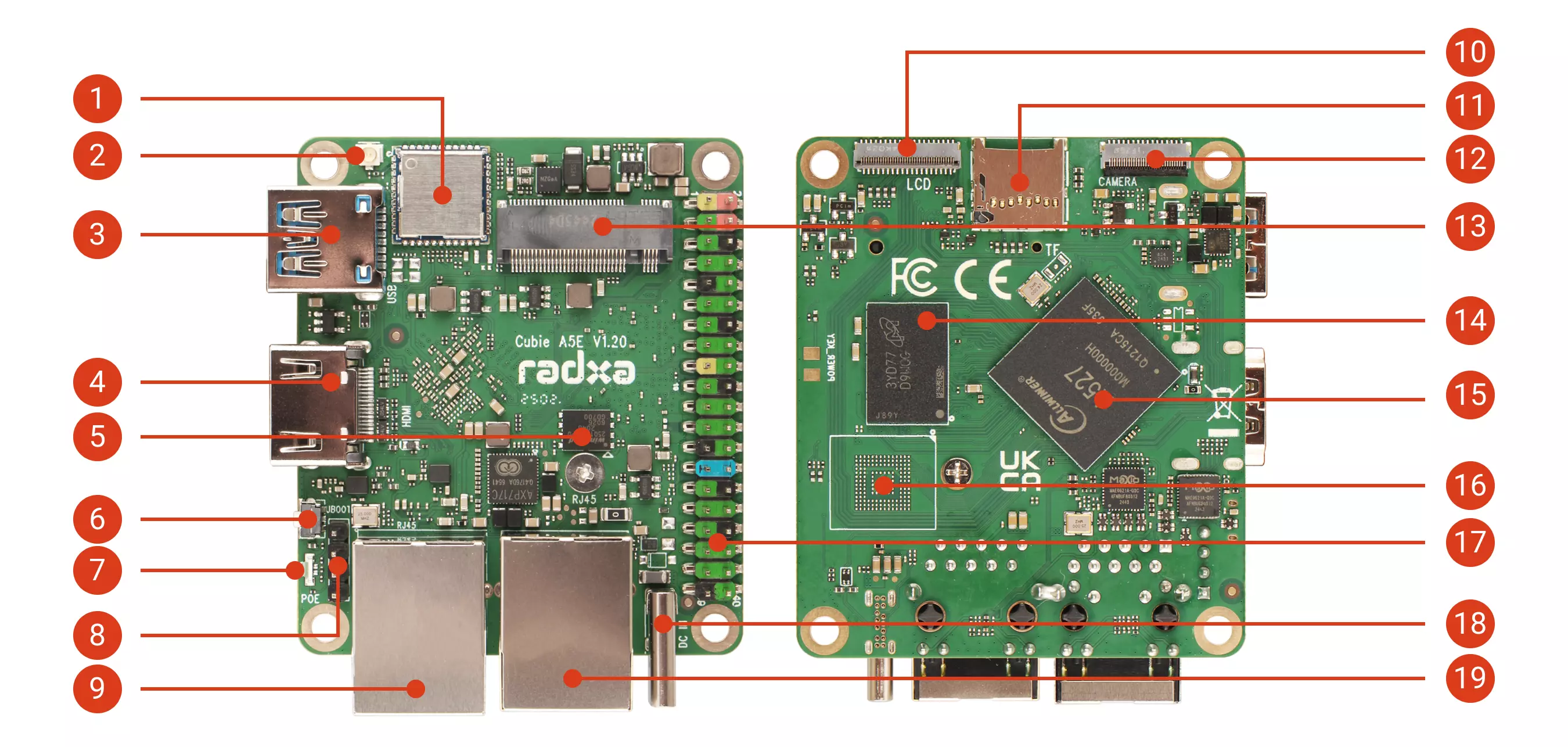
| No. | Description | No. | Description | No. | Description |
|---|---|---|---|---|---|
| ① | Wi-Fi / Bluetooth | ⑧ | PoE Header | ⑭ | LPDDR4 / LPDDR4x RAM |
| ② | Antenna Connector | ⑨ | Gigabit Ethernet (with PoE) | ⑮ | Allwinner A527 / T527 |
| ③ | USB 3.0 Type-A HOST | ⑩ | MIPI DSI | ⑯ | Onboard eMMC (Reserved) |
| ④ | HDMI | ⑪ | microSD Card Slot | ⑰ | 40-Pin GPIO Header |
| ⑤ | SPI Flash | ⑫ | MIPI CSI | ⑱ | USB Type-C (5V Power & OTG) |
| ⑥ | UBOOT Button | ⑬ | M.2 M Key 2230 Slot | ⑲ | Gigabit Ethernet (without PoE) |
| ⑦ | Status LED |
Onboard eMMC
If you have purchased the Cubie A5E model without onboard eMMC, the eMMC position on the motherboard will be reserved with no components installed.
- Status LED Indicators
- Solid Green: System power is normal
- Blinking Blue: System has booted successfully