Audio Management
This guide explains how to use audio devices on Radxa boards.
Audio Devices
The default audio output priority is: Bluetooth Audio > Headphones > HDMI Audio.
After manually selecting an audio output device, that device will have the highest priority.
Audio Configuration
You can configure audio devices through either the graphical interface or the command line.
- graphical-interface
- command-line
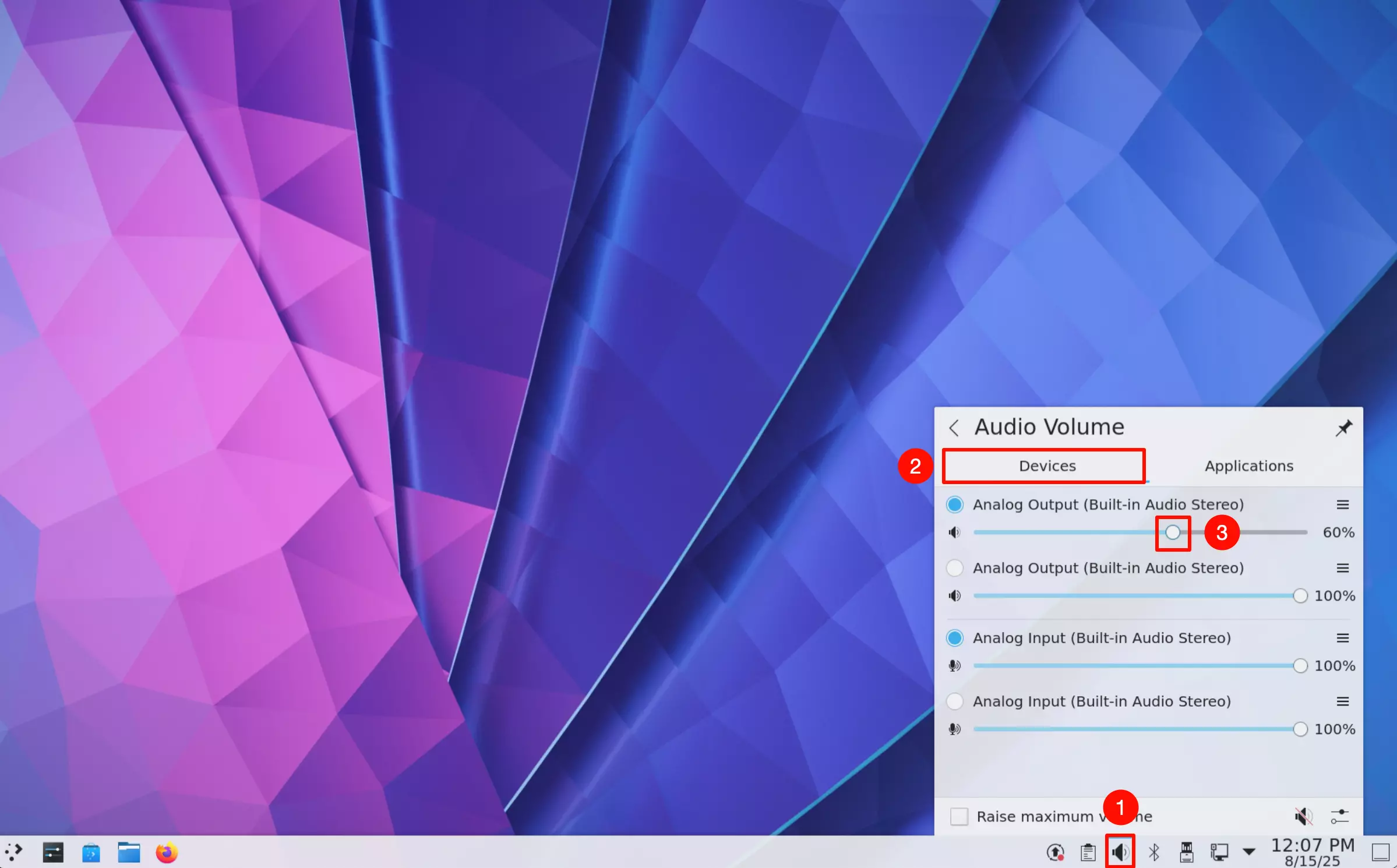
Click the audio icon in the bottom-right corner of the desktop, select your desired audio output device, and adjust the volume by dragging the volume slider.
①. Click the audio icon
②. Select the audio output device
③. Adjust the volume by dragging the slider
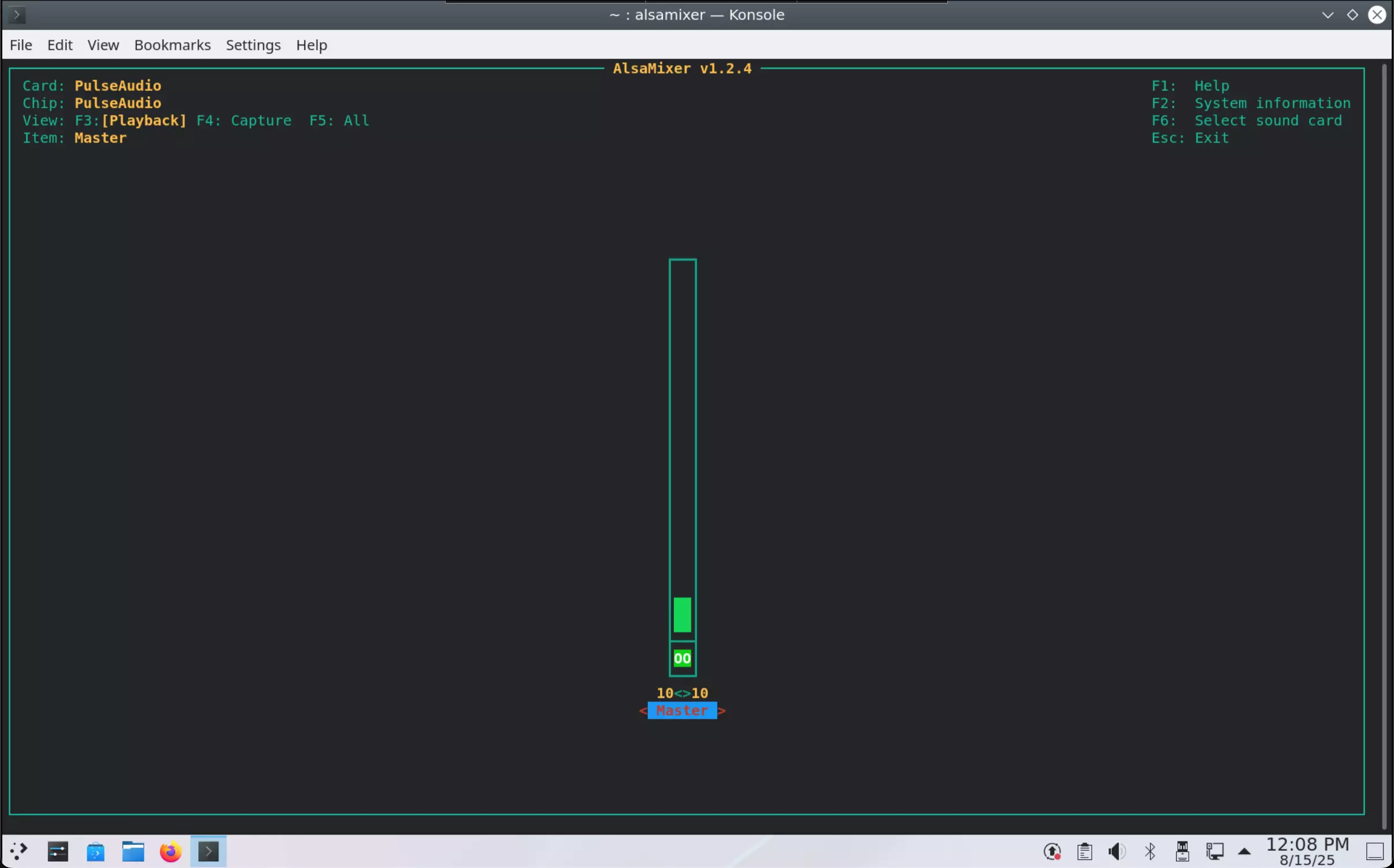
Use the alsamixer command-line tool to configure audio devices. Enter the following command in the terminal to open the alsamixer UI interface:
alsamixer
Use the up and down arrow keys to adjust the volume.