Hardware Interfaces
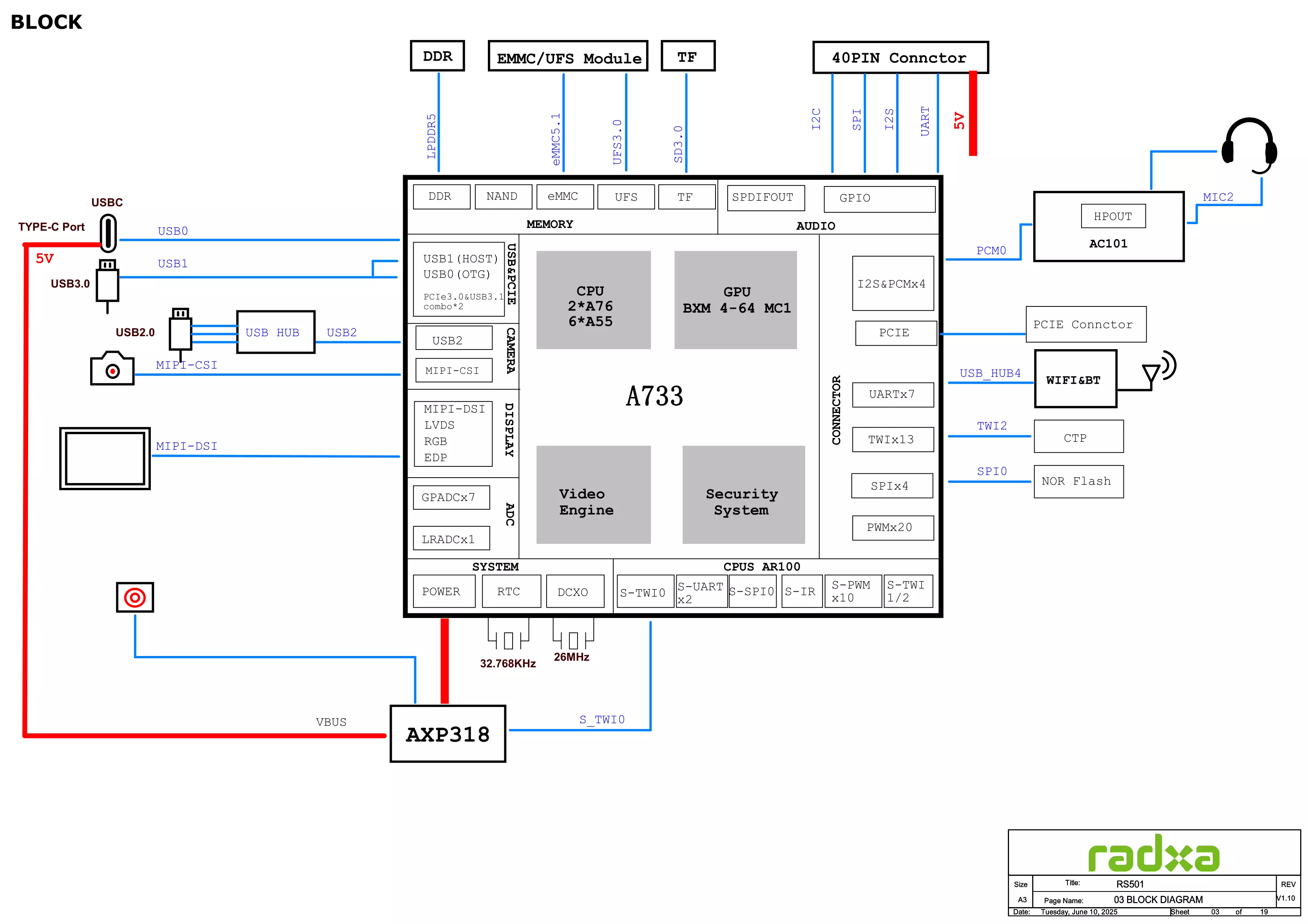
System Block Diagram
Interface Description
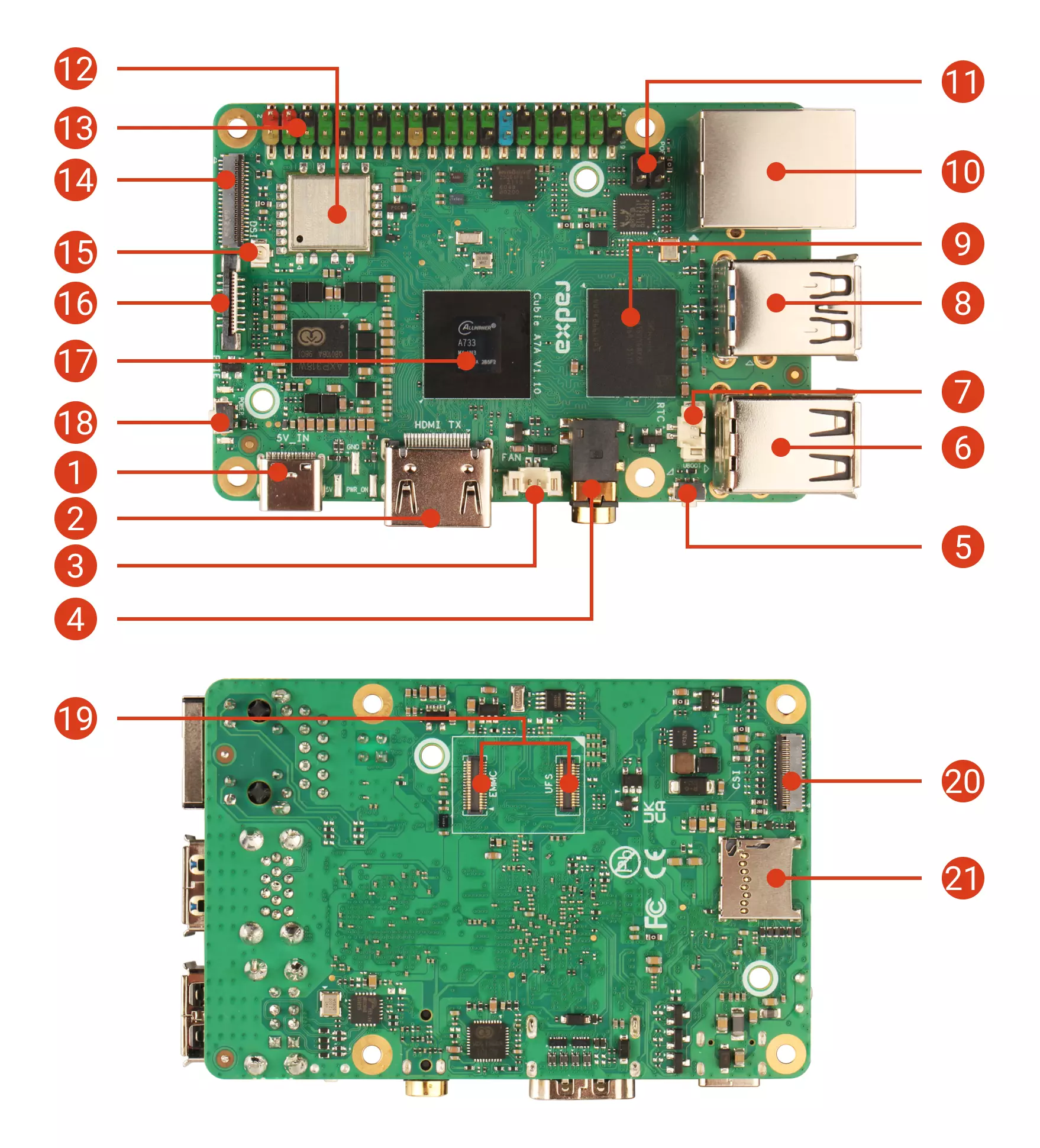
| No. | Description | No. | Description | No. | Description |
|---|---|---|---|---|---|
| ① | USB Type-C Port | ⑧ | USB Type-A Port | ⑮ | Antenna Interface |
| ② | HDMI Port | ⑨ | LPDDR5 Memory | ⑯ | PCIe 3.0 FPC Interface |
| ③ | Fan Interface | ⑩ | Gigabit Ethernet (with PoE) | ⑰ | Allwinner A733 |
| ④ | Headphone Jack | ⑪ | PoE Interface | ⑱ | Power Button |
| ⑤ | UBOOT Button | ⑫ | WiFi 6 and Bluetooth 5.4 | ⑲ | eMMC/UFS Combo Module Interface |
| ⑥ | USB 2.0 Type-A Port | ⑬ | 40-Pin GPIO Header | ⑳ | MIPI CSI Interface |
| ⑦ | RTC Interface | ⑭ | MIPI DSI Interface | ㉑ | microSD Card Slot |
- Power LED
The green power LED illuminates when the Cubie A7A is properly powered on. It turns off when the device is powered down or shut off.
- Status LED
The blue status LED blinks during normal system boot. It remains off if the system encounters an error during startup.
- LPDDR5 Memory
LPDDR5 memory options: 2GB / 4GB / 8GB / 16GB.