Install System to microSD Card
This section mainly describes how to install the system onto a microSD card.
Installing the system will format the microSD card. Please back up any important data in advance!
Hardware Preparation
You need to prepare the following hardware in advance:
- Board: Radxa Cubie A7A
- System boot medium: microSD card
- Card reader: microSD card reader
- Power adapter: 5V Type-C power adapter
Recommended accessories:
Hardware Description
The Cubie A7A board supports standard PD protocol 5V power input. A current of 3A or above is recommended to ensure stable operation of all peripherals.
- Power Adapter
After the system image is written to the microSD card, you can use a Type-C power adapter to power the Cubie A7A, avoiding insufficient power issues during later development.
Hardware Connection
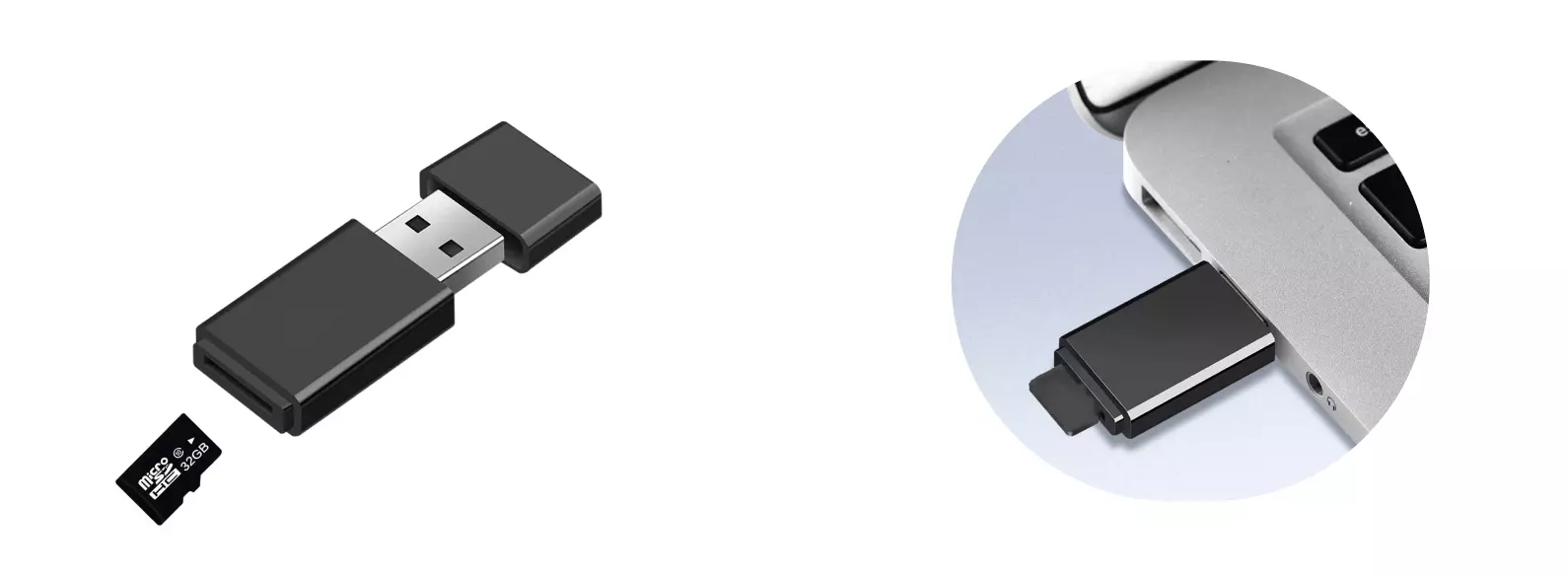
Insert the microSD card into the card reader, then plug the card reader into the PC's USB port.
Software Preparation
To write the Phoenix system image to the microSD card, you need to use the tool provided by Allwinner. You can download the software from the Resources Download page.
PhoenixCard: A Windows-based tool that can be used to create a bootable microSD card.
Install System
Extract the downloaded PhoenixCard archive, enter the PhoenixCard directory, and run PhoenixCard.exe as administrator.
① : Select the Image option and locate the corresponding system image file (choose the actual extracted system file)
② : Select the Start up option, which means the card type to be created is a boot card
③ : Check the disk option corresponding to the microSD card
④ : Click the Burn button to start creating the bootable card
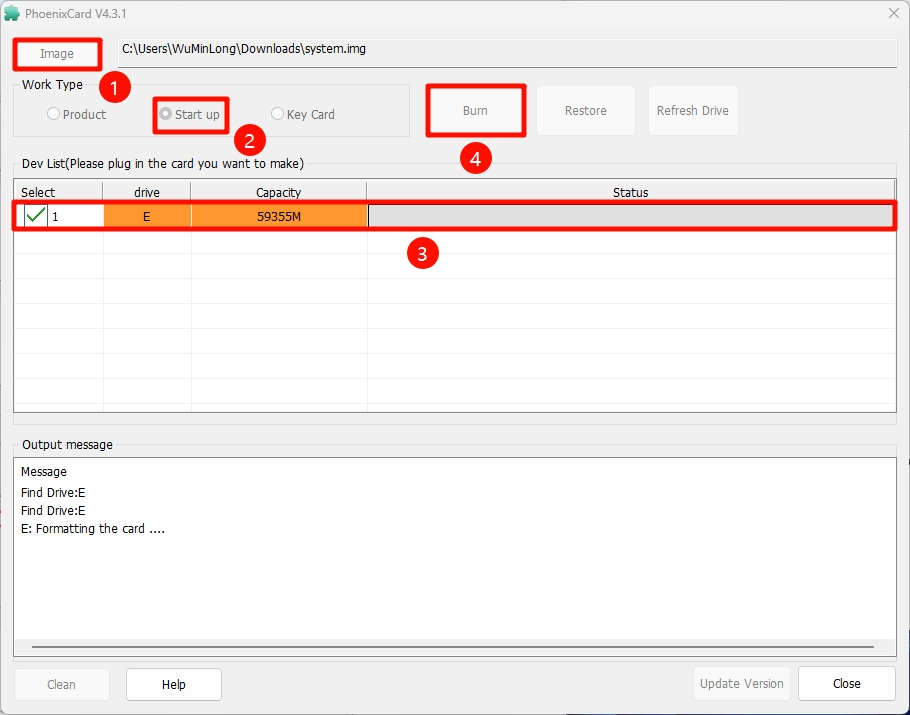
Wait for the software to finish writing. After completion, you can close the PhoenixCard tool.
System Information
When using the system image we provide, you need to use the username and password we set for the first login.
- radxa
User account: radxa
User password: radxa