Hardware Interfaces
This section provides an overview of the hardware interfaces on the Cubie A7Z.
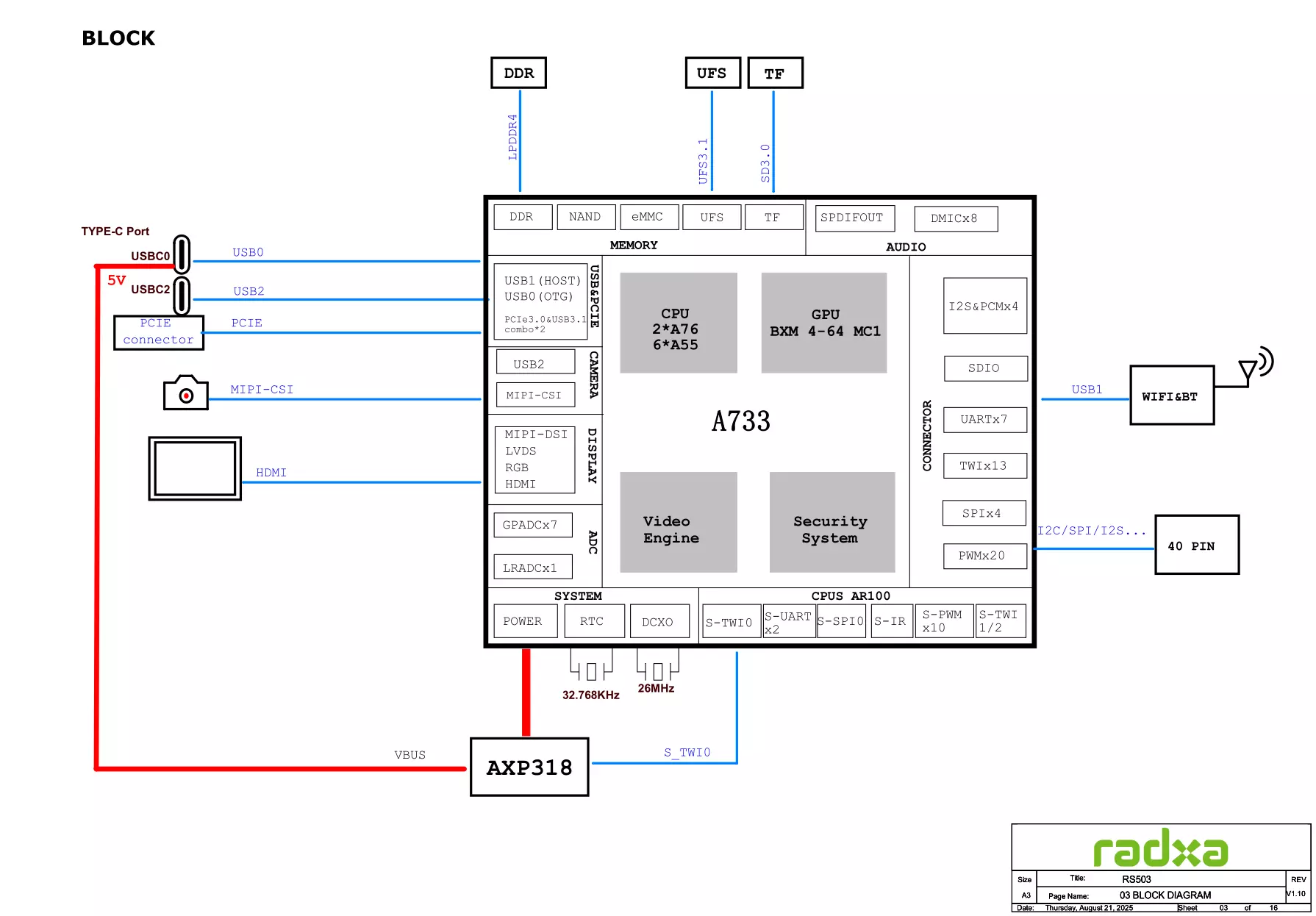
System Block Diagram
Interface Description
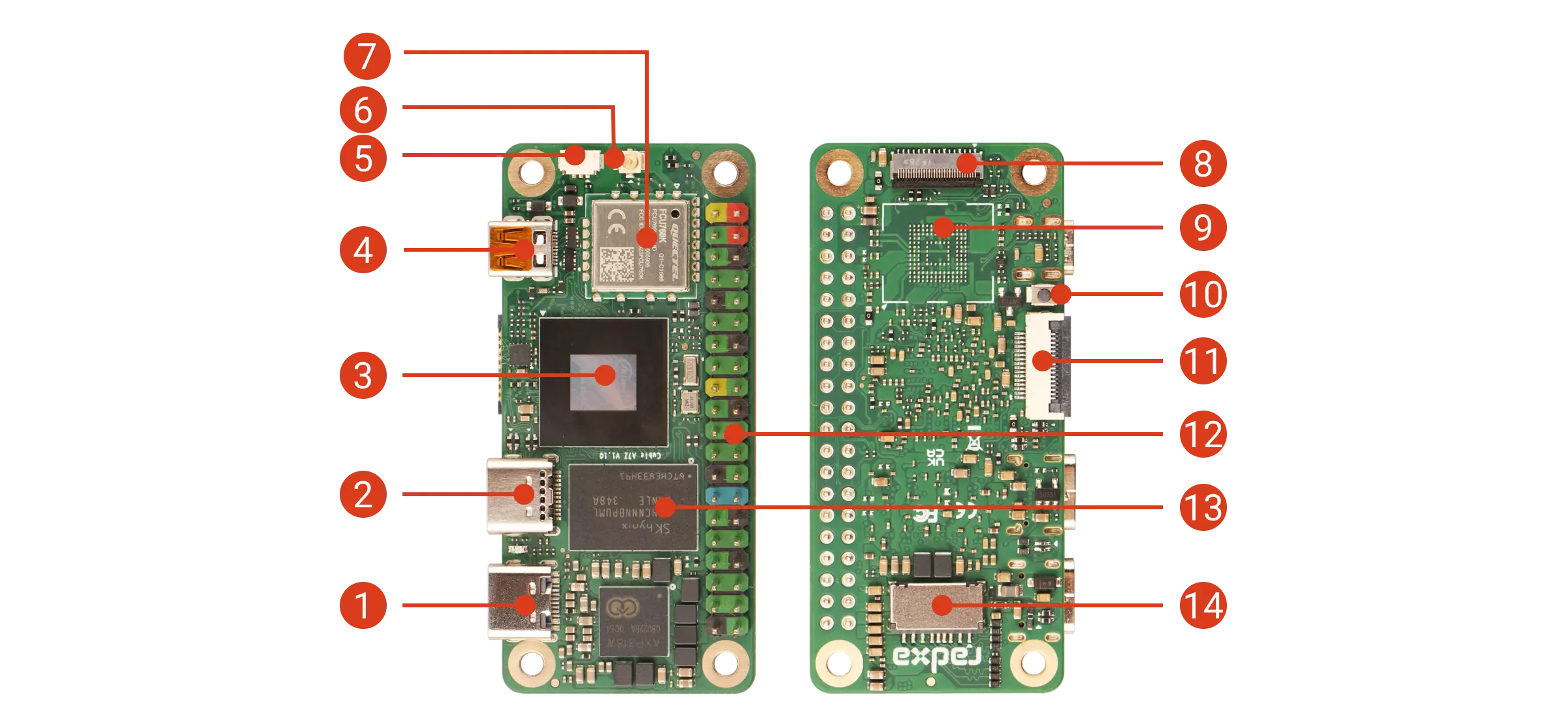
| No. | Description | No. | Description | No. | Description |
|---|---|---|---|---|---|
| ① | USB-C 2.0 OTG & Power Port | ⑥ | Antenna Connector | ⑪ | PCIe 3.0 FPC Connector |
| ② | USB-C 3.1 OTG & DP Alt Mode Port | ⑦ | WiFi 6 / BT5 Module | ⑫ | 40-Pin GPIO Header |
| ③ | Allwinner A733 SoC | ⑧ | 4-lane MIPI CSI Connector | ⑬ | LPDDR4/4x RAM |
| ④ | Micro HDMI Port | ⑨ | Onboard UFS | ⑭ | microSD Card Slot |
| ⑤ | Fan Connector | ⑩ | U-Boot Button |
- Power Indicator
When the Cubie A7Z is powered on normally, the power indicator will light up green.
- LPDDR4/4x
LPDDR4/4x options available: 1GB / 2GB / 4GB / 8GB / 16GB
- Onboard UFS
The onboard UFS module supports up to 1TB of storage capacity.