Entering EDL Mode
This document explains how to enter EDL mode.
About EDL Mode
Qualcomm EDL (Emergency Download Mode) is an emergency download mode in Qualcomm processor devices, primarily used for emergency repairs, firmware flashing, or device unlocking.
Entering EDL Mode
To enter EDL mode, press and hold the EDL button on the board before powering it on. After the board is powered on, you can release the EDL button, and the device will automatically enter EDL mode.
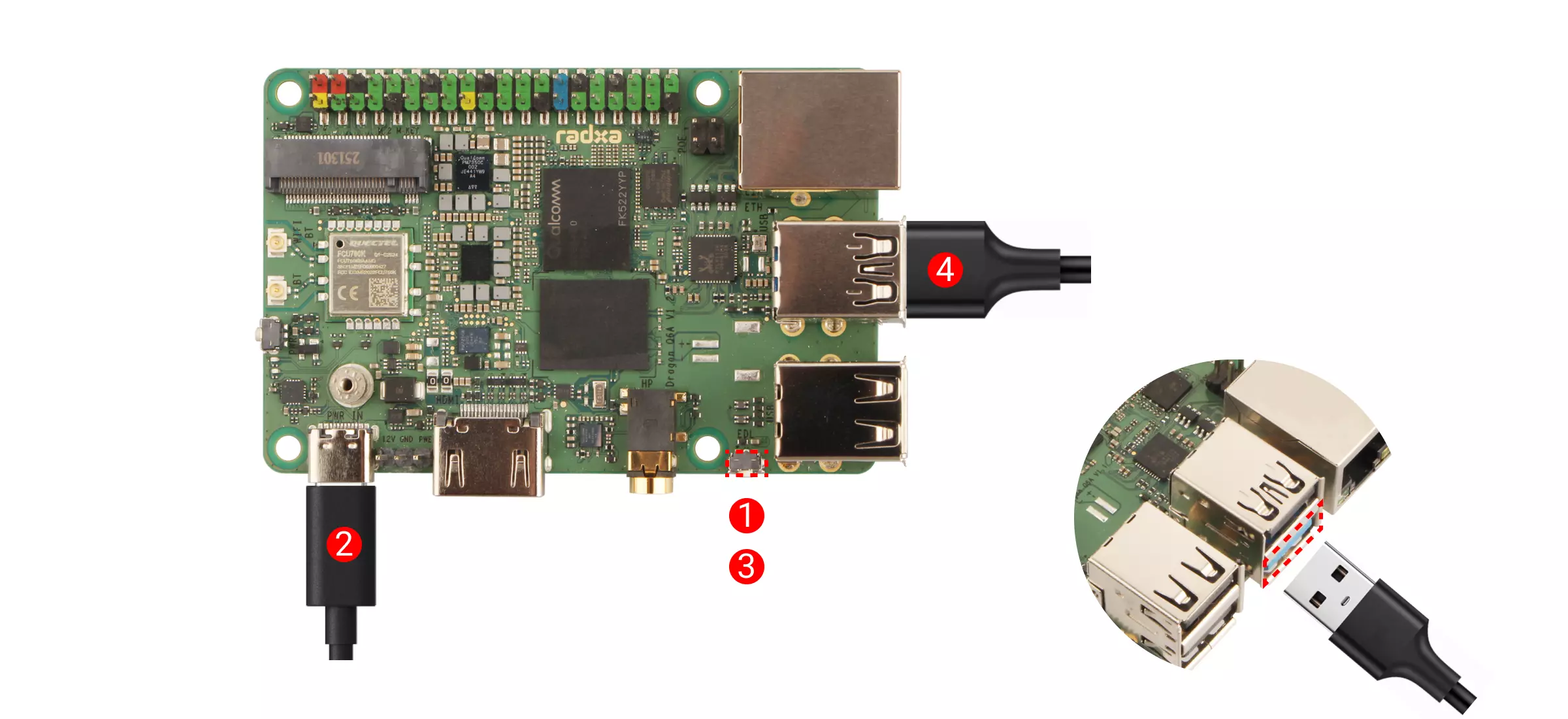
① : Press and hold the EDL button on the board
② : Power on the board using the power adapter
③ : Release the EDL button on the board
④ : Connect the board to your computer using a USB Type-A to Type-A cable (connect to the board's USB 3.0 OTG Type-A port)