Power Button
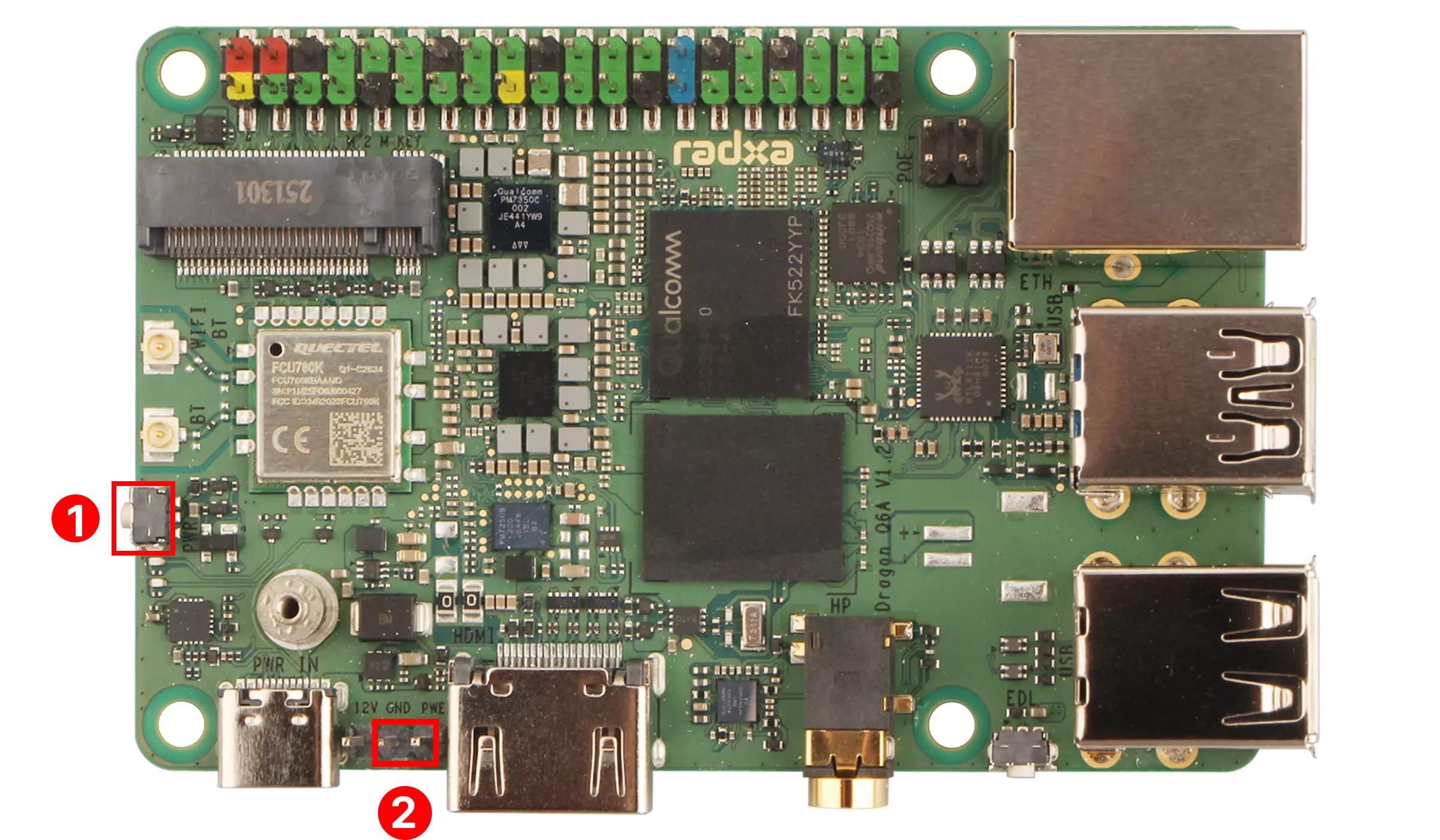
The Dragon Q6A has a built-in power button and power pin for controlling the motherboard power switch.
① : Power Button
② : Power Pin
User Guide
Power Button
When the motherboard is shut down, press the Power button to start the motherboard.
When the motherboard is turned on, press the Power button to display the shutdown menu bar. The system will not shut down immediately.
Power Pin
When the motherboard is powered off, short-circuit the Power pin and GND pin to boot the motherboard.
When the motherboard is powered on, short-circuit the Power pin and GND pin to display the shutdown menu, but the system will not shut down immediately.
Interface Pin Definitions
Refer to the hardware schematic diagram on the Resource Summary Download page.