YOLOv8-det Example
This document describes using the QAI AppBuilder Python API to run inference with the YOLOv8-det object detection model on the Qualcomm® Hexagon™ Processor (NPU).
Supported devices
| Device | SoC |
|---|---|
| Dragon Q6A | QCS6490 |
| Dragon Q8B | SC8280XP |
| Fogwise® AIRbox Q900 | QCS9075 |
Install QAI AppBuilder
-
Install QAI AppBuilder by following the QAI AppBuilder installation guide.
-
Configure ADSP environment variables as described in Create ADSP environment variables.
Run the sample
Install dependencies
Install sample dependencies in the activated virtual environment:
pip3 install requests tqdm qai-hub py3-wget Pillow torch torchvision opencv-python-headless
Run the script
-
Enter the upstream samples directory
Devicecd qai-appbuilder/samples -
Prepare input data (use the bundled sample input when available)
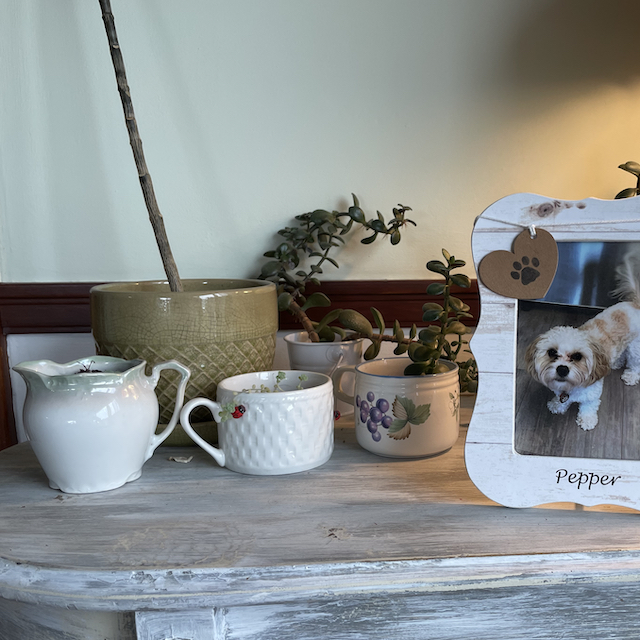
input image
Fix output order (required on QCS6490 / SC8280XP / QCS9075)
Verified on Dragon Q6A (--chipset 6490) and AIRbox Q900 (--chipset 9075): AI Hub packages often use this layout:
| Output index | Shape | Meaning |
|---|---|---|
0 | [1, 8400] | scores |
1 | [1, 8400] | class_idx |
2 | [1, 8400, 4] | boxes |
Upstream yolov8_det.py assumes [boxes, scores, class_idx], which leads to an NMS failure:
IndexError: index ... is out of bounds for dimension 0 with size ...
Before running, update the output parsing in Inference() inside ComputerVision/Object_Detection/yolov8_det/yolov8_det.py (back up the file first).
Replace:
    # Run the inference.
    model_output = yolov8.Inference(image)

    pred_boxes = torch.tensor(model_output[0].reshape(1, -1, 4))
    pred_scores = torch.tensor(model_output[1].reshape(1, -1))
    pred_class_idx = torch.tensor(model_output[2].reshape(1, -1))
with:
    # Run the inference.
    model_output = yolov8.Inference(image)

    # Output layout differs by model package:
    # - some packages: [boxes, scores, class_idx]
    # - QCS6490 / QCS9075 hub packages often: [scores, class_idx, boxes]
    import numpy as _np
    a0, a1, a2 = _np.array(model_output[0]), _np.array(model_output[1]), _np.array(model_output[2])
    if a2.ndim == 3 and a2.shape[-1] == 4:
        pred_scores = torch.tensor(a0.reshape(1, -1))
        pred_class_idx = torch.tensor(a1.reshape(1, -1))
        pred_boxes = torch.tensor(a2.reshape(1, -1, 4))
    else:
        pred_boxes = torch.tensor(a0.reshape(1, -1, 4))
        pred_scores = torch.tensor(a1.reshape(1, -1))
        pred_class_idx = torch.tensor(a2.reshape(1, -1))
This auto-selects the layout when the last tensor is [..., 4], and keeps compatibility with 6490 / 9075 and other packages.
Run inference
- QCS6490
- SC8280XP
- QCS9075
python3 ComputerVision/Object_Detection/yolov8_det/yolov8_det.py --chipset 6490
SC8280XP and QCS6490 both use Hexagon V68. Use --chipset 6490, and apply the same output-order fix above.
python3 ComputerVision/Object_Detection/yolov8_det/yolov8_det.py --chipset 6490
python3 ComputerVision/Object_Detection/yolov8_det/yolov8_det.py --chipset 9075
Expected result
After the output-order fix, a successful run on QCS6490 or QCS9075 writes:
ComputerVision/Object_Detection/yolov8_det/output.png
Without a display, Error: no DISPLAY environment variable specified may appear; ignore it if output.png exists and the exit code is 0.
- Example result (illustrative; actual result depends on the input and model package)
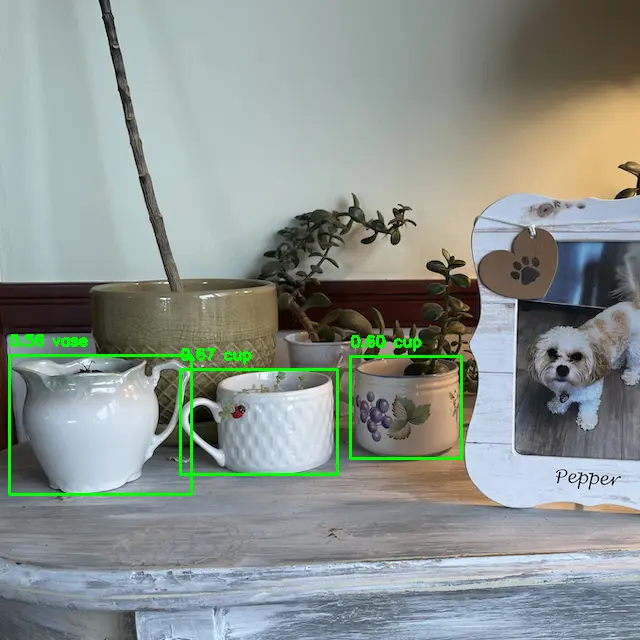
output image
Launcher alternative (still apply the output-order fix first):
python3 run_inference.py --model yolov8_det --args "--chipset 6490"
# or on QCS9075:
# python3 run_inference.py --model yolov8_det --args "--chipset 9075"