Entering EDL Mode
Qualcomm EDL (Qualcomm Download Mode) is an emergency download mode for Qualcomm processor devices. It is mainly used for emergency repair, firmware flashing, or unlocking devices.
Entering EDL Mode
Follow the steps below to enter EDL mode.
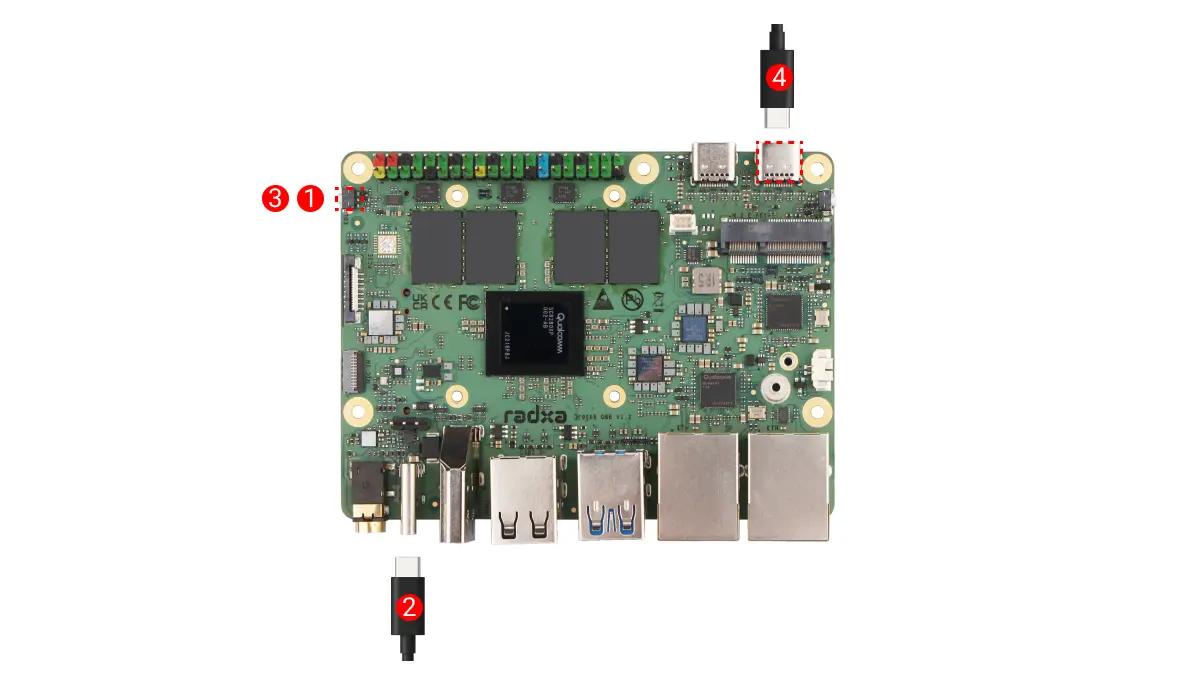
-
Hold the EDL button
-
Connect the Dragon Q8B USB-C port to a computer USB port using a USB Type-C cable (the power LED normally stays green)
-
Release the EDL button
-
Connect a 20V Type-C power adapter (PD compatible)
Verify EDL Mode
- Windows
- Linux
- Download the EDL driver
On Windows, go to the Resource Downloads page to download the EDL driver file.
- Install the EDL driver
Extract the downloaded driver file, then run Install.bat as administrator to install the driver.

- Device Recognition
In Windows, open Device Manager to check whether the device is recognized properly.
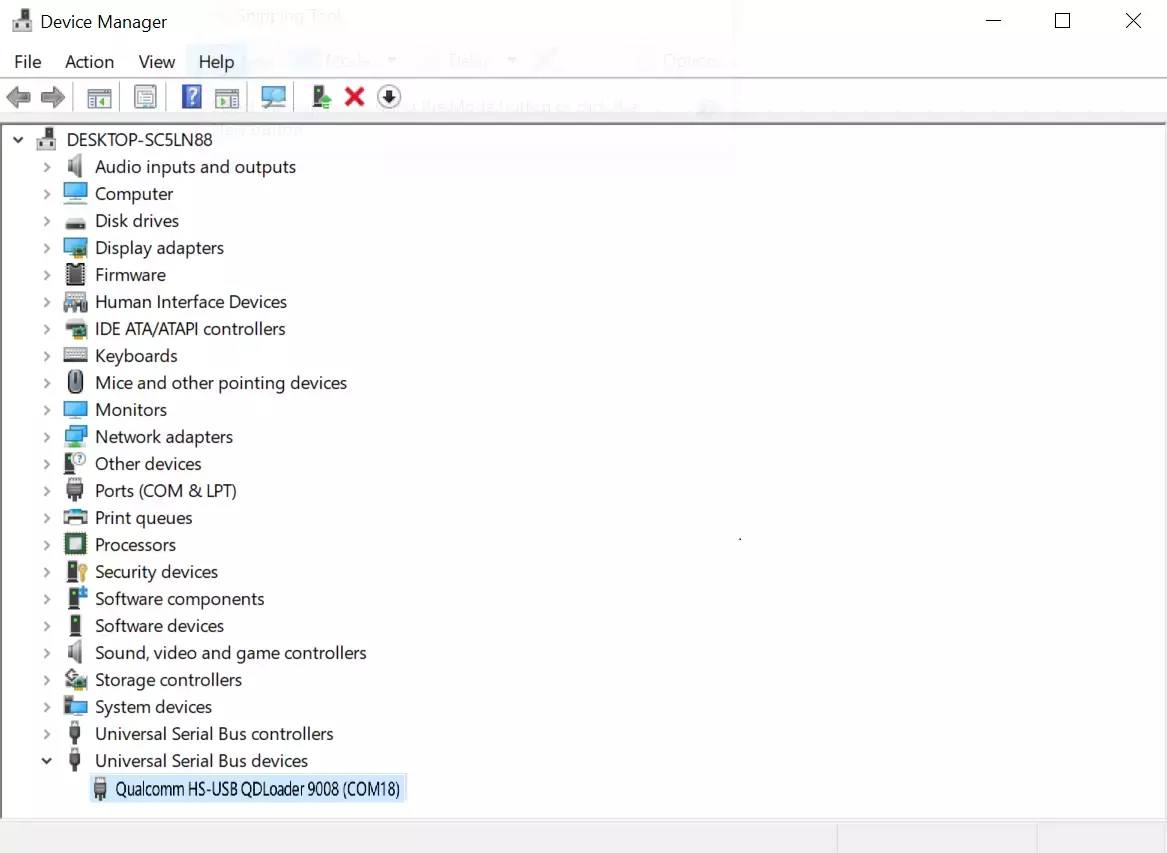
On Linux, use the lsusb command to check whether the device has entered EDL mode.
lsusb
After the device enters EDL mode, output similar to the following is displayed:
Bus 001 Device 008: ID 05c6:9008 Qualcomm, Inc. Gobi Wireless Modem (EDL mode)