Facial-Landmark-Detection Example
This document describes how to use the QAI AppBuilder Python API to run inference with the Facial-Landmark-Detection facial landmark detection model on Qualcomm® Hexagon™ Processor (NPU).
Supported devices
| Device | SoC |
|---|---|
| Fogwise® AIRbox Q900 | QCS9075 |
Install QAI AppBuilder
-
Install QAI AppBuilder by following the QAI AppBuilder installation guide.
-
Configure ADSP environment variables as described in Create ADSP environment variables.
Run the sample
Install dependencies
Install sample dependencies in the activated virtual environment:
pip3 install requests tqdm qai-hub py3-wget Pillow torch torchvision opencv-python-headless scikit-image onnxruntime
Run the script
-
Enter the upstream samples directory
Devicecd qai-appbuilder/samples -
Prepare input data (use the sample input if provided, or pass script arguments)
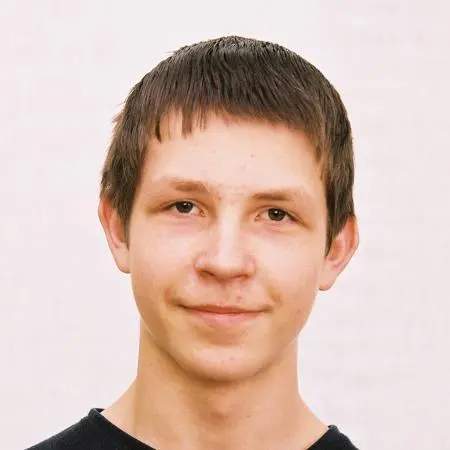
input image
-
Run inference
Devicepython3 ComputerVision/Face_Recognition/facemap_3dmm/facemap_3dmm.py --chipset 9075
On AIRbox Q900 the sample may prefer the ONNX float model (requires onnxruntime). A successful run writes output.jpg and may print ONNX model inference time: ... ms.
- Example result
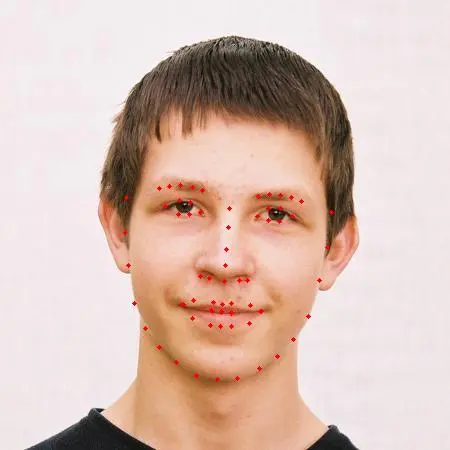
output image
The first run downloads the model via Qualcomm® AI Hub (network-dependent). You can also use the launcher from samples:
python3 run_inference.py --list
python3 run_inference.py --model facemap_3dmm --args "--chipset 9075"