AMR Simple Motion Control
Keyboard-controlled motion of a simulated AMR (Autonomous Mobile Robot) in Gazebo. The control node publishes Twist commands to /qrb_robot_base/cmd_vel, forwarded through ros_gz_bridge to the Gazebo differential-drive system, with odom feedback confirming actual robot motion.
Data Flow
simple_motion → /qrb_robot_base/cmd_vel → ros_gz_bridge → Gazebo → /qrb_robot_base/odom
Prerequisites
- QIR SDK installed
- Display connected (GUI mode) or headless verification
Build from Source
Step 1: Install Dependencies
sudo apt install -y \
  ros-jazzy-ros-gz \
  ros-jazzy-gz-ros2-control \
  ros-jazzy-ros2-controllers
Step 2: Clone and Build
git clone https://github.com/qualcomm-qrb-ros/qrb_ros_simulation.git
cd qrb_ros_simulation
source /opt/ros/jazzy/setup.bash
colcon build --cmake-args -DBUILD_TESTING=OFF
Run (GUI Mode)
Terminal 1 — Start Gazebo simulation from a desktop terminal:
source /opt/ros/jazzy/setup.bash
source ~/qrb_ros_simulation/install/setup.bash
ros2 launch qrb_ros_sim_gazebo gazebo_robot_base.launch.py \
  namespace:=qrb_robot_base enable_laser:=false enable_imu:=false
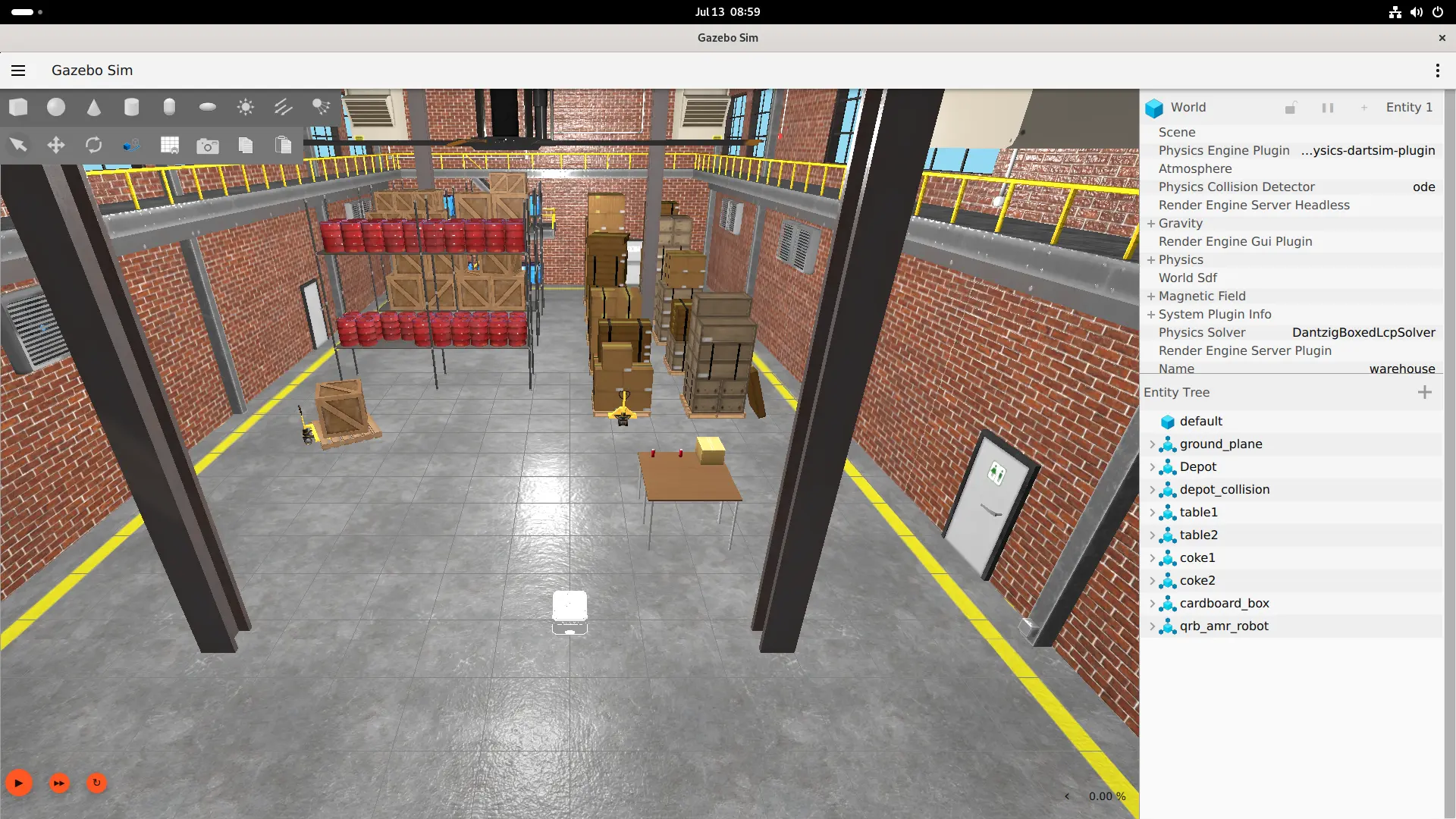
Once the Gazebo window opens, click the play button at the bottom-left to start the simulation.
Terminal 2 — Start the controller:
ros2 run simulation_sample_amr_simple_motion simple_motion
Keyboard Controls
| Key | Command | Twist Value |
|---|---|---|
i | Forward | linear.x = 0.5 |
, | Backward | linear.x = -0.5 |
j | CCW turn | angular.z = 0.5 |
l | CW turn | angular.z = -0.5 |
k | Stop | linear.x = 0.0 |
q | Quit |
Verification
After pressing i to send a forward command, the AMR in the Gazebo window should move visibly. Confirm via the odom topic:
source /opt/ros/jazzy/setup.bash
ros2 topic echo /qrb_robot_base/odom --field pose.pose.position.x
Expected: position.x grows from approximately 0.
Headless Mode
To run without a display, use headless mode for the Gazebo server and ros_gz_bridge only:
source /opt/ros/jazzy/setup.bash
source ~/qrb_ros_simulation/install/setup.bash
ros2 launch qrb_ros_sim_gazebo gazebo_robot_base.launch.py \
  namespace:=qrb_robot_base enable_laser:=false enable_imu:=false \
  headless:=true
Extension: Navigation and SLAM
Enable LiDAR and IMU for a full sensory setup:
ros2 launch qrb_ros_sim_gazebo gazebo_robot_base.launch.py \
  namespace:=qrb_robot_base \
  enable_laser:=true \
  enable_imu:=true \
  enable_odom:=true \
  enable_odom_tf:=true
Available interfaces:
| Topic | Type |
|---|---|
/qrb_robot_base/cmd_vel | Twist |
/qrb_robot_base/odom | Odometry |
/qrb_robot_base/joint_states | JointState |
/qrb_robot_base/tf | TFMessage |
/qrb_robot_base/scan | LaserScan (requires enable_laser:=true) |
/qrb_robot_base/imu | Imu (requires enable_imu:=true) |
This foundation supports Nav2 navigation, 2D SLAM, obstacle avoidance, path planning, and more (additional packages required).
Note: The cross-machine topology described in the official document (x86 host running Gazebo + Q900 controlling via DDS) has not been verified. If using this setup, ensure
ROS_DOMAIN_IDmatches and the network supports multicast between the host and Q900.