Pick and Place
Simulate RML-63 robotic arm pick-and-place operations in Gazebo. Uses MoveIt2 for motion planning, OMPL for joint trajectory generation, and gz_ros2_control to drive the simulated arm and gripper.
Prerequisites
- QIR SDK installed
- MoveIt2 installed:
sudo apt install -y ros-jazzy-moveit - Display connected (GUI mode)
Build from Source
Step 1: Clone Repositories
# Simulation environment (skip if already built)
git clone https://github.com/qualcomm-qrb-ros/qrb_ros_simulation.git

# Pick-and-place sample
git clone -b jazzy-rel https://github.com/qualcomm-qrb-ros/qrb_ros_samples.git
Step 2: Build
# Build simulation environment
cd qrb_ros_simulation
source /opt/ros/jazzy/setup.bash
colcon build

# Build pick-and-place sample
cd ../qrb_ros_samples/robotics/simulation_sample_pick_and_place
source install/setup.bash
colcon build
Run
Use the same ROS environment in all terminals:
source /opt/ros/jazzy/setup.bash
export ROS_DOMAIN_ID=55
export ROS_LOCALHOST_ONLY=1
source qrb_ros_simulation/install/setup.bash
source qrb_ros_samples/robotics/simulation_sample_pick_and_place/install/setup.bash
Execute in four separate terminals, in order.
Terminal 1 — Start Gazebo from the desktop terminal:
ros2 launch qrb_ros_sim_gazebo gazebo_rml_63_gripper.launch.py \
  robot_entity_name:=rml_63 \
  world_model:=warehouse \
  initial_x:=2.2 initial_y:=-2 initial_z:=1.025 \
  initial_yaw:=3.14159 initial_pitch:=0.0 initial_roll:=0.0
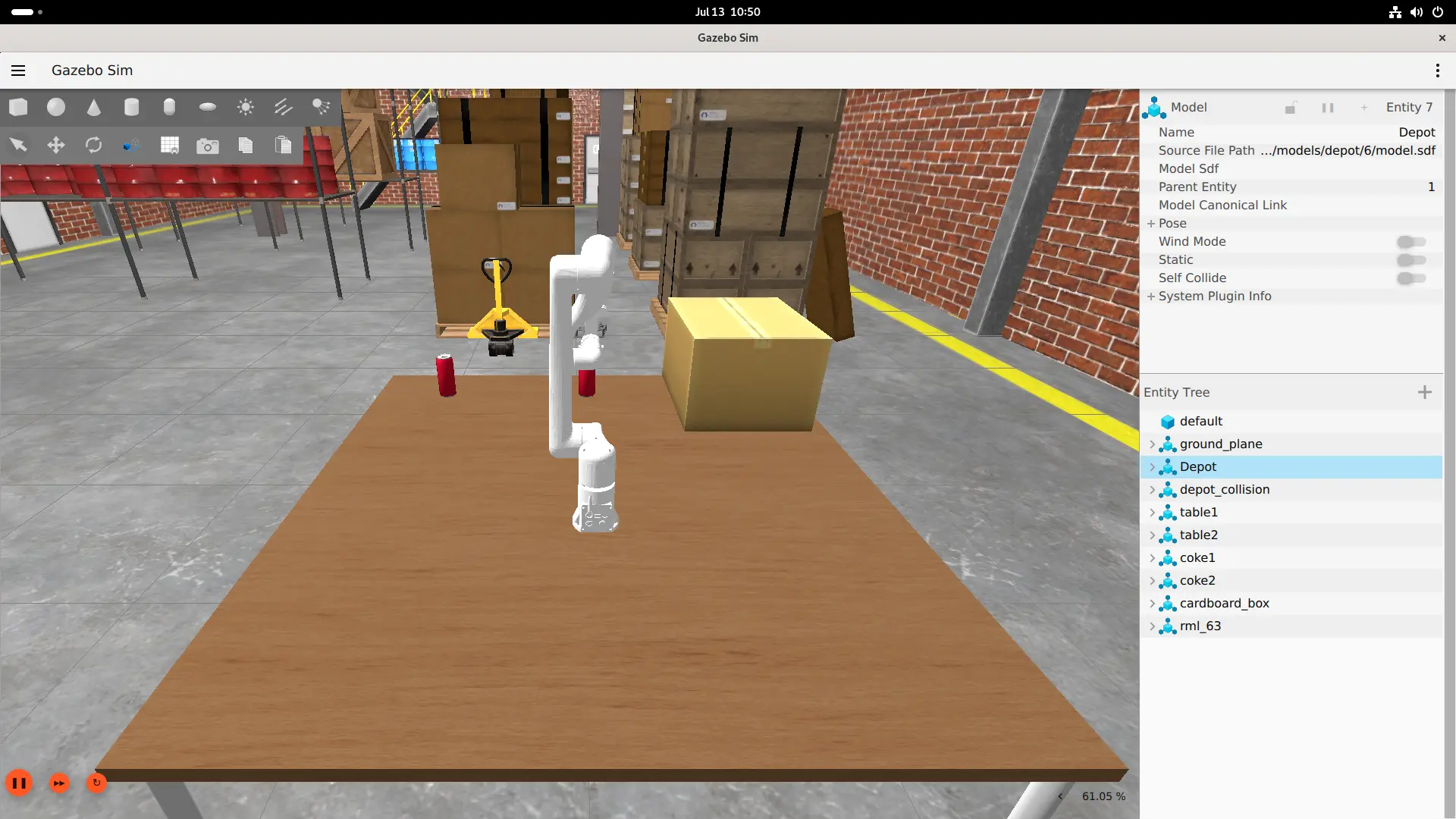
Once the Gazebo window opens, click the play button at the bottom-left to start the simulation.
robot_entity_name:=rml_63is required. The official defaultrml_63_arm_robotdoes not match the sample's MoveIt URDF/SRDF name.
Terminal 2 — Wait for the controller manager, then load controllers:
# Wait for the controller manager
until ros2 service list | grep -qx '/controller_manager/list_controllers'; do
  sleep 1
done

# Load controllers
ros2 launch qrb_ros_sim_gazebo gazebo_rml_63_gripper_load_controller.launch.py
Terminal 3 — Start MoveIt2:
ros2 launch simulation_sample_pick_and_place simulation_sample_pick_and_place.launch.py
Terminal 4 — Wait for MoveIt, then run the pick-and-place sequence:
# Wait for the move_action
until ros2 action list -t | grep -q '^/move_action '; do
  sleep 1
done

ros2 run simulation_sample_pick_and_place qrb_ros_arm_pick_place
The official launch only starts
move_group. Run theros2 runcommand separately to execute the pick-and-place sequence.
Execution Sequence
The sample executes 9 plan-and-execute steps:
- Move to ready pose
- Open gripper
- Move to pick position
- Close gripper
- Lift object
- Move to place position
- Release object (open gripper)
- Lift again
- Return to ready pose
Terminal 4 outputs Pick and place task completed! with exit code 0 on success.
Available Interfaces
| Topic / Action / Service | Type |
|---|---|
/joint_states | JointState |
/rm_group_controller/follow_joint_trajectory | FollowJointTrajectory |
/hand_controller/follow_joint_trajectory | FollowJointTrajectory |
/move_action | MoveGroup action |
Limitations
- The sample uses fixed joint-angle targets and does not spawn, attach, or verify a grasped object.
- No Octomap 3D sensor plugin is configured; dynamic obstacle avoidance is not supported.
- The
No kinematics plugins definedwarning in MoveIt logs does not affect joint-target planning, but Cartesian IK extensions require additional configuration.