Quick Start
This tutorial is designed to help you quickly get started with the Fogwise® AIRbox Q900 product.
The AIRbox Q900 comes with a pre-installed system, so you can start using it right away by simply powering it on - no system installation required!
Product Overview
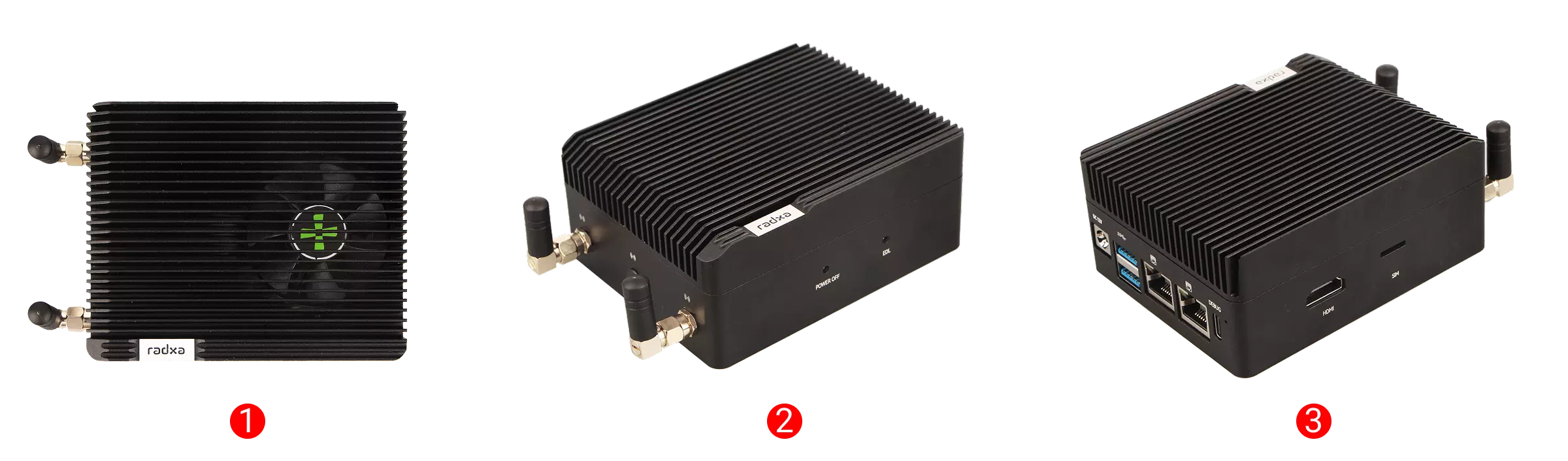
| Product | No. | View | No. | View | No. | View |
|---|---|---|---|---|---|---|
| Fogwise® AIRbox Q900 | ① | Top View | ② | Side View 1 | ③ | Side View 2 |
Prerequisites
Hardware Requirements
You will need to prepare the following hardware:
- Board: Fogwise® AIRbox Q900
- Power Supply: 12V DC power adapter
- Input Devices: Keyboard and mouse
- Display: Monitor with HDMI cable for system interface
- Cables:
- Ethernet cable for network connection
- USB Type-C cable (optional) for serial console access and command-line interaction
The AIRbox Q900 is powered by a 12V DC power supply. For stable operation with all peripherals, we recommend using a power adapter with at least 5A current.
Hardware Connection
Connect your monitor, keyboard, mouse, and Ethernet cable to the Fogwise® AIRbox Q900, then power it on using the 12V DC power adapter.
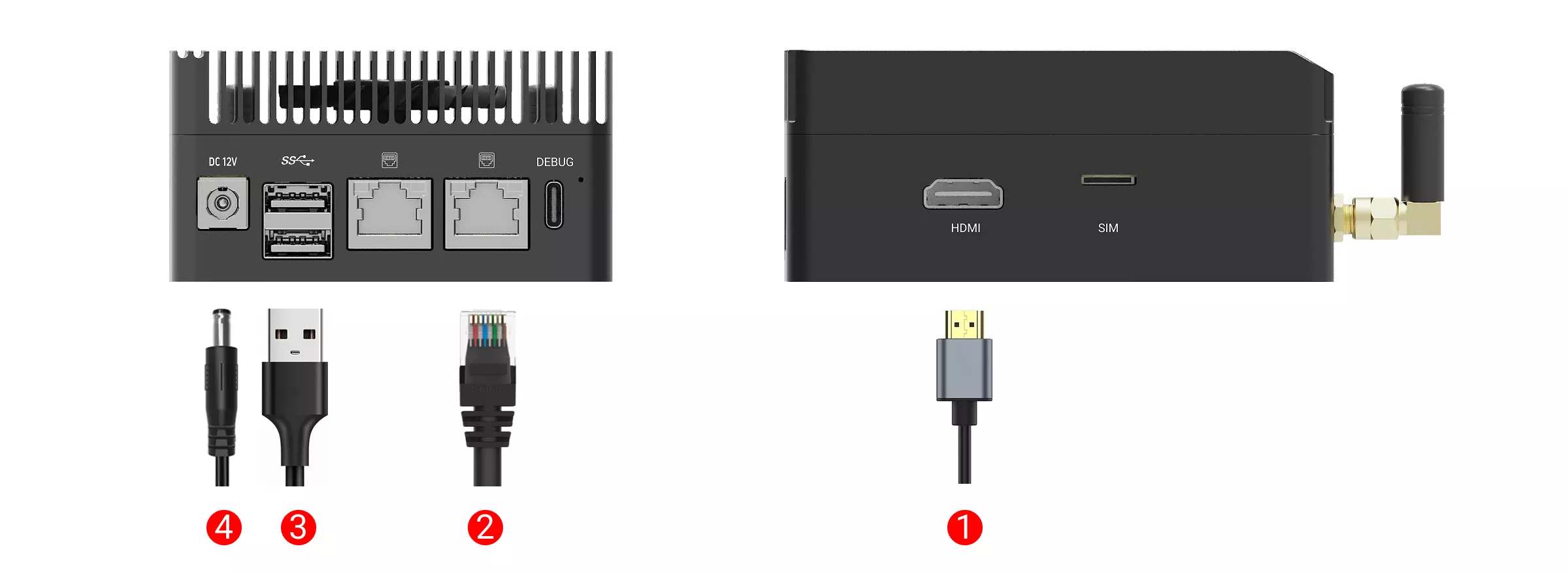
① : Connect the monitor to the board using an HDMI cable
② : Connect the router to the board using an Ethernet cable
③ : Connect the mouse or keyboard using the USB Type-A port. If you have a USB hub, you can connect both mouse and keyboard through it
④ : Power the board using the 12V DC power adapter
If you need more USB Type-A ports, you can use a USB hub to easily expand the number of connected USB peripherals, allowing multiple devices to be used simultaneously.
Powering On
Connect the 12V DC power adapter to the Fogwise® AIRbox Q900. After a successful boot, you'll see the system interface on your monitor.
System Login
On first boot, you'll need to log in using the default credentials:
| Username | Password |
|---|---|
| radxa | radxa |
Using the System
After successfully logging in, you can proceed with system configuration and start using your AIRbox Q900.