M.2 M Key 2230 Slot
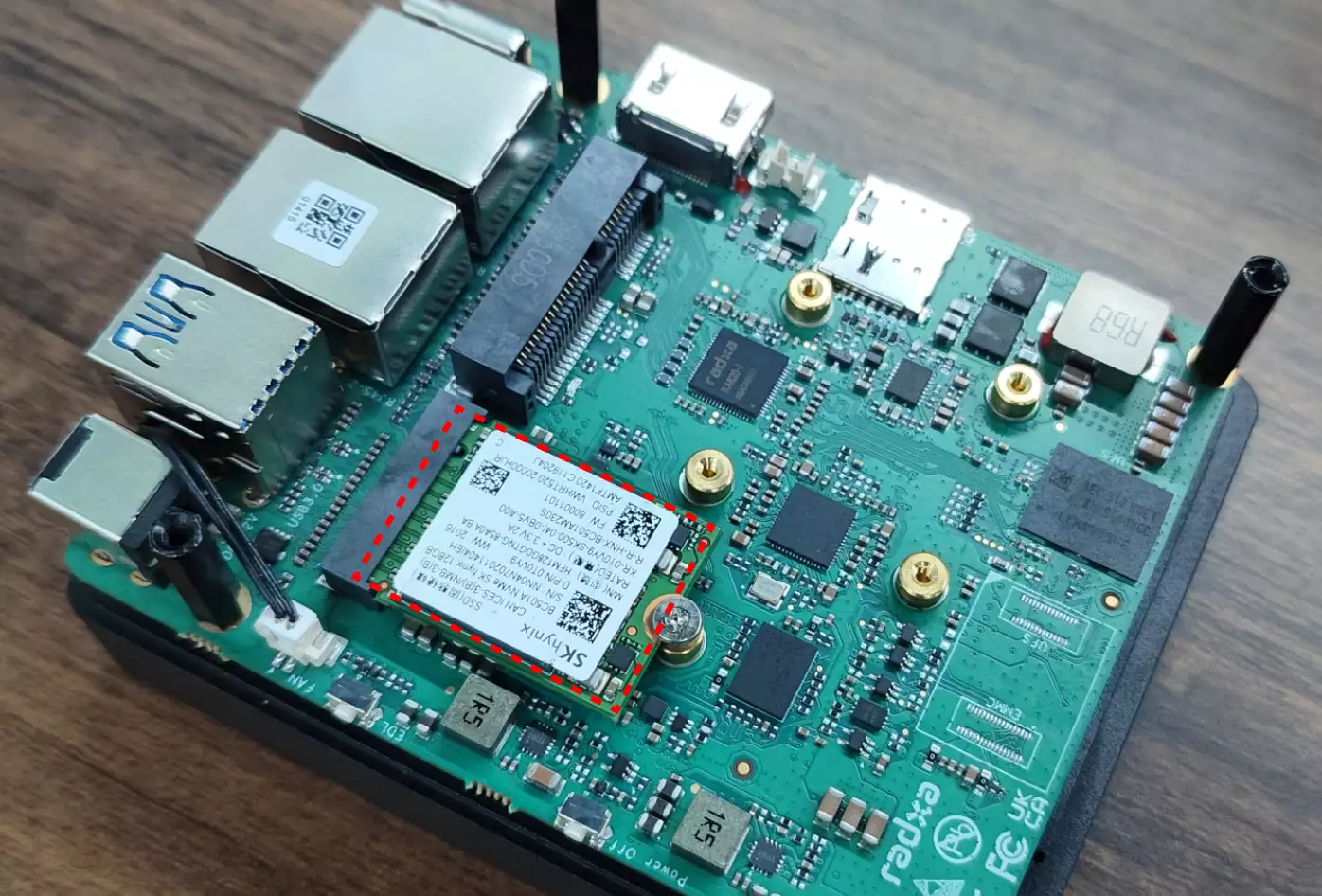
The Radxa Fogwise® AIRbox Q900 features one onboard M.2 M Key 2230 slot that supports M.2 2230 SSDs for system data storage.
Hardware Connection
After powering off the motherboard, insert the M.2 2230 SSD into the M.2 M Key 2230 slot and secure it with the provided screw.
User Guide
View NVMe Device Information
Use the lsblk command to view NVMe device information on the system.
radxa@airbox$
lsblk
Example output:
NAME        MAJ:MIN RM   SIZE RO TYPE MOUNTPOINT
···
nvme0n1     259:39   0 119.2G  0 disk
├─nvme0n1p1 259:40   0   100M  0 part
├─nvme0n1p5 259:41   0     4G  0 part
├─nvme0n1p6 259:42   0     4G  0 part
└─nvme0n1p7 259:43   0 111.1G  0 part
Test Read/Write Speeds
Use the dd command to test the read and write speeds of the NVMe device.
radxa@airbox$
sudo dd if=source_file/device of=target_file/device bs=block_size count=block_number
dd Command Parameters
if: Input file or deviceof: Output file or devicebs: Block sizecount: Number of blocks
Demonstration: NVMe
- Write Test
Use the dd command to write 1GB of data to the NVMe device.
radxa@airbox$
sudo dd if=/dev/zero of=/dev/nvme0n1 bs=1M count=1024
After completion, the terminal will display the number of bytes written, time taken, and transfer rate.
- Read Test
Use the dd command to read 1GB of data from the NVMe device.
radxa@airbox$
sudo dd if=/dev/nvme0n1 of=/dev/null bs=1M count=1024
After completion, the terminal will display the number of bytes read, time taken, and transfer rate.