RTC Battery Interface
The Radxa Fogwise® AIRbox Q900 features an onboard RTC battery interface for connecting a coin cell battery.
Hardware Connection
Connect a coin cell battery with the appropriate connector to the RTC battery interface on the Radxa Fogwise® AIRbox Q900. Please observe the correct polarity (positive/negative) when installing the battery.
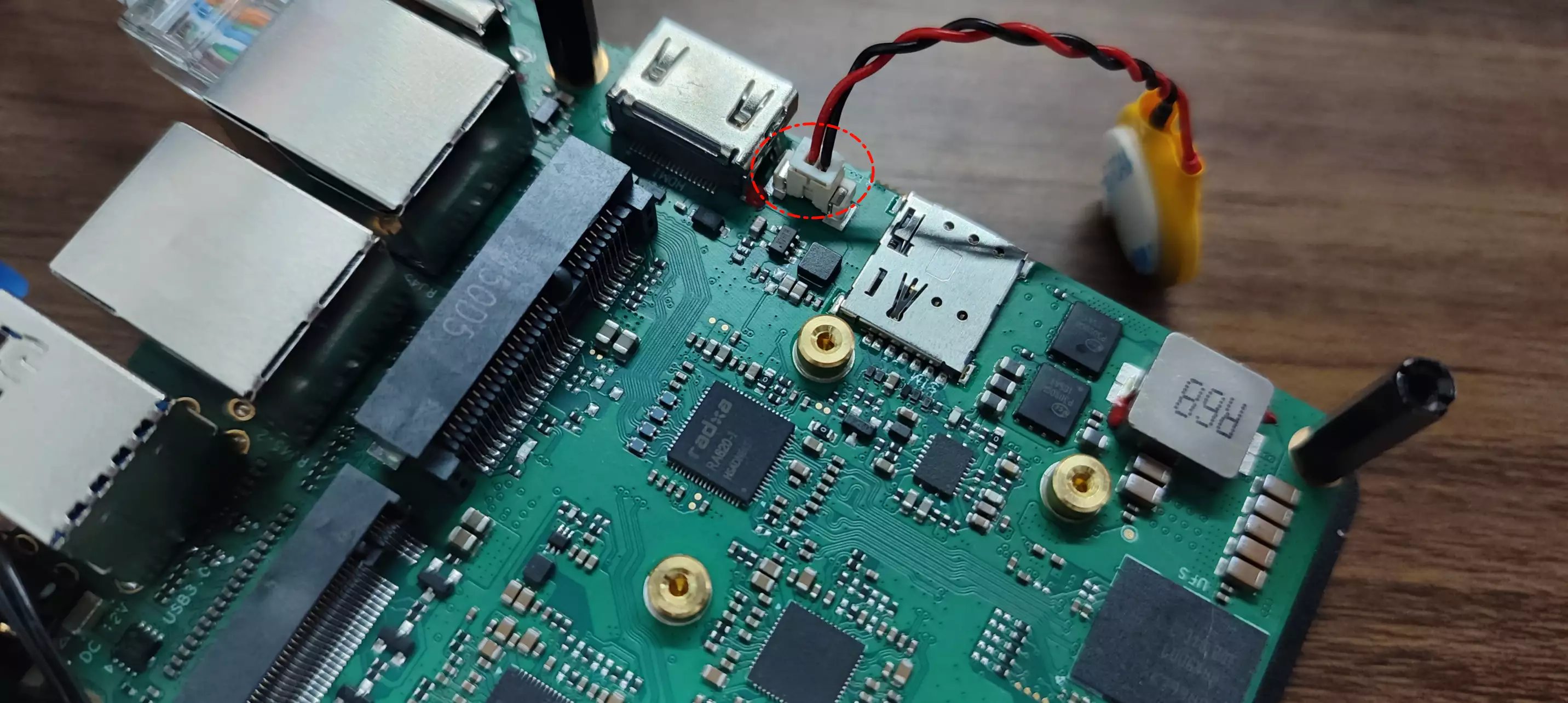
- Interface: 2-Pin 1.25 mm
- Operating Voltage: 3.0V
RTC Configuration
Verify RTC Hardware
Use the following command to verify if the RTC hardware is functioning properly.
sudo dmesg | grep rtc
If the RTC battery is properly recognized, the terminal will display output similar to: registered as rtc0.
[    6.259233] rtc-ds1307 10-0068: registered as rtc0
[    6.260658] rtc-ds1307 10-0068: setting system clock to 2025-08-06T08:39:15 UTC (1754469555)
Read RTC Time
Use the hwclock command in the terminal to read the current time from the RTC chip (/dev/rtc0).
sudo apt update
sudo apt install util-linux util-linux-extra -y
sudo hwclock -r -f /dev/rtc0
Display System Time
Use the date command to display the current system time.
date
Set RTC Time
If the RTC time is out of sync with the system time, you can use the hwclock command to write the current system time to the RTC.
sudo hwclock -w -f /dev/rtc0
Verify RTC Functionality
- Note the current system time
- Disconnect the board's power and network connections
- Wait for approximately 10 minutes
- Reconnect the power
- Observe if the system time has been maintained correctly by the RTC