Installation of Serial Driver
On Windows PC, AirBox needs to install the serial driver of CP210, the driver download address:https://www.silabs.com/documents/public/software/CP210x_Universal_Windows_Driver.zip
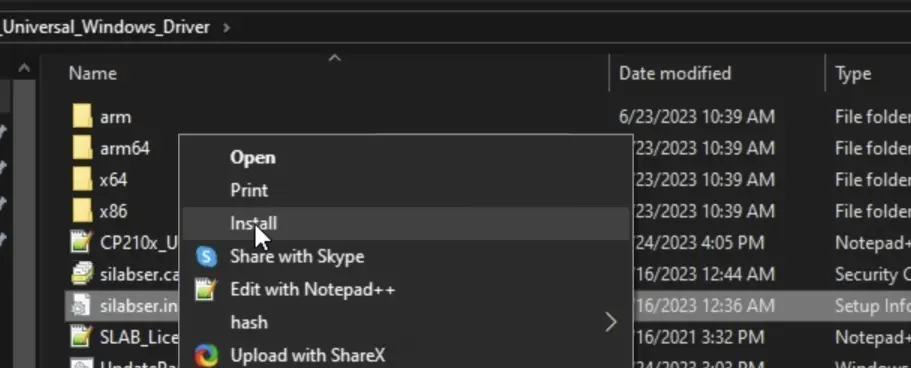
Download the zip file and unzip it and then refer to the following picture to install it.
After the installation is complete, open the device manager, view the following, you can see the corresponding device appears at the port.
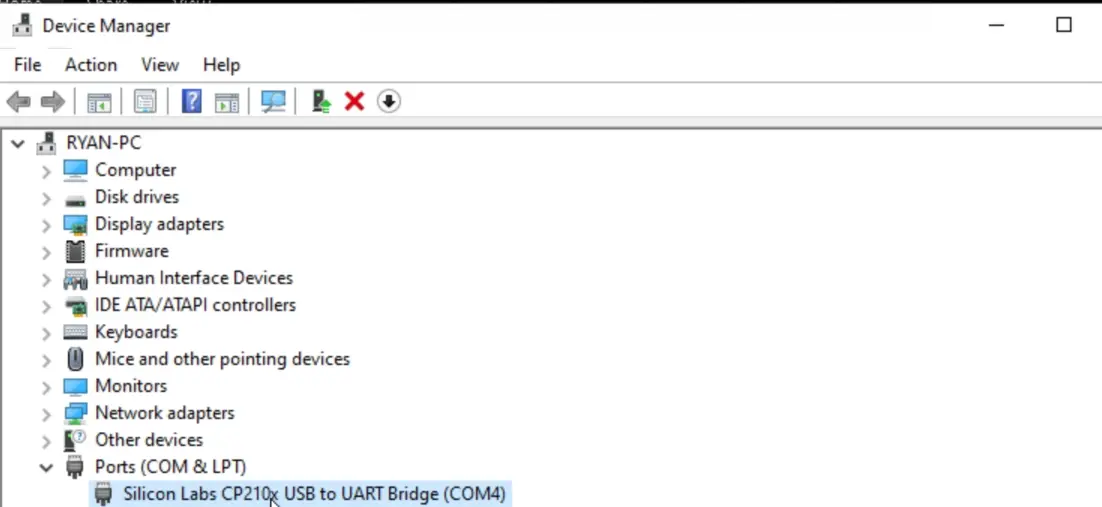
Just see the corresponding device at the port.