Firmware Update
Radxa Linkr supports updating firmware directly via the web page and flashing firmware via a flashing tool.
If the web firmware update fails or cannot be used normally, you can refer to the flashing tool method to flash the latest firmware to the Linkr.
Firmware Download
-
GitHub Releases: Radxa Linkr
-
Baidu Netdisk: Radxa Linkr: Extraction code 1234
Note: For web firmware update, download the <system-image>.bin format file; for flashing tool, download the <system-image>.img format file.
Firmware Update
It is recommended to use the web firmware update method first. If the Linkr firmware update fails or cannot be used normally, then use the flashing tool method to update the firmware.
- Web Firmware Update
- Flashing Tool Firmware Update
The web firmware update requires the host to be able to access the device controlled by the Linkr normally. We need to upload and update the firmware in the control interface of linkr.now.
- Access the controlled device interface
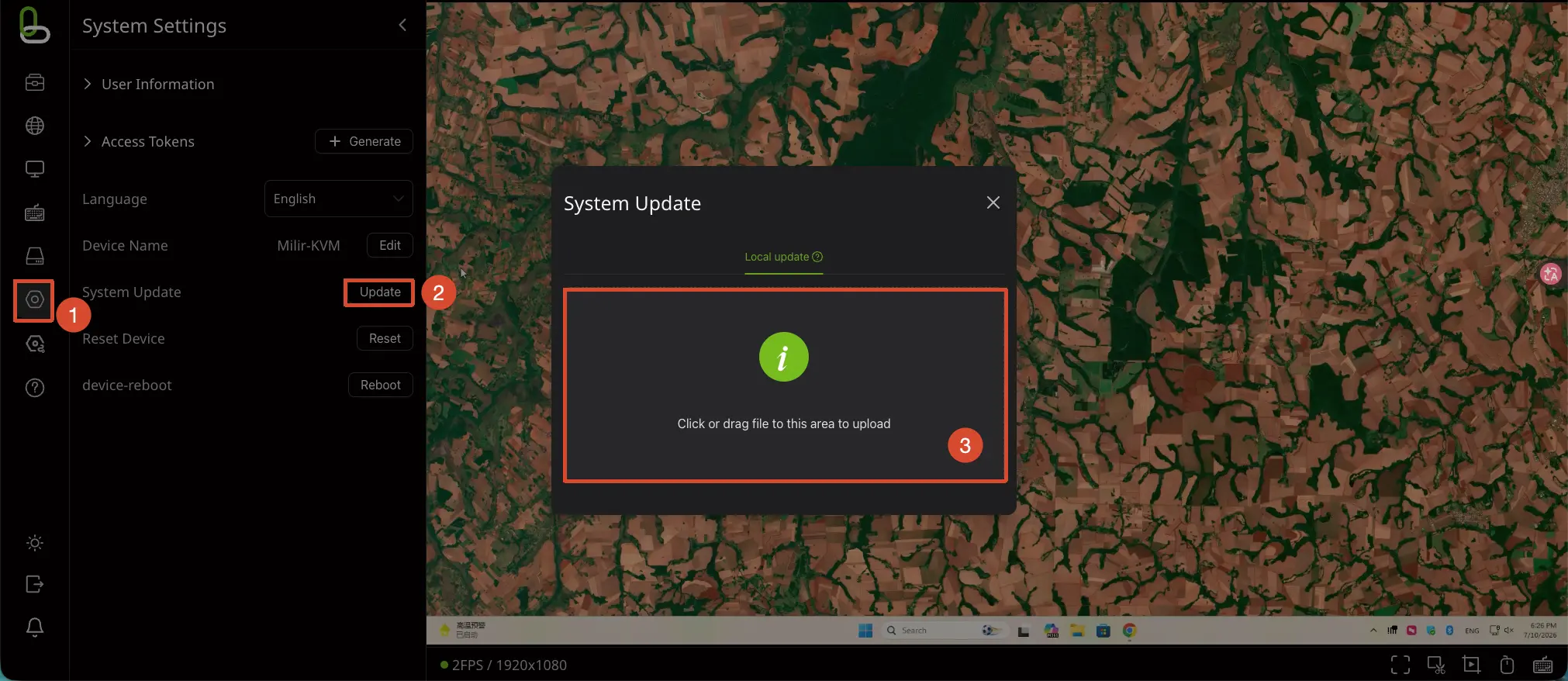
Enter the controlled device's control interface to update the Linkr firmware:
① : Enter the Settings option
② : Select System Update to update the firmware
③ : Put the firmware file to be flashed in
- Update firmware
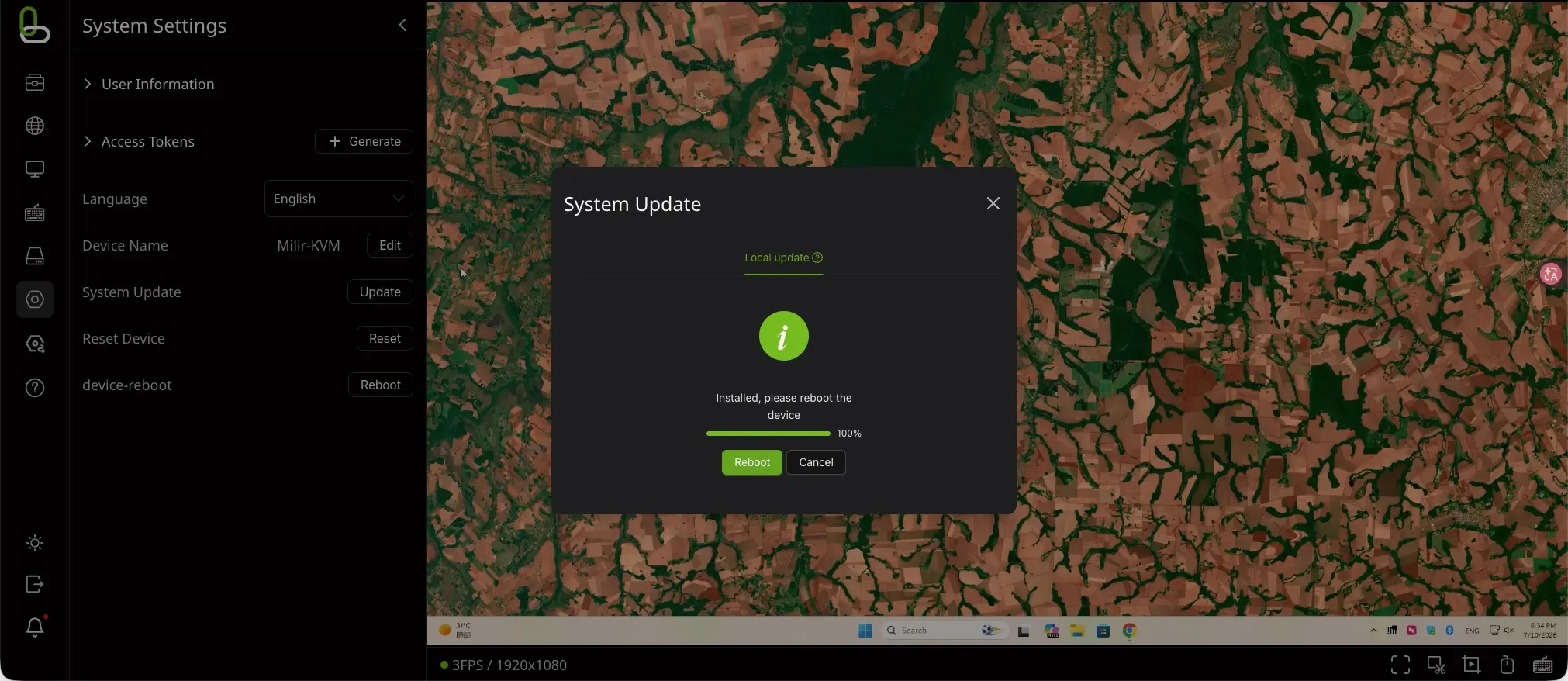
After putting the firmware file in, the system will automatically upload and install the firmware, and finally take effect after restarting the device.
Updating the firmware via the flashing tool needs to be done on the Windows platform.
The PC needs to install the DriverAssistant driver and download the SocToolKit tool.
- Driver installation
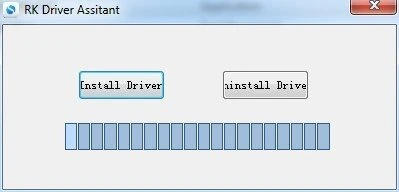
Download the DriverAssistant zip package and extract it, find DriverInstall.exe and run it as administrator, click the Install Driver option to install the driver.
- Enter Maskrom mode
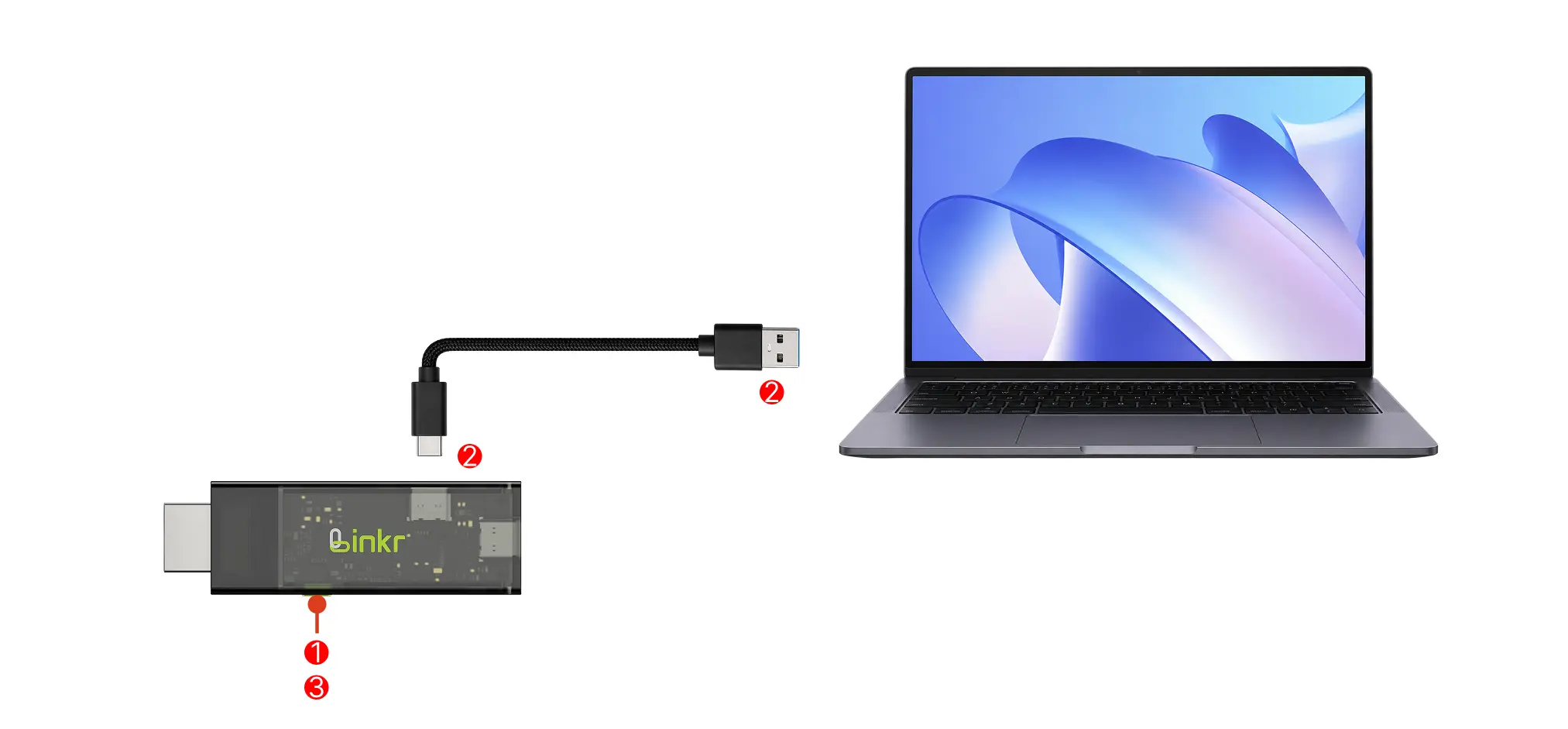
Hold down the user button on the Linkr, use a USB-C cable to connect the side USB-C data/power port of the Linkr to the PC, and release the user button after a successful connection.
Detailed steps:
① : Hold down the user button on the Linkr
② : Use a USB-C to USB-A cable to connect the Linkr to the PC
③ : Release the user button on the Linkr
- Tool download
Download the SocToolKit zip package and extract it, find SocToolKit.exe and run it as administrator.
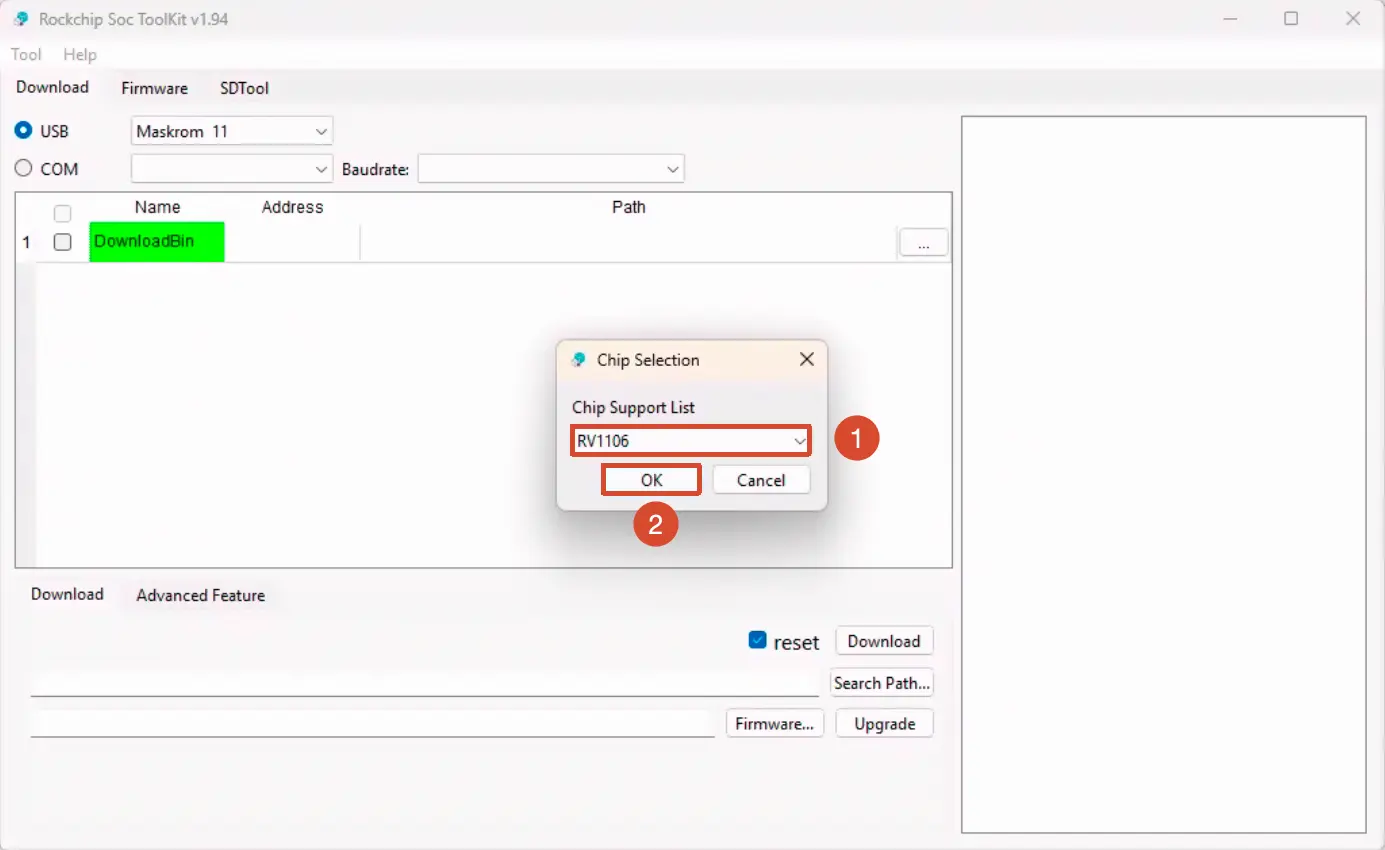
- Select product chip
① : Select the RV1106 chip model
② : Click OK to confirm the option
- Update firmware
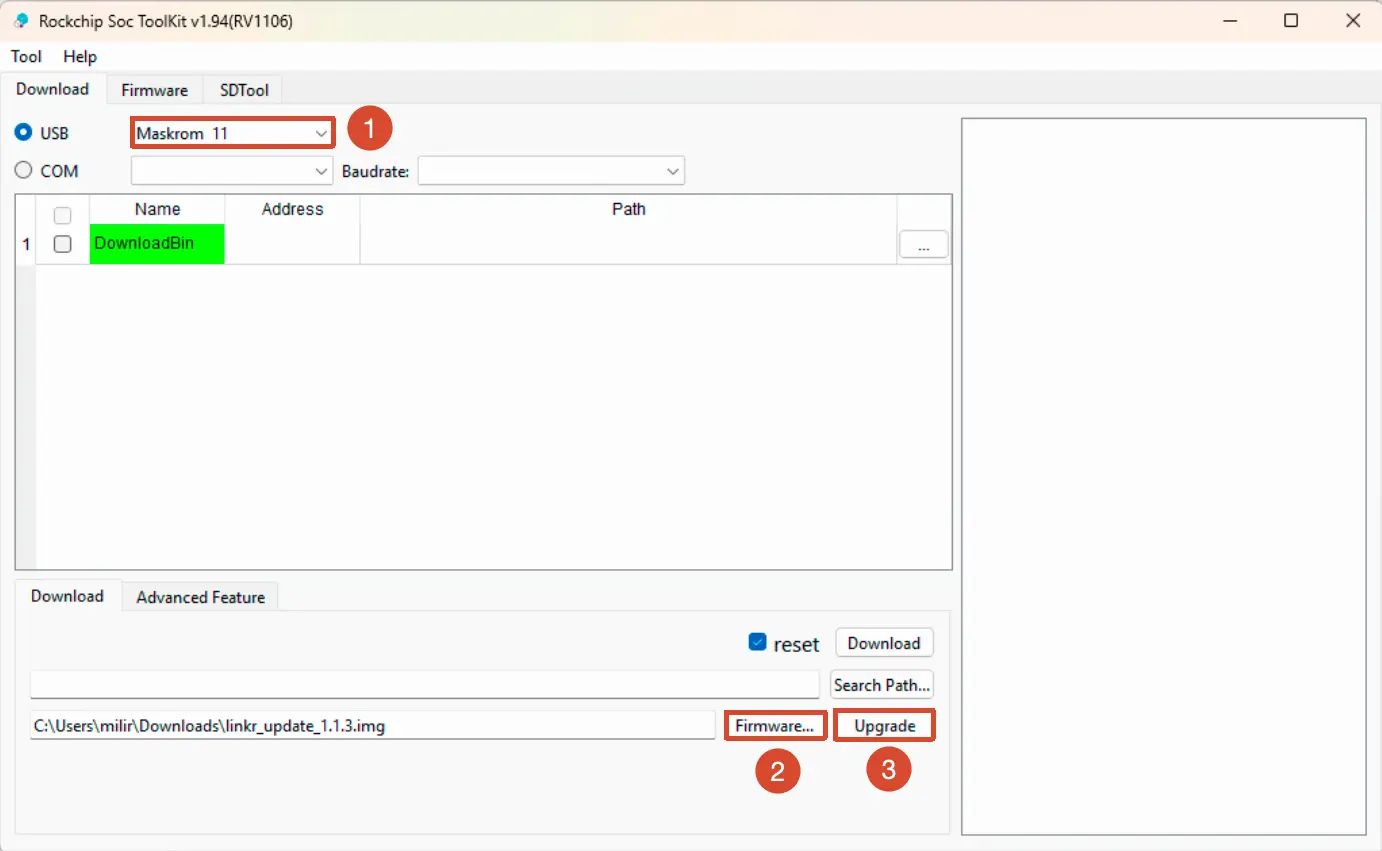
① : Confirm that the software has recognized the Maskrom device
② : Click Firmware ... to select the firmware to be flashed
③ : Click the Upgrade option to update the firmware
- Firmware update successful
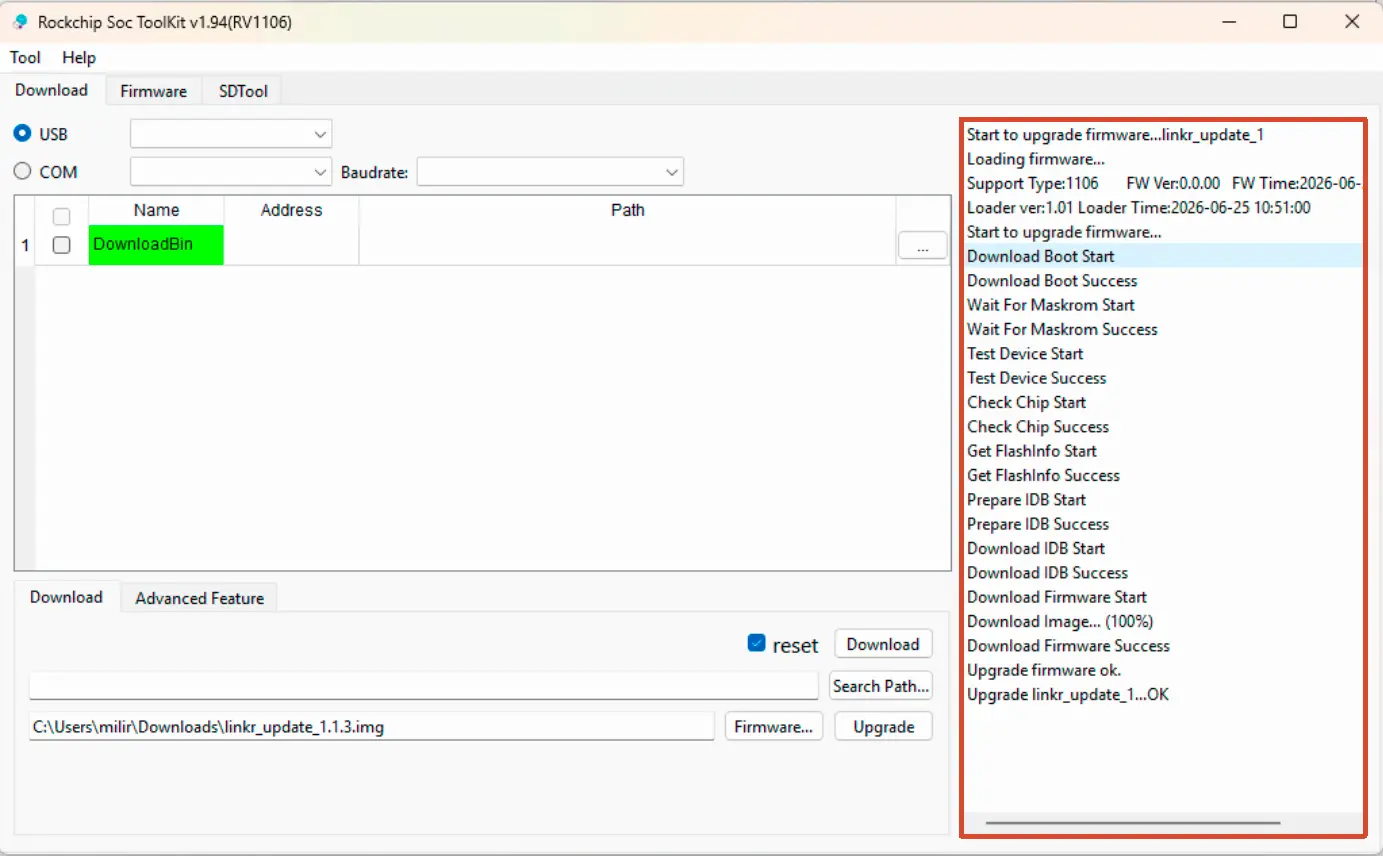
The message output area on the right side of the software showing ... OK indicates that the firmware update was successful.