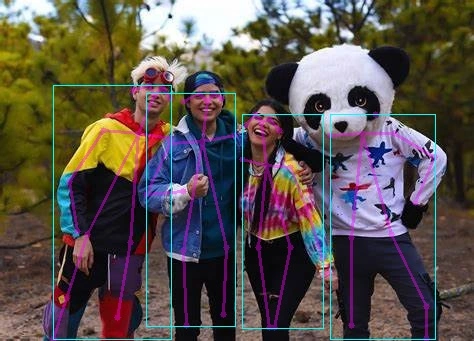
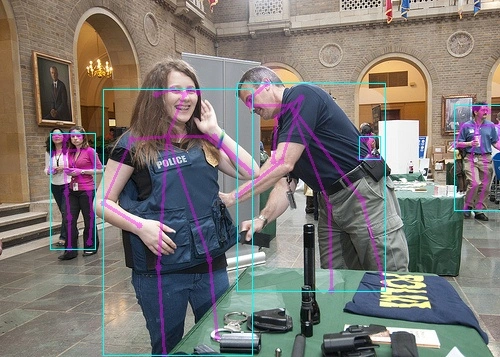
OpenPose
OpenPose is a pioneering real-time multi-person pose estimation architecture. With its original bottom-up mechanism based on Part Affinity Fields (PAFs), it avoids the limitation of traditional methods where computation grows rapidly with the number of people, enabling fast reconstruction of human skeletons in complex crowds.
- Key features: Supports simultaneous keypoint extraction for multiple people across body, hands, face, and feet, with strong multi-scale perception and spatial-structure modeling. It is widely used in motion capture, human-computer interaction, sports analytics, and security behavior recognition.
- Version notes: This example uses the standard OpenPose architecture. As a cornerstone of pose estimation, it uses a dual-branch network to regress both keypoint heatmaps and limb association vectors, effectively handling challenging cases such as occlusion and overlapping people. With its broad applicability and mature ecosystem, it remains a reliable classic choice for high-accuracy, multi-dimensional human perception.
Environment setup
You need to set up the environment in advance.
Quick start
Download model files
O6 / O6N
cd ai_model_hub_25_Q3/models/ComputeVision/Pose_Estimation/onnx_openpose
wget https://www.modelscope.cn/models/cix/ai_model_hub_25_Q3/resolve/master/models/ComputeVision/Pose_Estimation/onnx_openpose/human-pose-estimation.cix
Test the model
info
Activate the virtual environment before running.
O6 / O6N
python3 inference_npu.py
Full conversion workflow
Download model files
Linux PC
cd ai_model_hub_25_Q3/models/ComputeVision/Pose_Estimation/onnx_openpose
wget https://www.modelscope.cn/models/cix/ai_model_hub_25_Q3/resolve/master/models/ComputeVision/Pose_Estimation/onnx_openpose/model/human-pose-estimation.onnx
Project structure
├── cfg
├── datasets
├── human-pose-estimation.cix
├── inference_npu.py
├── inference_onnx.py
├── model
├── ReadMe.md
└── test_data
Quantize and convert the model
Linux PC
cd ..
cixbuild cfg/human-pose-estimationbuild.cfg
Copy to device
After conversion, copy the .cix model files to the device.
Test inference on the host
Run the inference script
Linux PC
python3 inference_onnx.py
Inference output
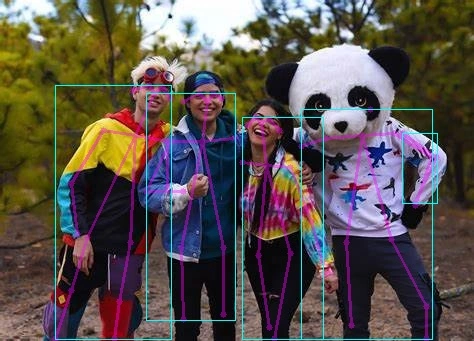
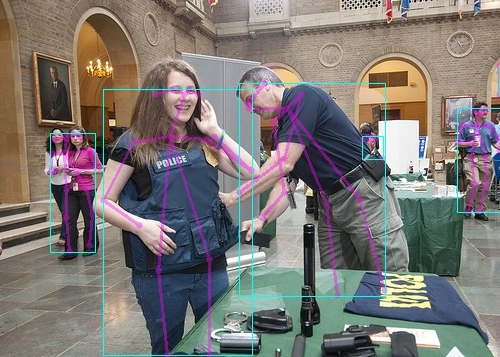
Deploy on NPU
Run the inference script
O6 / O6N
python3 inference_npu.py
Inference output
O6 / O6N
$ python3 inference_npu.py
npu: noe_init_context success
npu: noe_load_graph success
Input tensor count is 1.
Output tensor count is 4.
npu: noe_create_job success
npu: noe_clean_job success
npu: noe_unload_graph success
npu: noe_deinit_context success