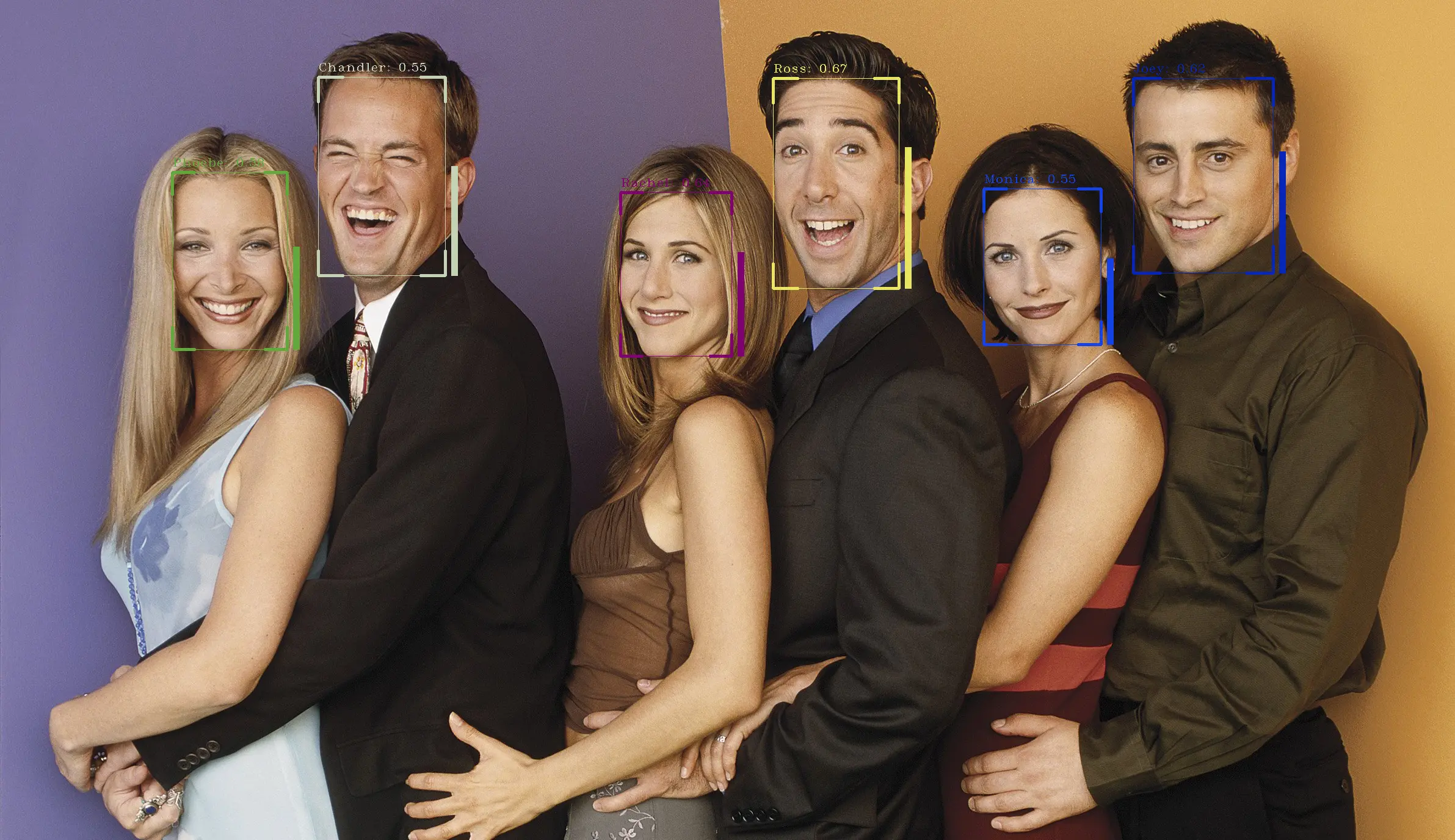
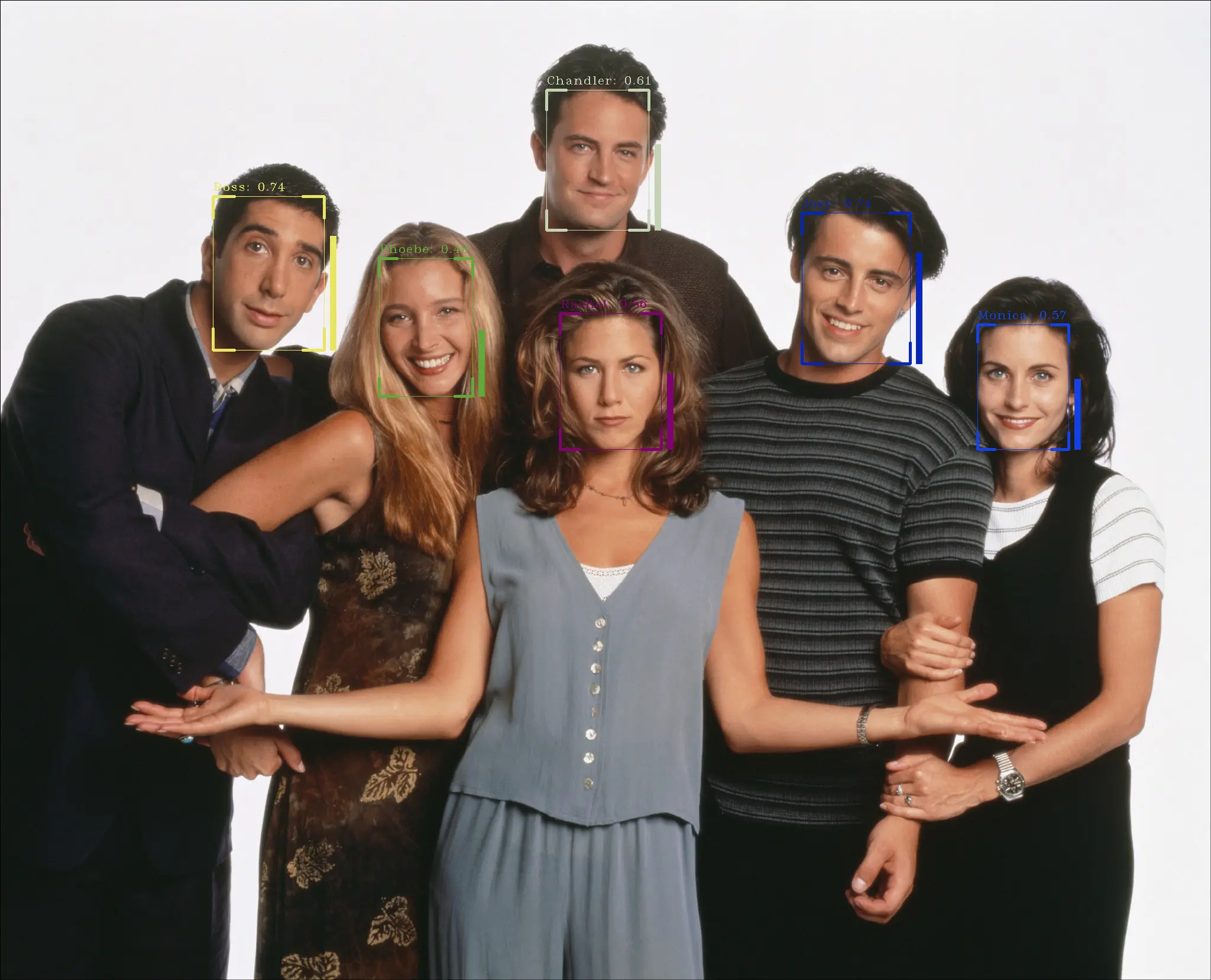
SCRFD-ArcFace
SCRFD-ArcFace is a deep learning solution that integrates efficient face detection with high-accuracy feature extraction. It combines the SCRFD detector (with strong multi-scale modeling capability) and the ArcFace recognition model (based on cosine-margin loss), enabling a complete visual pipeline from complex scene capture to accurate identity matching.
- Key features: Supports ultra-fast face localization and keypoint regression, with strong feature discriminability and robustness to interference. It is widely used in finance-grade identity verification, smart security, contactless attendance, and large-scale face search.
- Version notes: This example uses the integrated SCRFD-ArcFace architecture. SCRFD maintains efficient detection performance across different compute platforms through optimized resource allocation, while ArcFace improves recognition accuracy by enhancing inter-class separation in the embedding space. This combination is a benchmark choice that balances robustness and production performance for real-time face recognition.
Environment setup
You need to set up the environment in advance.
Quick start
Download model files
O6 / O6N
cd ai_model_hub_25_Q3/models/ComputeVision/Face_Recognition/onnx_scrfd_arcface
wget https://www.modelscope.cn/models/cix/ai_model_hub_25_Q3/resolve/master/models/ComputeVision/Face_Recognition/onnx_scrfd_arcface/arcface.cix
wget https://www.modelscope.cn/models/cix/ai_model_hub_25_Q3/resolve/master/models/ComputeVision/Face_Recognition/onnx_scrfd_arcface/scrfd.cix
Test the model
info
Activate the virtual environment before running.
O6 / O6N
python3 inference_npu.py --det_model_path ./scrfd.cix --rec_model_path ./arcface.cix --faces-dir ./datasets/faces --image_path test_data
Full conversion workflow
Download model files
Linux PC
cd ai_model_hub_25_Q3/models/ComputeVision/Face_Recognition/onnx_scrfd_arcface/model
wget https://www.modelscope.cn/models/cix/ai_model_hub_25_Q3/resolve/master/models/ComputeVision/Face_Recognition/onnx_scrfd_arcface/model/det_10g.onnx
wget https://www.modelscope.cn/models/cix/ai_model_hub_25_Q3/resolve/master/models/ComputeVision/Face_Recognition/onnx_scrfd_arcface/model/det_2_5g.onnx
wget https://www.modelscope.cn/models/cix/ai_model_hub_25_Q3/resolve/master/models/ComputeVision/Face_Recognition/onnx_scrfd_arcface/model/det_500m.onnx
wget https://www.modelscope.cn/models/cix/ai_model_hub_25_Q3/resolve/master/models/ComputeVision/Face_Recognition/onnx_scrfd_arcface/model/w600k_mbf.onnx
wget https://www.modelscope.cn/models/cix/ai_model_hub_25_Q3/resolve/master/models/ComputeVision/Face_Recognition/onnx_scrfd_arcface/model/w600k_r50.onnx
Project structure
├── cfg
├── datasets
├── model
├── test_data
├── arcface.cix
├── arcface_npu.py
├── arcface_onnx.py
├── scrfd.cix
├── scrfd_npu.py
├── scrfd_onnx.py
├── inference_npu.py
├── inference_onnx.py
├── helpers.py
├── ReadMe.md
└── requirements.txt
Quantize and convert the model
Convert the SCRFD model
Linux PC
cd ..
cixbuild cfg/onnx_scrfdbuild.cfg
Convert the ArcFace model
Linux PC
cixbuild cfg/onnx_arcfacebuild.cfg
Copy to device
After conversion, copy the .cix model files to the device.
Test inference on the host
Run the inference script
Linux PC
python3 inference_onnx.py --det_onnx_path ./model/det_10g.onnx --rec_onnx_path ./model/w600k_r50.onnx --faces-dir ./datasets/faces --image_path test_data
Inference output
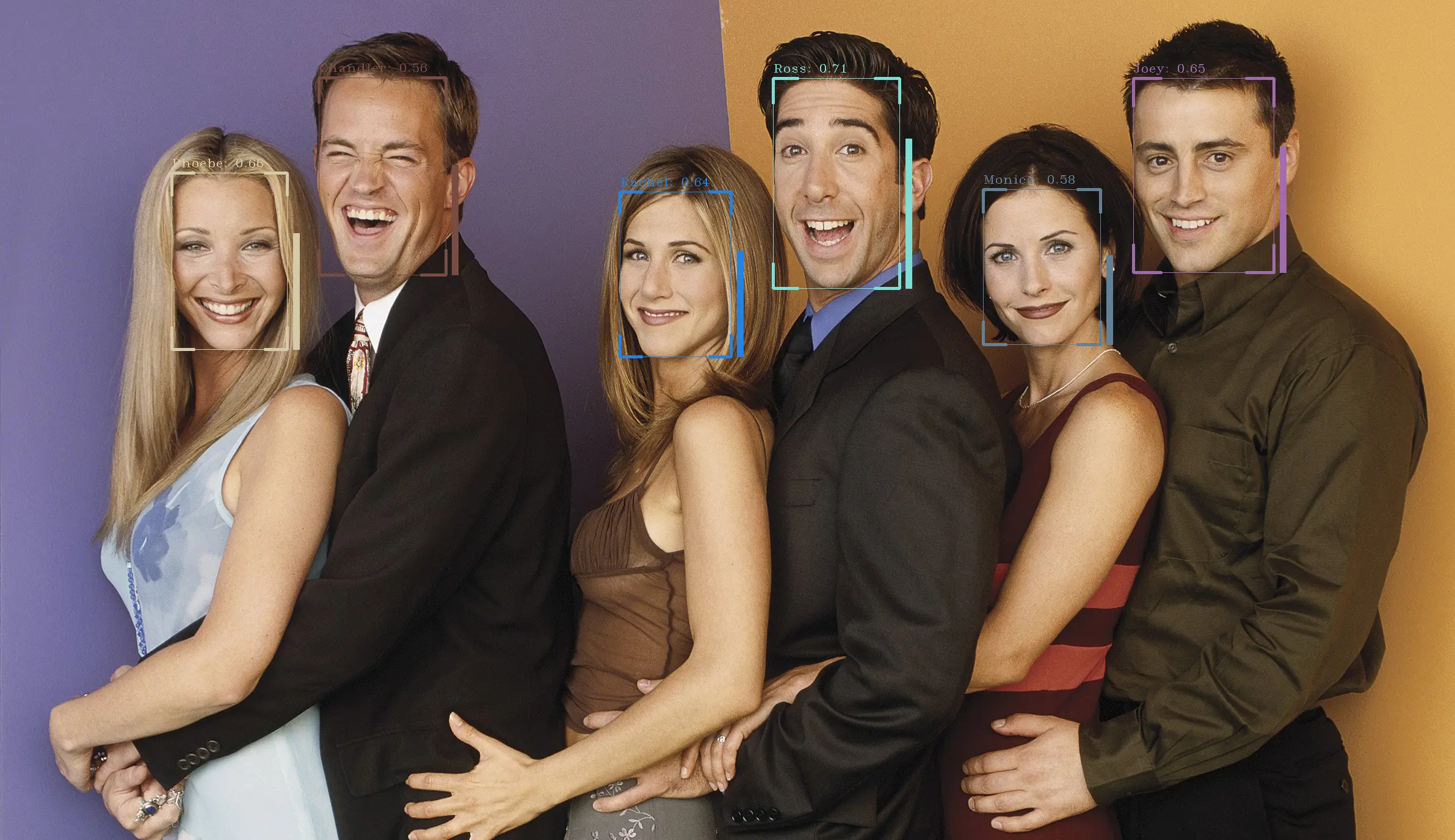
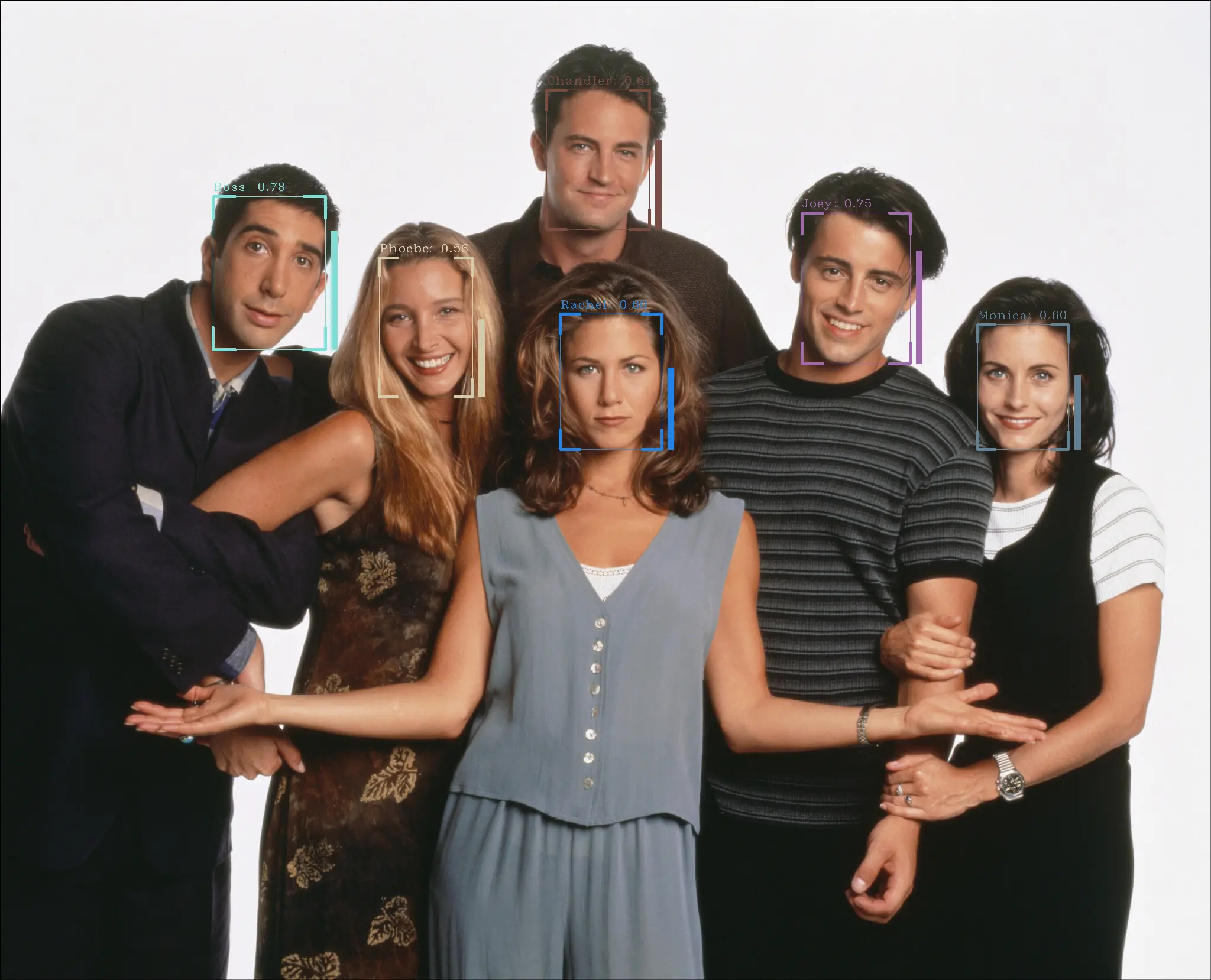
Deploy on NPU
Run the inference script
O6 / O6N
python3 inference_npu.py --det_model_path ./scrfd.cix --rec_model_path ./arcface.cix --faces-dir ./datasets/faces --image_path test_data
Inference output
O6 / O6N
$ python3 inference_npu.py --det_model_path ./scrfd.cix --rec_model_path ./arcface.cix --faces-dir ./datasets/faces --image_path test_data
npu: noe_init_context success
npu: noe_load_graph success
Input tensor count is 1.
Output tensor count is 9.
npu: noe_create_job success
npu: noe_init_context success
npu: noe_load_graph success
Input tensor count is 1.
Output tensor count is 1.
npu: noe_create_job success
./datasets/faces/Monica.png
./datasets/faces/Phoebe.png
./datasets/faces/Rachel.png
./datasets/faces/Chandler.png
./datasets/faces/Joey.png
./datasets/faces/Ross.png
npu: noe_clean_job success
npu: noe_unload_graph success
npu: noe_deinit_context success
npu: noe_clean_job success
npu: noe_unload_graph success
npu: noe_deinit_context success