Language Settings
- Install Simplified Chinese fonts:
sudo apt-get install fonts-wqy-zenhei
- Set the system language to Chinese desktop:
sudo dpkg-reconfigure locales
- Select Chinese Language
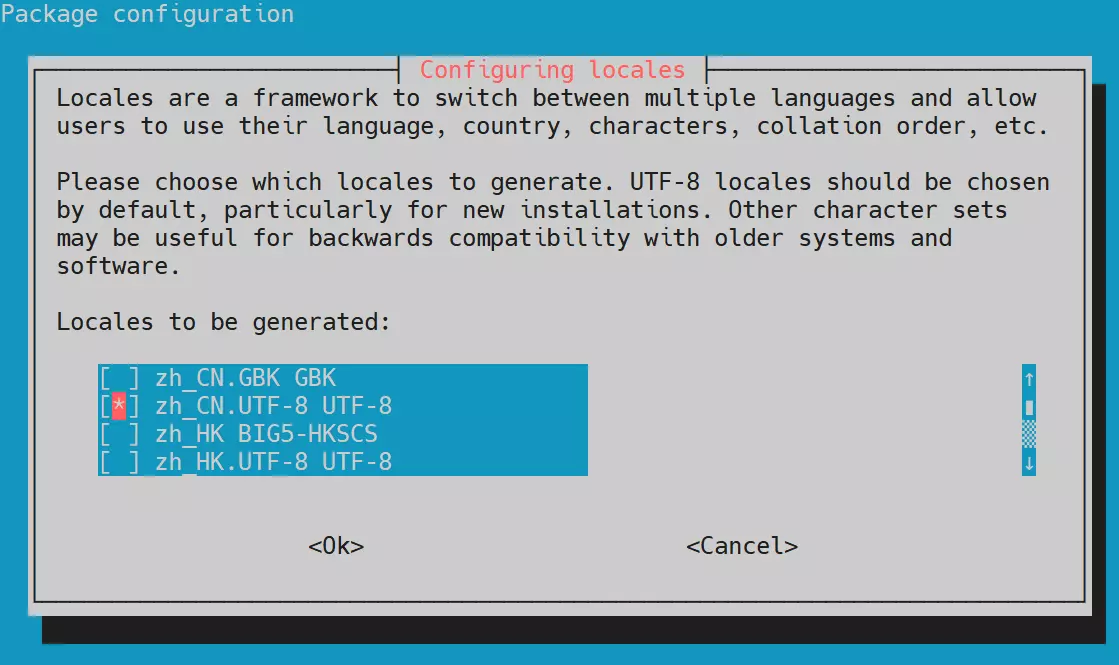
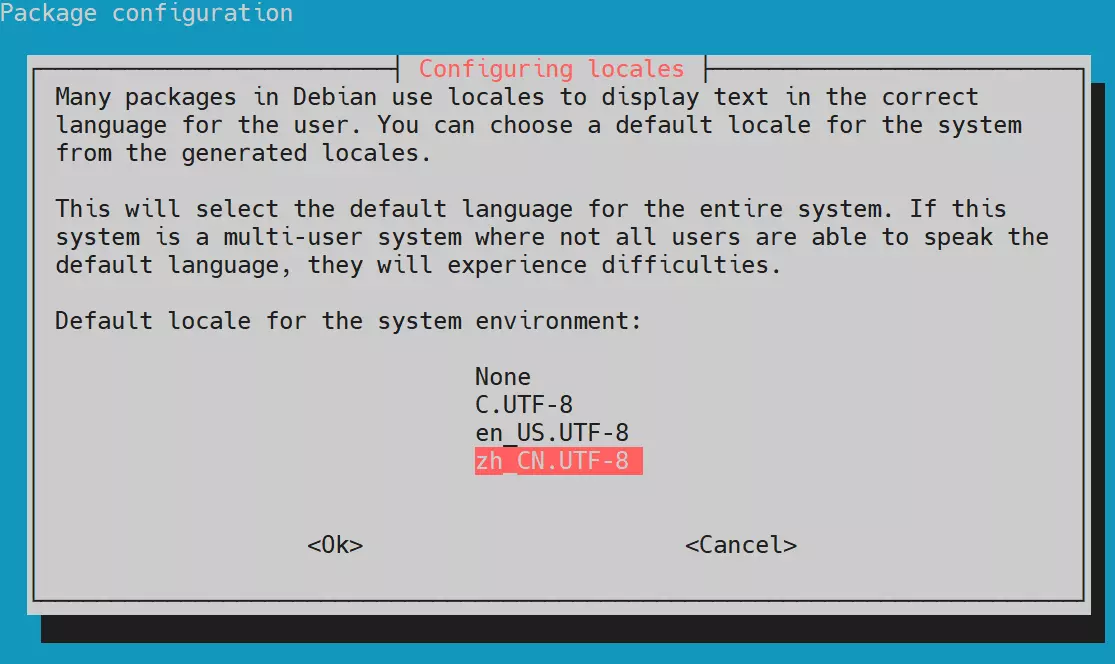
- Just reboot the system
sudo reboot
For other languages, you can refer to the configuration steps above.