Headphone Jack
Audio Playback
This article explains how to use the motherboard's headphone jack.
Testing Audio Playback
- Hardware Connection
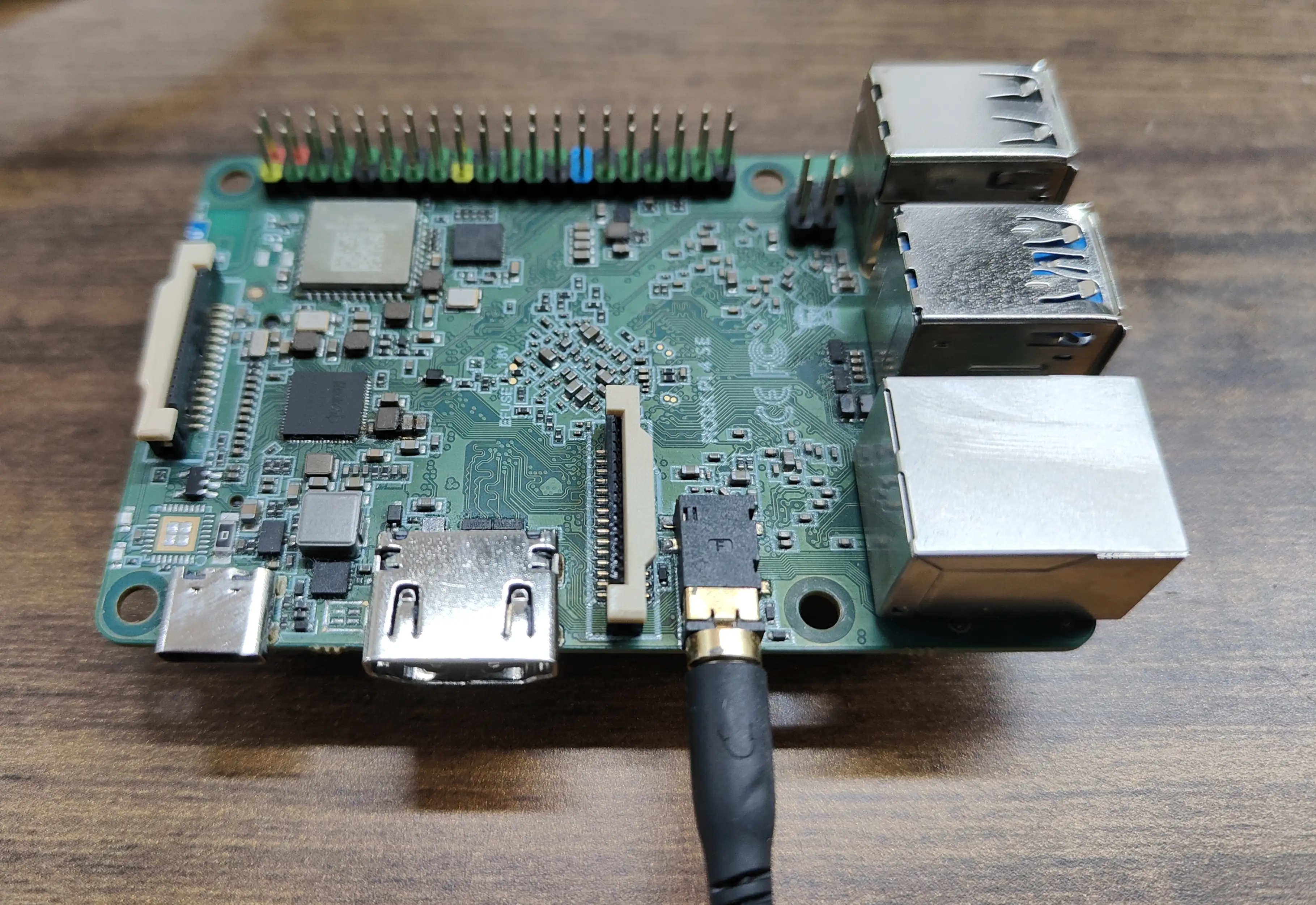
- Download Audio File
Download a WAV format audio file and rename it to test.wav.
- Check Available Audio Devices
$ aplay -l

**** List of PLAYBACK Hardware Devices ****
card 0: rockchipes8316 [rockchip-es8316], device 0: dailink-multicodecs es8316.1-0011-0 [dailink-multicodecs es8316.1-0011-0]
  Subdevices: 1/1
  Subdevice #0: subdevice #0
card 1: rockchiphdmi0 [rockchip-hdmi0], device 0: rockchip-hdmi0 i2s-hifi-0 [rockchip-hdmi0 i2s-hifi-0]
  Subdevices: 1/1
  Subdevice #0: subdevice #0
- Play Audio File
$ aplay -D hw:0,0 test.wav
Playing WAVE 'test.wav' : Signed 16 bit Little Endian, Rate 44100 Hz, Stereo
Here, hw:0,0 indicates using card 0's device 0. After executing this command, you should hear sound from the headphone jack, indicating it's working properly.