Using PoE HAT
The Gigabit Ethernet port (near USB) on ROCK 4B/4B+/4SE supports Power over Ethernet (PoE) with the additional Radxa 23W PoE HAT.
tip
ROCK 4A/4A+ does not support PoE.
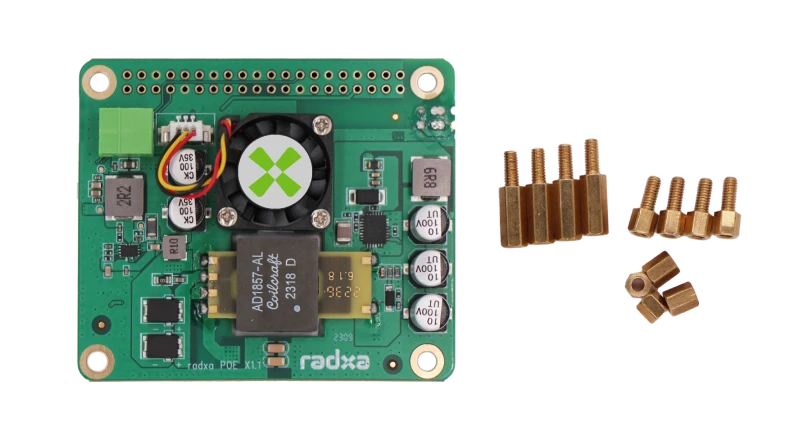
Bill of Materials
- As shown below
Installation Process
Please refer to Radxa 23W Power Module
Fan Speed Control
Enable PoE Overlay
To enable the temperature-controlled fan and temperature sensor, you need to enable the corresponding overlay.
Please refer to the Device Tree Configuration and enable the overlay named "Enable Radxa 23W PoE HAT".
[*] Enable Radxa 23W PoE HAT
Finally, reboot the device to load the overlay.
info
If you cannot find the corresponding overlay in rsetup, please refer to the System Update Guide to update your system first, and then perform the above operations.
Check Temperature Sensor Reading
After executing the following command, the second line output t=XXYYY shows the current temperature (XX.YYY°C):
cat /sys/bus/w1/devices/28-*/w1_slave