Windows Host
File Downloads
-
Download the ROCK 4A/4B/4SE system images from the resource download page
Install RKDevTool
RKDevTool is Rockchip's software for USB burning on Windows platform. If RKDevTool is not installed on your Windows host, please follow the steps below to install it.
Please download and extract the following files to install RKDevTool:
- RKDevTool v2.96 (Includes Chinese documentation)
- DriverAssistant v5.14
Installation of drivers
Download and unzip DriverAssistant, then execute DriverInstall.exe and click the Install Driver button to install the driver.
If you have already installed another version of driver, please click Uninstall Driver to uninstall the driver first, and then reinstall it again.

Install RKDevTool
Unzip RKDevTool_Release_v2.96_zh.zip,Click RKDevTool.exe to Open.
Enter Maskrom mode
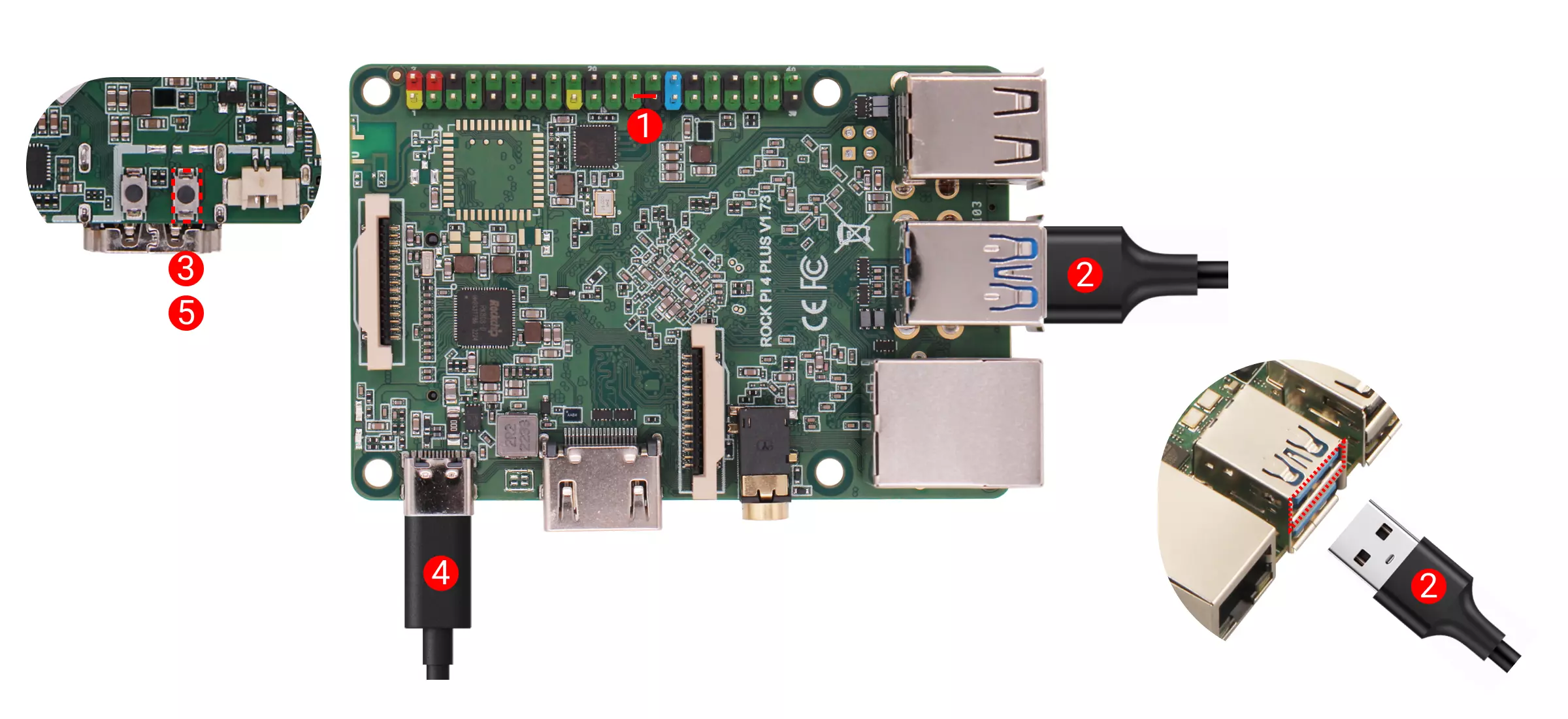
- With onboard eMMC
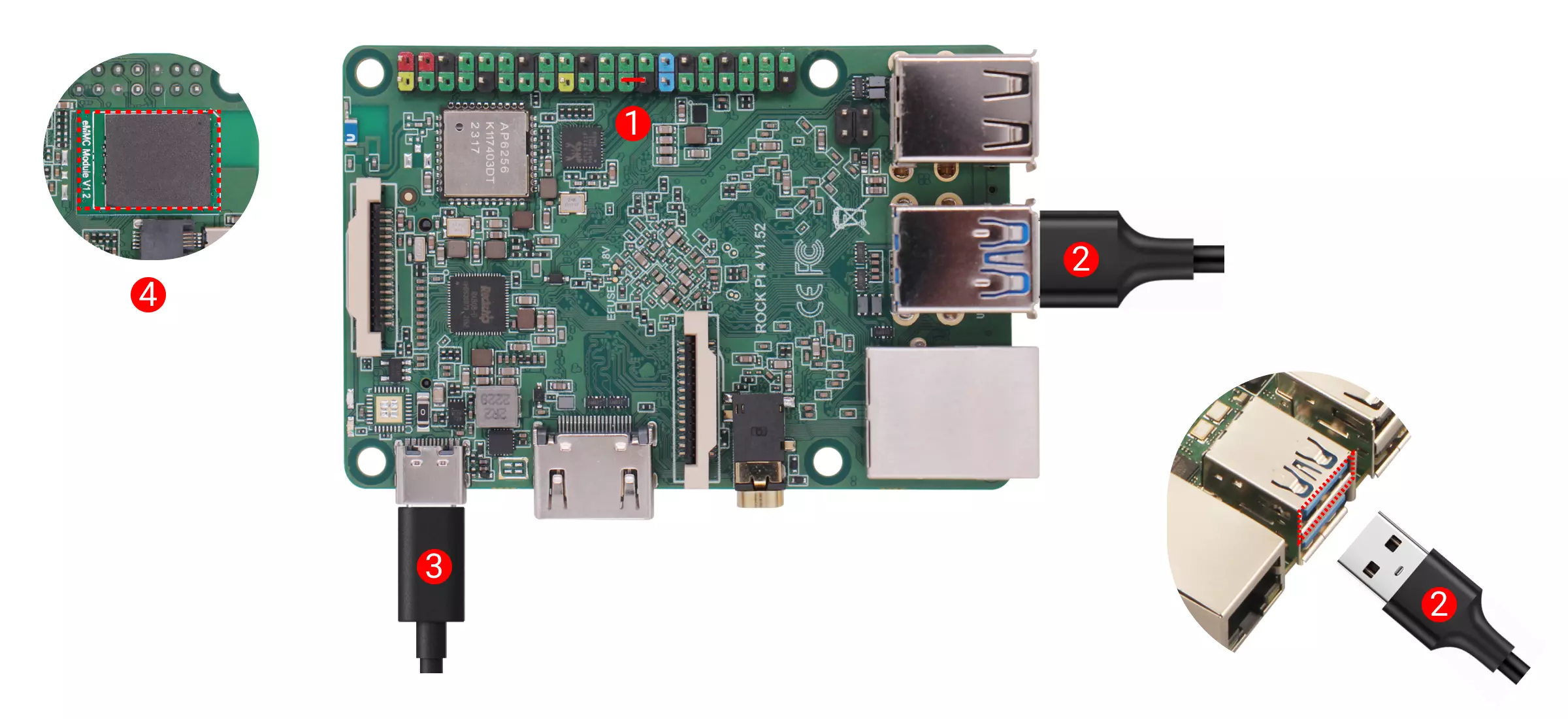
- Without onboard eMMC
Disconnect the board power and remove the microSD card.
Detailed steps:
① If the board has SPI Flash, connect the corresponding SPI Flash pins to GND
② Use a USB Type-A to USB Type-A cable to connect the board and computer
③ Press and hold the Maskrom button before powering the board
④ Power the board using the power adapter
⑤ Release the Maskrom button after the board is powered
Disconnect the board power and remove bootable media (such as microSD card and eMMC module, etc.).
Detailed steps:
① If the board has SPI Flash, connect the corresponding SPI Flash pins to GND
② Use a USB Type-A to USB Type-A cable to connect the board and computer
③ Power the board using the power adapter
④ Install the eMMC module
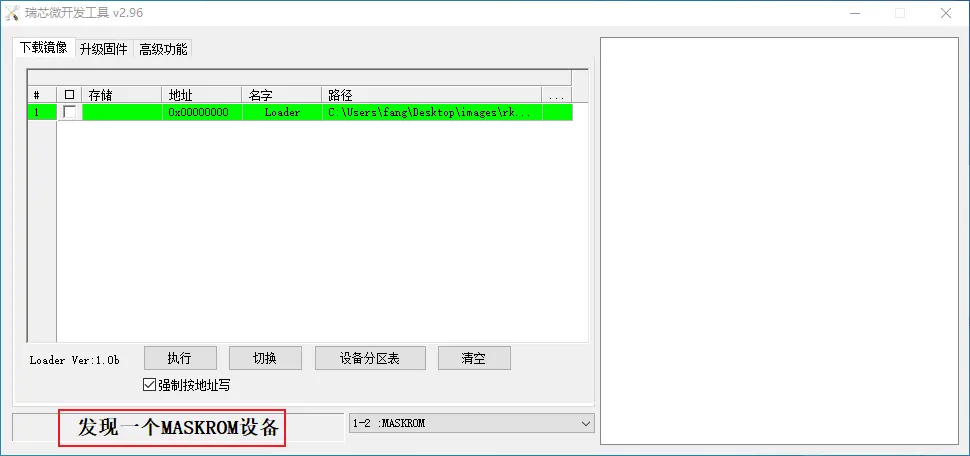
If the board power LED stays solid green, it indicates successful entry into Maskrom mode.
If the operation is normal, RKDevTool will prompt A MASKROM device was found.
Flash images into storage media.
eMMC
- Select Loader (see File Download section above).
- Right click, select Add item, select eMMC as the storage media.
- Select the system image (see above section on file download; Please unzip the downloaded file. Use the .img format image file).
- Click Execute to start burning
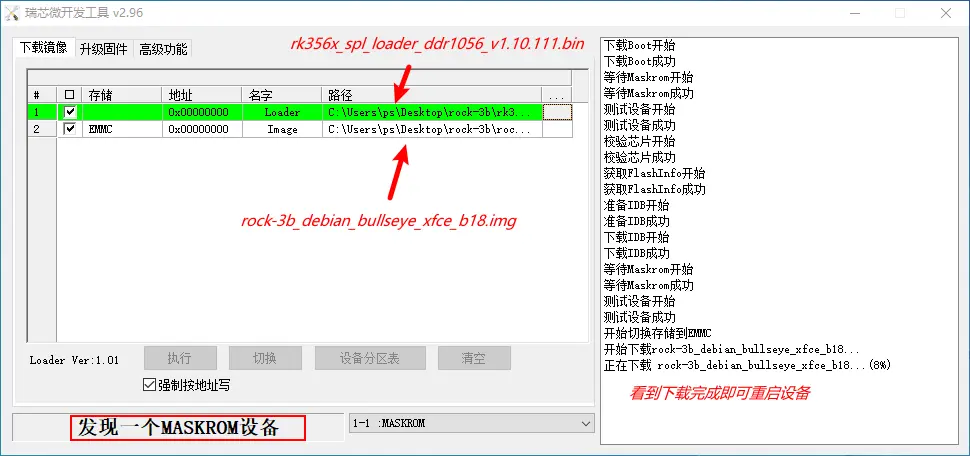
If there is a prompt Download complete, it means the burning is complete, the system will be restarted automatically after burning, and you can log in to the system via HDMI or serial port.
Account and password are both radxa