eMMC / UFS Module Interface
The Radxa ROCK 4D features an onboard eMMC/UFS combo module interface that supports both eMMC and UFS modules, which can be used as a system boot drive or for expanding storage capacity.
Do not use untested third-party UFS or eMMC modules. Some third-party modules may short the SBC and cause permanent hardware damage, and such damage is not covered by warranty.
Since the ROCK 4D comes with SPI Nor Flash by default, eMMC modules are not supported. This guide only covers the use of UFS modules.
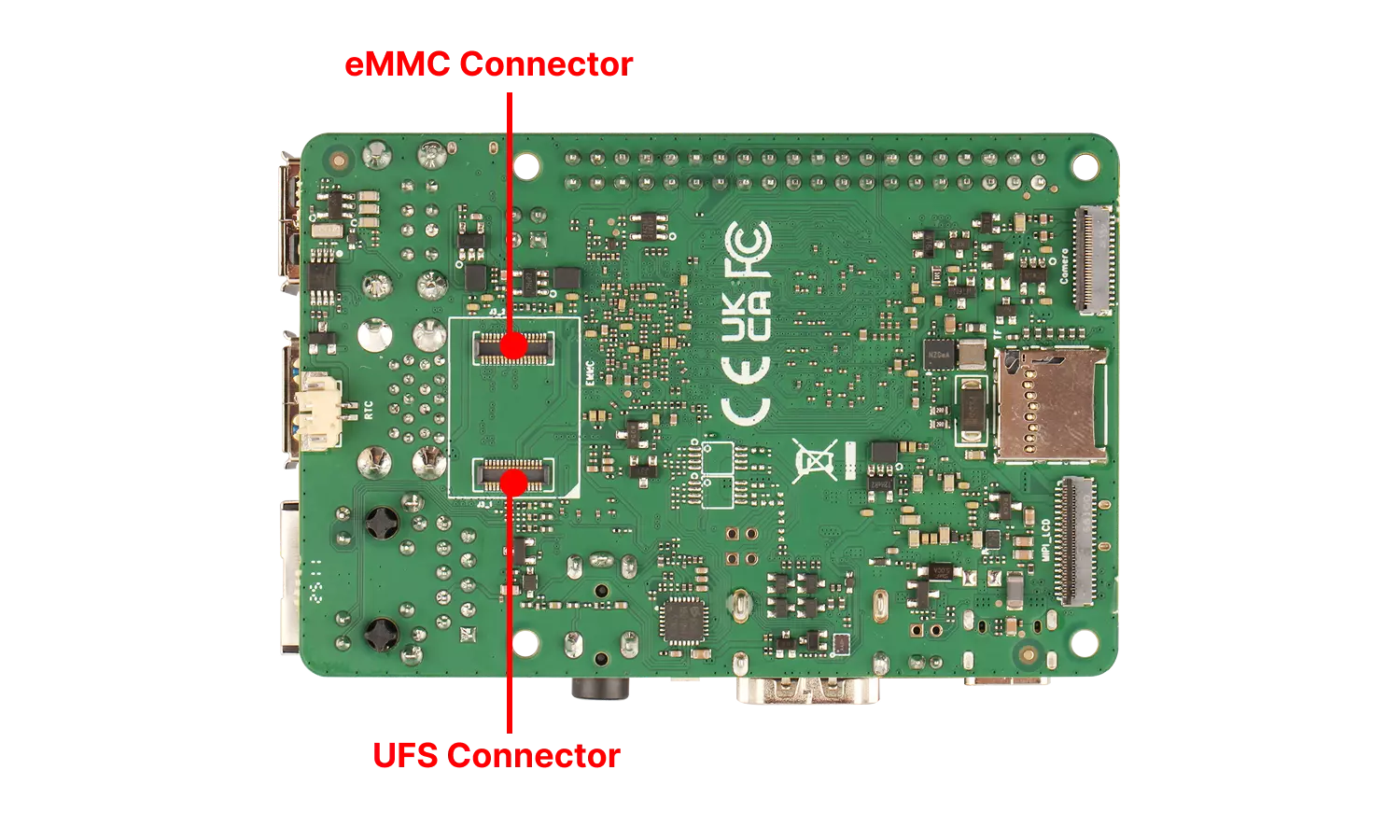
User Guide
eMMC modules are suitable for small capacity storage (8-128GB), while UFS modules are designed for larger capacity storage (64GB-1TB).
- Expanding Storage
You can directly install a UFS module into the eMMC/UFS module interface, then boot the system and use the lsblk command to verify if the UFS module is recognized.
- As a System Boot Drive
You can refer to the Install System to UFS Module tutorial to install the system image onto the UFS module. After installation, insert the UFS module into the eMMC/UFS module interface and test if the system boots normally.
The ROCK 4D is recommended to be used with our Radxa UFS Module.
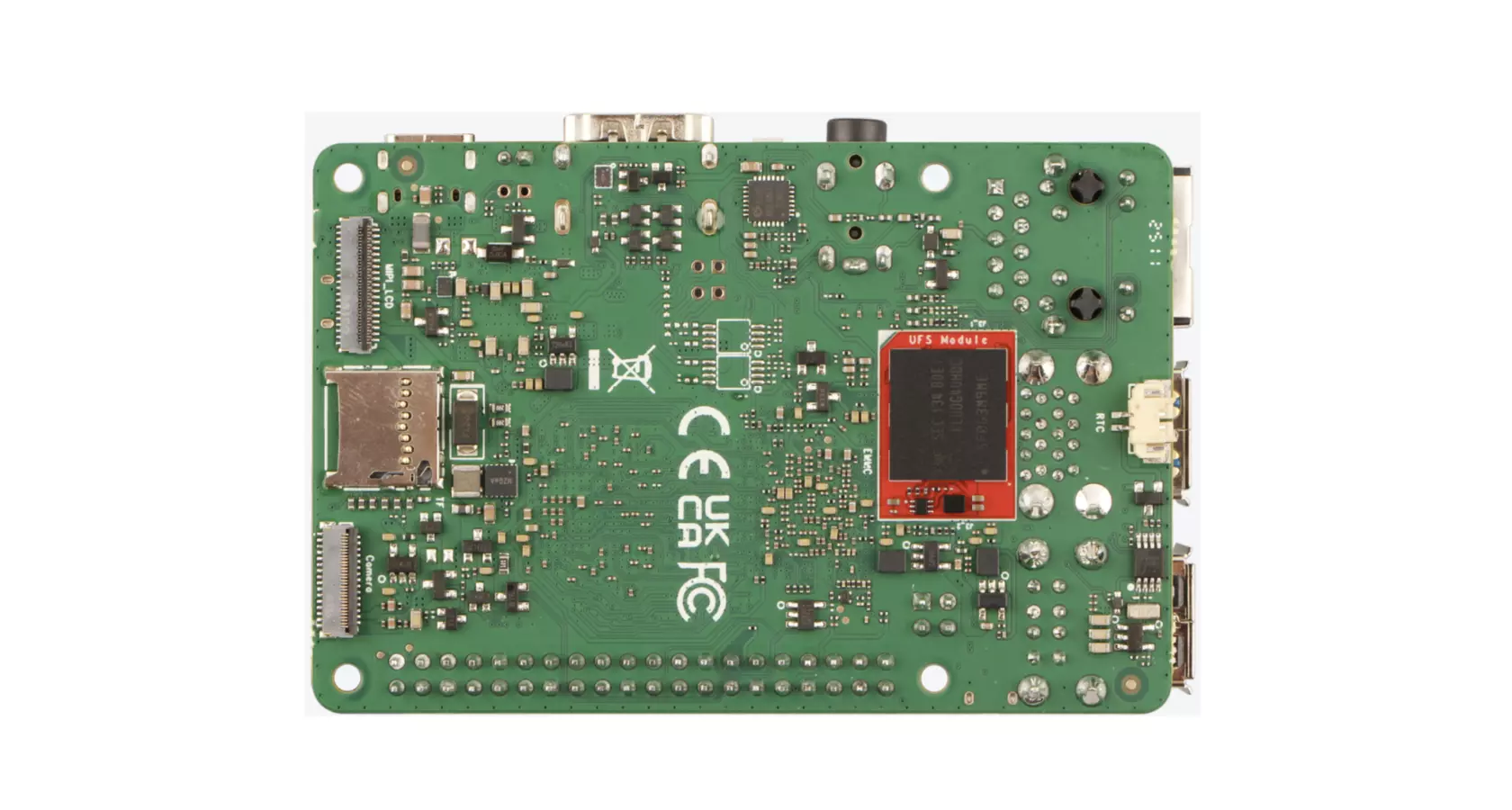
UFS Module Installation Steps:
- Ensure the notched corner of the UFS module aligns with the eMMC/UFS module interface on the ROCK 4D
- Make sure the bottom slot interface of the UFS module is properly aligned with the eMMC/UFS module interface on the ROCK 4D
- Gently press down on one end of the UFS module until you hear a click, then repeat the process on the other end to ensure the UFS module is securely installed.
Interface Specifications
For detailed interface specifications, please refer to the Hardware Design: Schematics in the download section.
| Pin# | Name | Pin# | Name | Pin# | Name | Pin# | Name |
|---|---|---|---|---|---|---|---|
| 1 | GND | 17 | GND | 33 | FSPI0_D6 / EMMC_D6 | 49 | GND |
| 2 | FSPI0_D5 / EMMC_D5 | 18 | GND | 34 | GND | 50 | GND |
| 3 | GND | 19 | GND | 35 | GND | 51 | VCC1V2_UFS_VCCQ_S0 |
| 4 | FSPI0_D4 / EMMC_D4 | 20 | VCCIO_FLASH | 36 | UFS_TX_D0P | 52 | VCC1V2_UFS_VCCQ_S0 |
| 5 | GND | 21 | VCCIO_FLASH | 37 | UFS_TX_D0N | 53 | VCC1V8_UFS_VCCQ2_S0 |
| 6 | FSPI0_D0 / EMMC_D0 | 22 | VCC_3V3_S3 | 38 | GND | 54 | VCC1V8_UFS_VCCQ2_S0 |
| 7 | GND | 23 | VCC_3V3_S3 | 39 | UFS_TX_D1P | 55 | VCC_UFS_S0 |
| 8 | FSPI0_CLK / EMMC_CLK | 24 | GND | 40 | UFS_TX_D1N | 56 | VCC_UFS_S0 |
| 9 | GND | 25 | FSPI0_RSTN / EMMC_CMD | 41 | GND | 57 | UFS_RSTn |
| 10 | FSPI0_D3 / EMMC_D3 | 26 | GND | 42 | UFS_REFCLK | 58 | GND |
| 11 | GND | 27 | FSPI0_D2 / EMMC_D2 | 43 | GND | 59 | UFS_RX_D1N |
| 12 | FSPI0_CSNO / EMMC_RSTN | 28 | GND | 44 | NC | 60 | UFS_RX_D1P |
| 13 | GND | 29 | FSPI0_D1 / EMMC_D1 | 45 | NC | 61 | GND |
| 14 | GND | 30 | GND | 46 | UFS_PLUG | 62 | UFS_RX_D0N |
| 15 | FSPI0_DQS / EMMC_STRB | 31 | FSPI0_D7 / EMMC_D7 | 47 | NC | 63 | UFS_RX_D0P |
| 16 | GND | 32 | GND | 48 | NC | 64 | GND |