FPC Connector
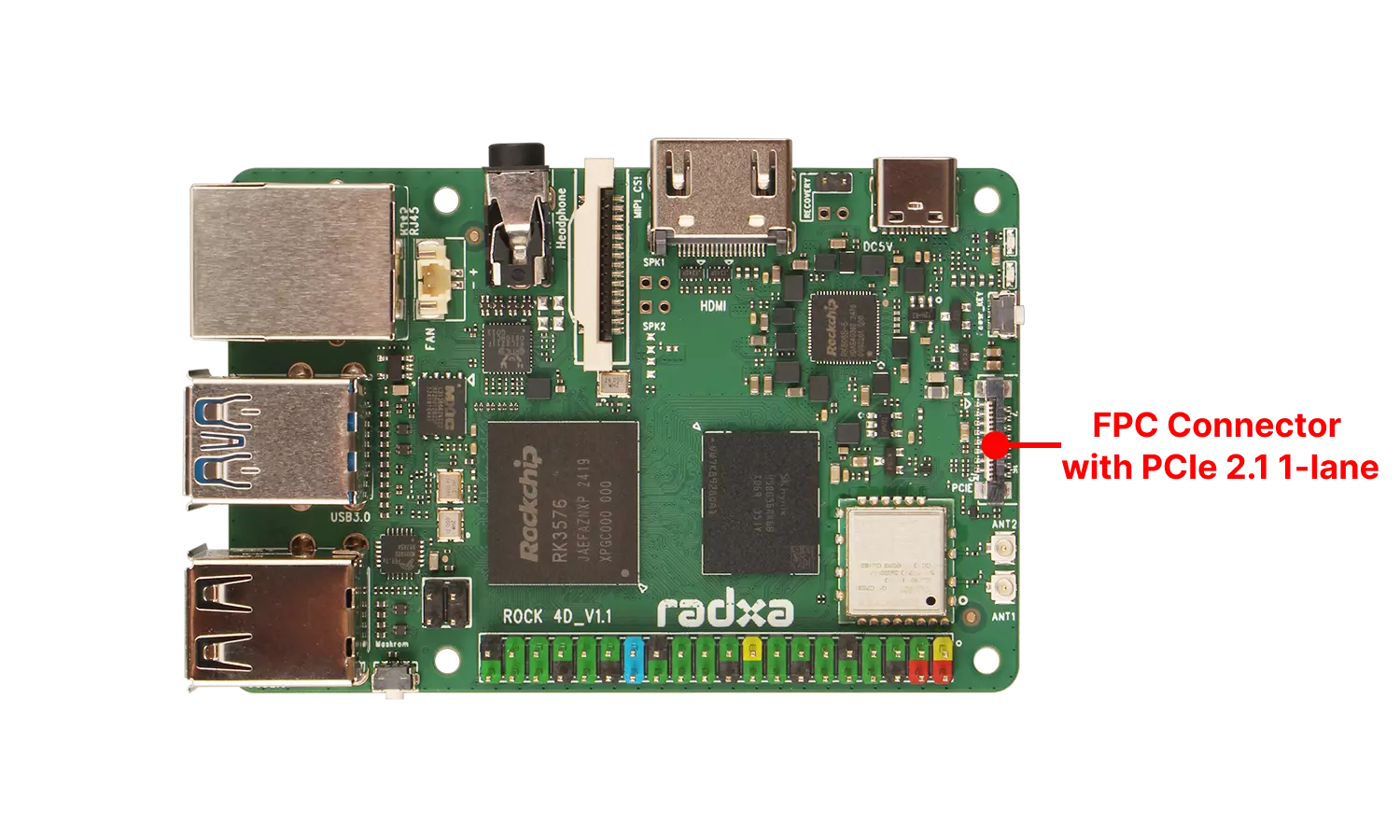
The Radxa ROCK 4D features an onboard FPC (Flexible Printed Circuit) connector that supports PCIe 2.1 standard with a single lane (x1) for high-speed data expansion.
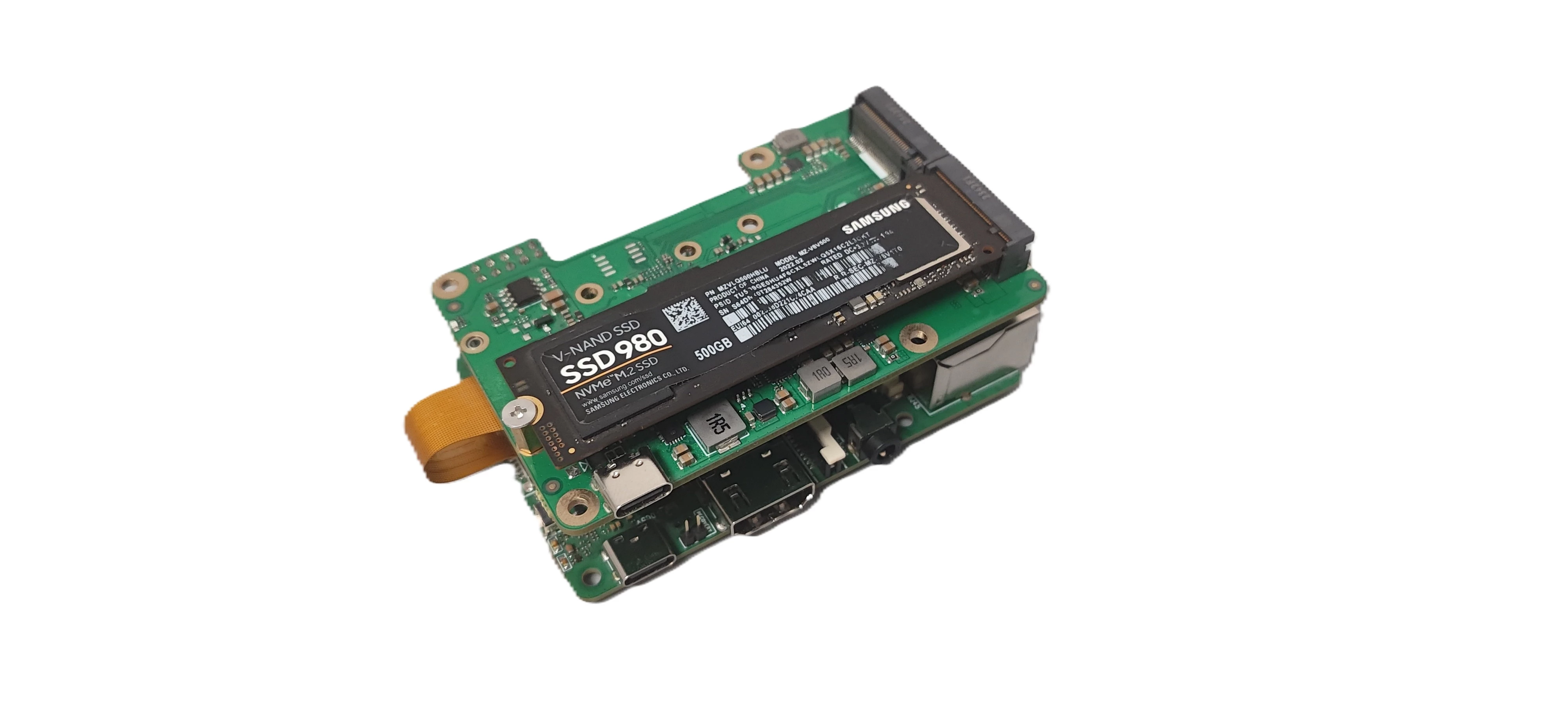
You can connect a PCIe to M.2 M Key HAT to the FPC interface and use it with an M.2 NVMe SSD to boot the system or expand storage capacity.
User Guide
To use an M.2 NVMe SSD, you need to connect it to the ROCK 4D's FPC interface using a PCIe to M.2 M Key HAT.
- Expanding Storage
Insert the M.2 NVMe SSD into the PCIe to M.2 M Key HAT, then connect the HAT to the ROCK 4D's FPC interface. Use the lsblk command to verify if the NVMe SSD is recognized.
- As a System Boot Drive
Refer to the Install System to NVMe SSD tutorial. After installation, insert the NVMe SSD into the PCIe to M.2 M Key HAT, then connect the HAT to the ROCK 4D's FPC interface to test if the system boots normally.
Interface Specifications
For detailed interface specifications, please refer to the Hardware Design: Schematics in the download section.
| Pin# | Name | Pin# | Name | Pin# | Name |
|---|---|---|---|---|---|
| 1 | VCC5V0_SYS_S5 | 7 | PCIE0_SOC_RXP | 13 | PCIE0_PWREN_H |
| 2 | VCC5V0_SYS_S5 | 8 | PCIE0_SOC_RXN | 14 | PCIE0_WAKEN_M0 |
| 3 | GND | 9 | GND | 15 | PCIE0_CLKREQn_M0 |
| 4 | PCIE0_SOC_REFCLKP | 10 | PCIE0_SOC_TXP | 16 | PCIE0_PERSTn |
| 5 | PCIE0_SOC_REFCLKN | 11 | PCIE0_SOC_TXN | ||
| 6 | GND | 12 | GND |