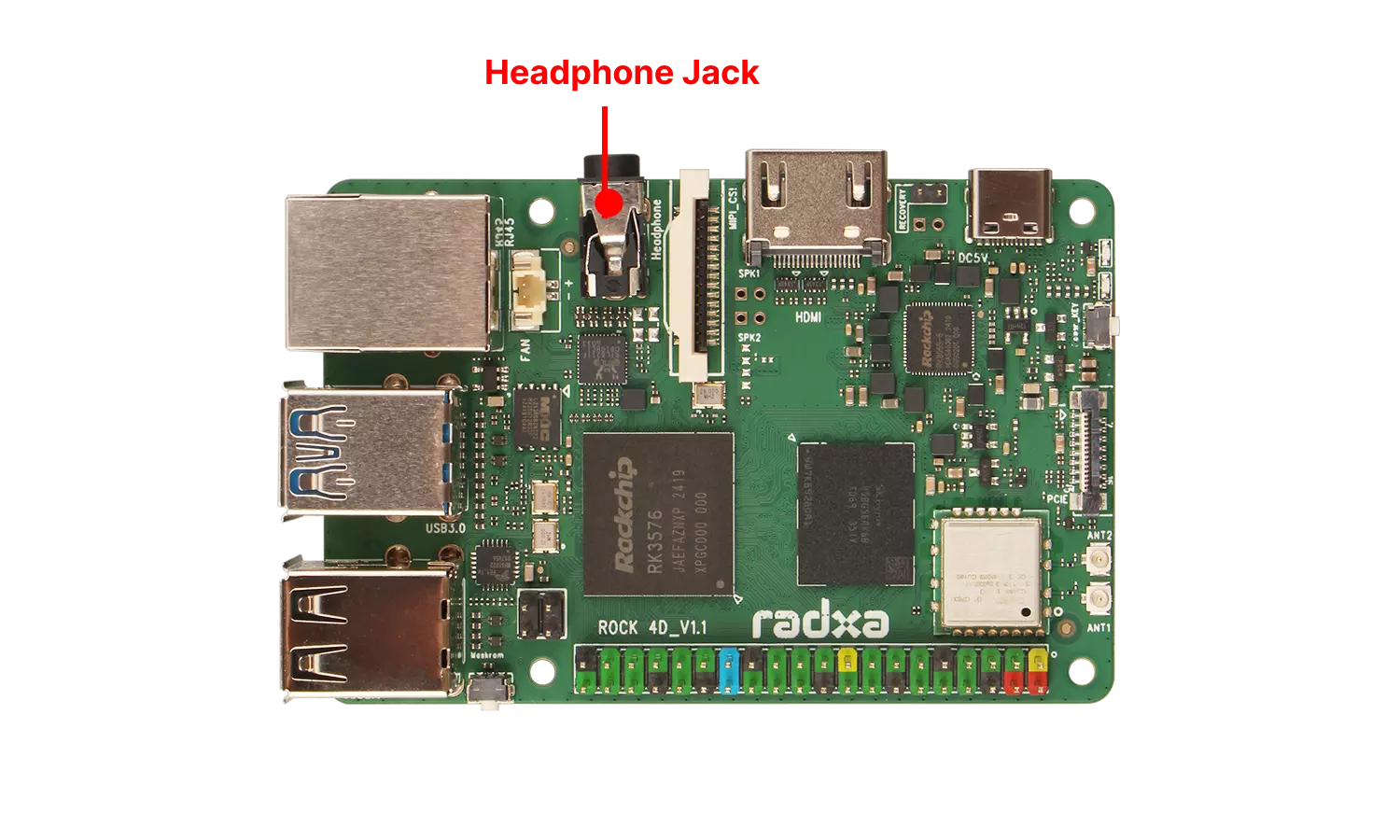
Headphone Jack
The Radxa ROCK 4D features an onboard 3.5mm 4-pole headphone jack that supports both audio input and output.
User Guide
Connect your headphones to the ROCK 4D's 3.5mm headphone jack using a standard audio cable, then play audio on the ROCK 4D to test the sound output.
If you don't hear any audio, try unplugging and reinserting the headphone cable or verify that the correct audio output device is selected.
Viewing Audio Devices
Use the aplay -l command to view audio playback devices (speakers) and arecord -l to view audio recording devices (microphones).
- View Playback Devices
aplay -l
Terminal output will show information similar to below. The card 1: rockchipes8388 represents the onboard ES8388 audio codec, which is typically used for both input (microphone) and output (audio playback) through the 3.5mm headphone jack.
card 0: rockchiphdmi0 [rockchip-hdmi0], device 0: rockchip-hdmi0 i2s-hifi-0 [rockchip-hdmi0 i2s-hifi-0]
  Subdevices: 1/1
  Subdevice #0: subdevice #0
card 1: rockchipes8388 [rockchip-es8388], device 0: dailink-multicodecs ES8323 HiFi-0 [dailink-multicodecs ES8323 HiFi-0]
  Subdevices: 1/1
  Subdevice #0: subdevice #0
- View Recording Devices
arecord -l
The output will be similar to the following information: The onboard ES8388 audio codec card 1: rockchipes8388 is typically used for both input (microphone) and output (audio playback) through the 3.5mm headphone jack.
card 0: rockchiphdmi0 [rockchip-hdmi0], device 0: rockchip-hdmi0 i2s-hifi-0 [rockchip-hdmi0 i2s-hifi-0]
  Subdevices: 1/1
  Subdevice #0: subdevice #0
card 1: rockchipes8388 [rockchip-es8388], device 0: dailink-multicodecs ES8323 HiFi-0 [dailink-multicodecs ES8323 HiFi-0]
  Subdevices: 1/1
  Subdevice #0: subdevice #0
Recording Audio
This feature requires headphones with a built-in microphone. Use the arecord command to record audio.
sudo arecord -Dhw:1,0 -d 20 -f cd -r 44100 -c 2 -t wav /tmp/tmp.wav
-Dhw:1,0: Usesdevice 0ofcard 1: rockchipes8388-d 20: Records for 20 seconds-f cd: Uses CD audio format (16-bit little-endian, 44100Hz, stereo)-r 44100: Uses 44.1kHz sample rate-c 2: Records in stereo (2 channels)-t wav: Saves in WAV format/tmp/tmp.wav: Output file path
Playing Audio
Use the aplay command to play audio.
sudo aplay -Dhw:1,0 /tmp/tmp.wav
-Dhw:1,0: Usesdevice 0ofcard 1: rockchipes8388/tmp/tmp.wav: Input file path
Interface Specifications
For detailed interface specifications, please refer to the Hardware Design: Schematics in the download section.
The ROCK 4D ships without the speaker amplifier populated. The signals listed below come from the reserved speaker amplifier circuit on the board: the amplifier ICs, the speaker connectors and their peripheral components (ferrite beads, filter capacitors, etc.) are left unpopulated (NC) in production. Therefore the "Speaker Reserved Pads" cannot drive a speaker directly.
To use an external speaker, you can:
① Connect powered speakers to the 3.5mm headphone jack (the jack can directly drive 32Ω headphones);
② Use an external amplifier module, taking the AUD_LINEOUT_L / AUD_LINEOUT_R analog audio signals from the reserved pads;
③ Populate the reserved amplifier circuit yourself (amplifier ICs, VCC_SPK_AMP supply, SPK_CTL_H enable and output filter components), then connect the speaker.
| Left Channel Pin# | Left Channel Name | Right Channel Pin# | Right Channel Name |
|---|---|---|---|
| 1 | SPK_CTL_H | 1 | SPK_CTL_H |
| 2 | GND | 2 | GND |
| 3 | GND | 3 | GND |
| 4 | AUD_LINEOUT_L | 4 | AUD_LINEOUT_R |
| 5 | AUD_SPK1P | 5 | AUD_SPK2P |
| 6 | VCC_SPK_AMP | 6 | VCC_SPK_AMP |
| 7 | GND | 7 | GND |
| 8 | AUD_SPK1N | 8 | AUD_SPK2N |