Recovery Pins
In hardware version v1.12 and later, the Recovery pins have been removed and replaced with power supply pins. To enter Loader mode, please use the reboot loader command after entering the system.
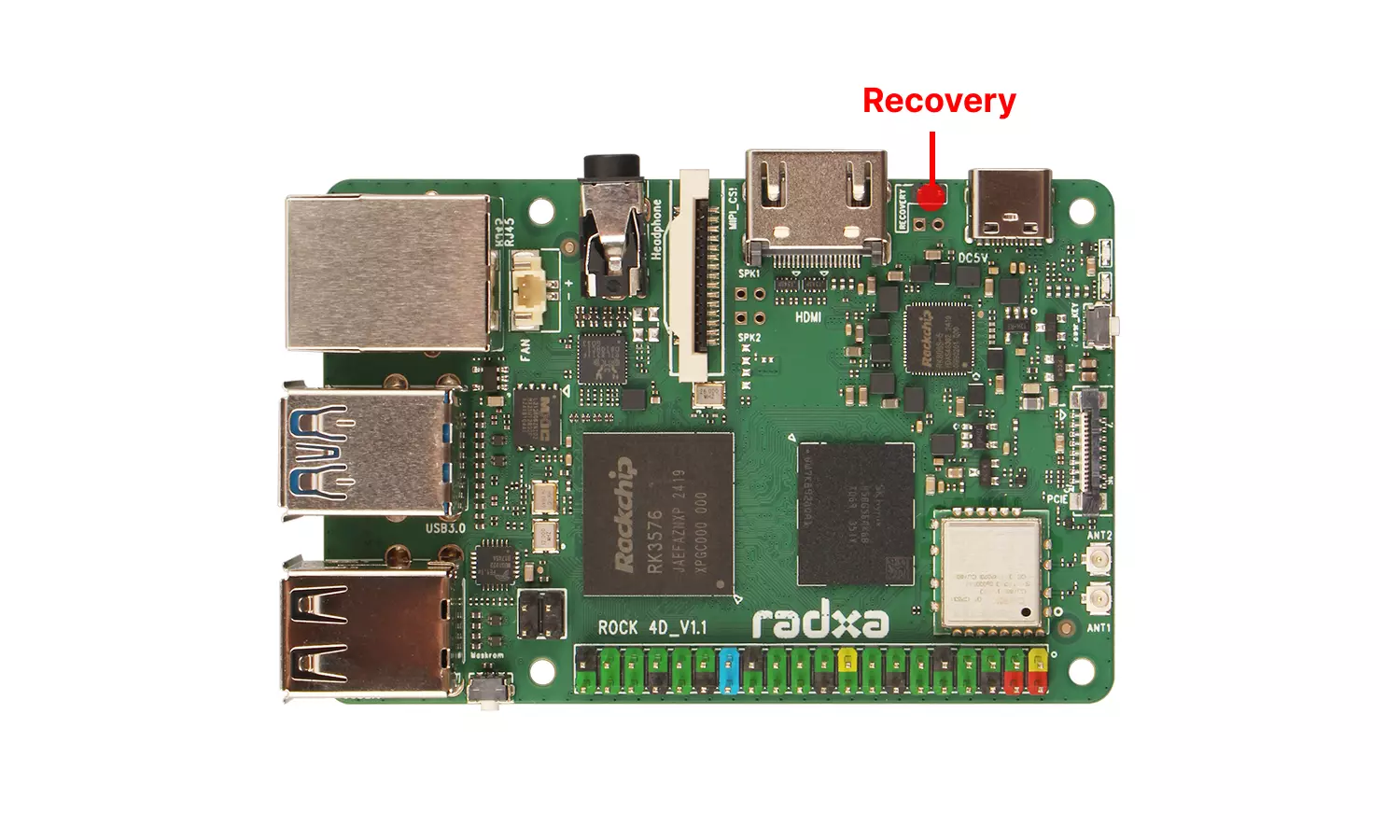
The Radxa ROCK 4D features dedicated Recovery pins for entering Loader mode.
User Guide
Entering Loader Mode
Before powering on the board, short the Recovery pins using a jumper cap or DuPont wires. The short can be removed after powering on.
Verifying Device Mode
Use the RKDevTool utility to verify if the device has entered Loader mode.
For instructions on using RKDevTool, please refer to the RKDevTool Guide tutorial.
Normally, the RKDevTool software will automatically detect the current mode of the ROCK 4D board. If the device is not detected, please repeat the above steps.
- Windows
- Linux/MacOS
Open the RKDevTool software to view the detected device information:
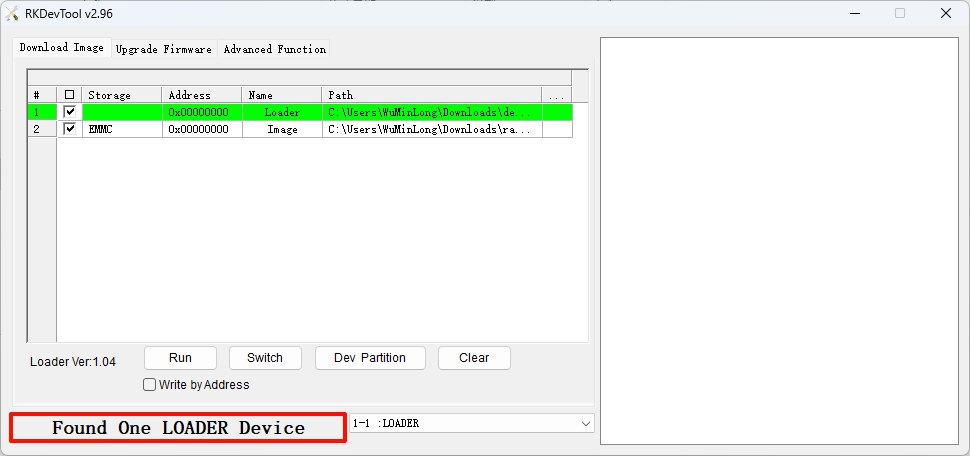
Use the rkdeveloptool ld command to view the detected device information:
sudo rkdeveloptool ld
Example output showing a detected Loader device:
DevNo=1 Vid=0x2207,Pid=0x350e,LocationID=109 Loader