RKLLM Qwen2-VL
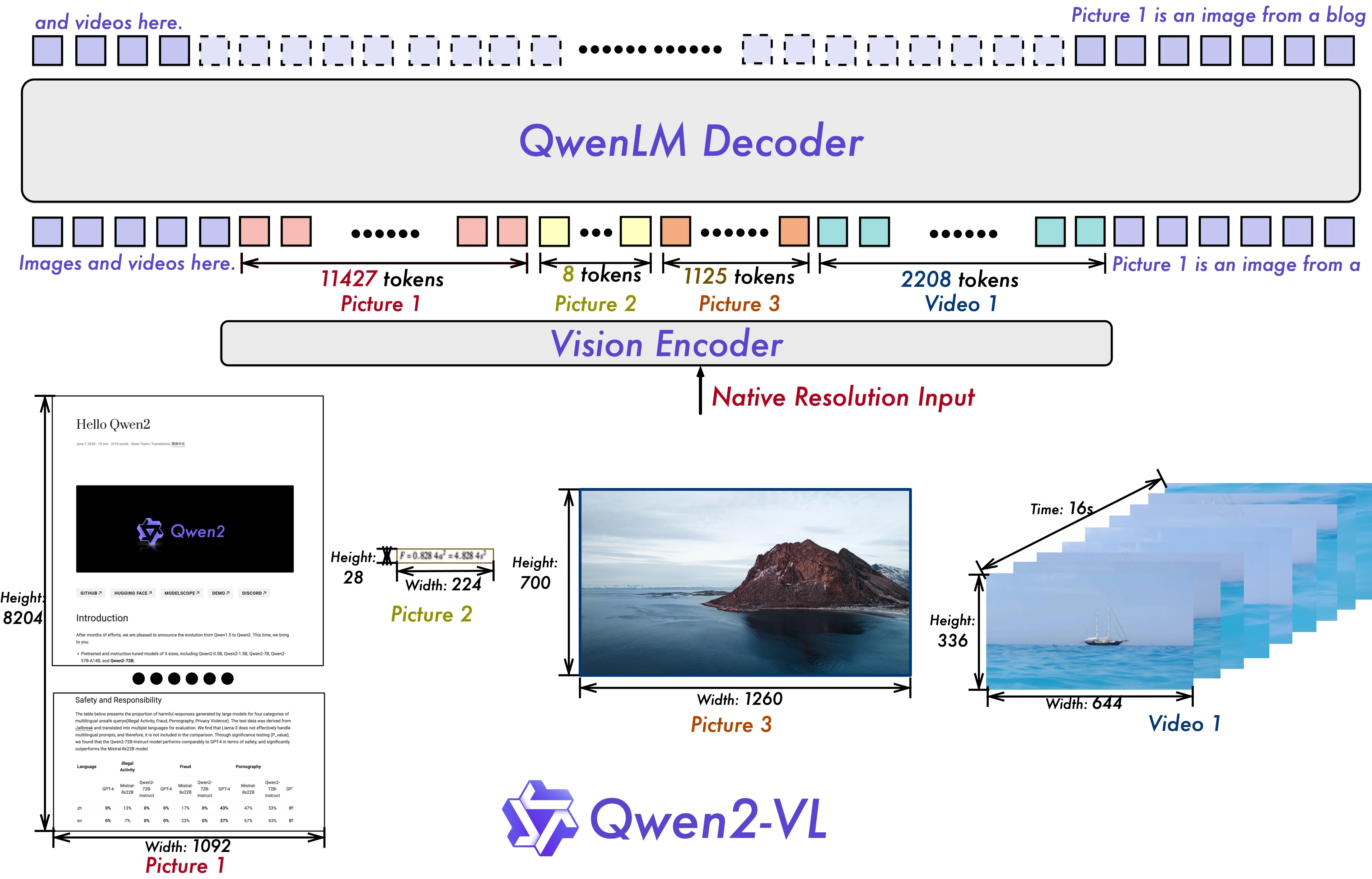
Qwen2-VL is a multimodal vision-language model (VLM) developed by Alibaba. It provides strong visual perception, adapts to images of different resolutions and aspect ratios, and supports deeper understanding of long videos (20+ minutes). Qwen2-VL also supports multiple languages and can act as an “agent” for tasks such as phone control and robot instruction execution. This document explains how to deploy Qwen2-VL-2B-Instruct on RK3588 using the RKLLM toolchain and run hardware-accelerated inference on the built-in NPU.
Quick Start
Download the demo
Download the complete demo from ModelScope.
For virtual environment setup, refer to Virtual Environment Usage.
python3 -m venv .venv && source .venv/bin/activate
pip install -U modelscope
modelscope download --model radxa/Qwen2-VL-2B-RKLLM --local_dir ./Qwen2-VL-2B-RKLLM
Run the Example
cd Qwen2-VL-2B-RKLLM/demo_Linux_aarch64/
export LD_LIBRARY_PATH=./lib
chmod +x ./demo
./demo demo.jpg ../qwen2_vl_2b_vision_rk3588.rknn ../qwen2-vl-2b-instruct_W8A8_rk3588.rkllm 2048 4096 3 "<|vision_start|>" "<|vision_end|>" "<|image_pad|>"
Full Conversion Workflow
Set up the development environment by following RKNN Installation and RKLLM Installation.
RKLLM currently only converts the language model part, so deploying a multimodal model requires converting the vision encoder with the RKNN toolchain.
Activate the virtual environment
For virtual environment setup, refer to Create Virtual Environment.
conda activate rkllm
pip install -U huggingface_hub
Download the Model
cd RK-SDK/rknn-llm/examples/multimodal_model_demo/
hf download Qwen/Qwen2-VL-2B-Instruct  --local-dir ./Qwen2-VL-2B-Instruct
Model Conversion
Generate static positional encodings.
python export/export_vision_qwen2.py --step 1 --path ./Qwen2-VL-2B-Instruct
| Parameter | Required | Description | Notes |
|---|---|---|---|
step | Yes | Export step | 1/2. When step==1, only generates cu_seqlens and rotary_pos_emb. When step==2, exports ONNX (run step==1 first). |
path | No | Hugging Face model directory | Default: Qwen/Qwen2-VL-2B-Instruct |
batch | No | Batch size | Default: 1 |
height | No | Image height | Default: 392 |
width | No | Image width | Default: 392 |
savepath | No | Output path for ONNX/RKNN | Default: qwen2-vl-2b/qwen2_vl_2b_vision.onnx |
Export the vision module to ONNX.
pip install onnx==1.18
python export/export_vision_qwen2.py --step 2 --path ./Qwen2-VL-2B-Instruct
Convert the vision module to RKNN. For RKNN virtual environment setup, refer to Create Virtual Environment.
conda activate rknn
python export/export_vision_rknn.py --path /path/to/save/qwen2-vl-vision.onnx --target-platform rk3588
Generate a quantization calibration file.
conda activate rkllm
python data/make_input_embeds_for_quantize.py --path /path/to/Qwen2-VL-model
| Parameter | Required | Description | Notes |
|---|---|---|---|
path | Yes | Hugging Face model directory | N/A |
Export the language module to the RKLLM format.
python export/export_rkllm.py
| Parameter | Required | Description | Notes |
|---|---|---|---|
path | No | Hugging Face model directory | Default: Qwen/Qwen2-VL-2B-Instruct |
target-platform | No | Target platform | rk3588 / rk3576 / rk3562 (default: rk3588) |
num_npu_core | No | NPU core count | rk3588: [1,2,3], rk3576: [1,2], rk3562: [1] (default: 3) |
quantized_dtype | No | RKLLM quantization dtype | Defaults to w8a8 (supported options depend on the platform) |
device | No | Device used during conversion | cpu / cuda (default: cpu) |
savepath | No | Output RKLLM model path | Default: qwen2_vl_2b_instruct.rkllm |
Build the executable
For cross-compiler setup, refer to Compiler Tools.
cd deploy/
export GCC_COMPILER=/path/to/your/gcc/bin/aarch64-linux-gnu
bash build-linux.sh
The generated binaries are located at install/demo_Linux_aarch64.
Deploy to the device
Copy the converted models and the built demo_Linux_aarch64 directory to the device.
cd demo_Linux_aarch64/
export RKLLM_LOG_LEVEL=1
export LD_LIBRARY_PATH=./lib
./demo demo.jpg ../qwen2_vl_2b_vision_rk3588.rknn ../qwen2-vl-2b-instruct_W8A8_rk3588.rkllm 2048 4096 3 "<|vision_start|>" "<|vision_end|>" "<|image_pad|>"
Run the demo. Type exit to quit.
./demo demo.jpg ../qwen2_vl_2b_vision_rk3588.rknn ../qwen2-vl-2b-instruct_W8A8_rk3588.rkllm 2048 4096 3 "<|vision_start|>" "<|vision_end|>" "<|image_pad|>"
| Parameter | Required | Description | Notes |
|---|---|---|---|
image_path | Yes | Image path | N/A |
encoder_model_path | Yes | Vision encoder RKNN | N/A |
llm_model_path | Yes | Language model RKLLM | N/A |
max_new_tokens | Yes | Max generated tokens | Must be ≤ max_context_len |
max_context_len | Yes | Max context length | Must be > text_token_num + image_token_num + max_new_tokens |
core_num | Yes | NPU core count | rk3588: [1,2,3], rk3576: [1,2], rk3562: [1] |
$ ./demo demo.jpg ../qwen2_vl_2b_vision_rk3588.rknn ../qwen2-vl-2b-instruct_W8A8_rk3588.rkllm 2048 4096 3
 "<|vision_start|>" "<|vision_end|>" "<|image_pad|>"
I rkllm: rkllm-runtime version: 1.2.3, rknpu driver version: 0.9.8, platform: RK3588
I rkllm: loading rkllm model from ../qwen2-vl-2b-instruct_W8A8_rk3588.rkllm
I rkllm: rkllm-toolkit version: 1.2.3, max_context_limit: 4096, npu_core_num: 3, target_platform: RK3588, model_dtype: W8A8
I rkllm: Enabled cpus: [4, 5, 6, 7]
I rkllm: Enabled cpus num: 4
I rkllm: Using mrope
rkllm init success
main: LLM Model loaded in  3052.79 ms
===the core num is 3===
model input num: 1, output num: 1
input tensors:
  index=0, name=onnx::Expand_0, n_dims=4, dims=[1, 392, 392, 3], n_elems=460992, size=921984, fmt=NHWC, type=FP16, qnt_type=AFFINE, zp=0, scale=1.000000
output tensors:
  index=0, name=4542, n_dims=2, dims=[196, 1536, 0, 0], n_elems=301056, size=602112, fmt=UNDEFINED, type=FP16, qnt_type=AFFINE, zp=0, scale=1.000000
model input height=392, width=392, channel=3
main: ImgEnc Model loaded in  2362.74 ms
main: ImgEnc Model inference took  3762.45 ms

**********************You can choose a preset question or type your own********************

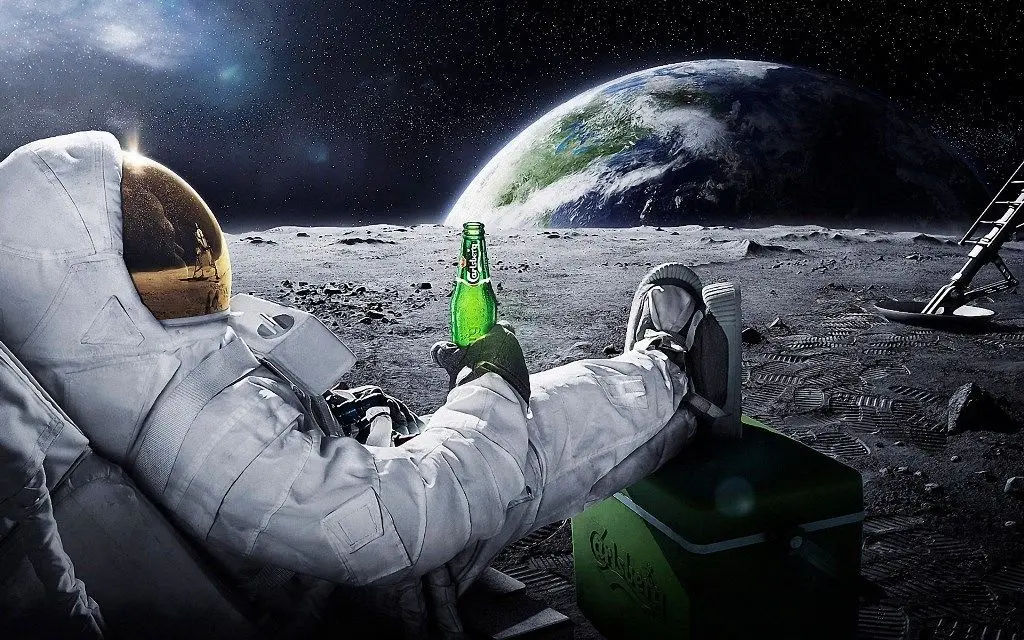
[0] <image>What is in the image?

*************************************************************************

user: 0
<image>What is in the image?
assistant: The image depicts an astronaut sitting on a chair holding a green bottle, looking at Earth from the Moon with a starry sky in the background.
Test image:
Performance:
| Stage | Total Time (ms) | Tokens | Time per Token (ms) | Tokens per Second |
|---|---|---|---|---|
| Prefill | 929.40 | 222 | 4.19 | 238.86 |
| Generate | 3897.42 | 60 | 64.96 | 15.39 |