Metal enclosure
Radxa has designed a specially customized metal enclosure for the ROCK 5 Model B single-board computer. This ruggedized case provides protection for the board and easy access to all ports of the ROCK 5B. It also has a cooling feature that provides passive cooling for the board, ensuring that the ROCK 5B will operate at the right temperature even under harsh conditions. This beautiful enclosure is the perfect solution to keep your ROCK 5B running smoothly and efficiently.
When you receive the ROCK 5B metal enclosure, first verify the package contents:
- 1x Aluminum cooling top cover
- 1x Front plastic plate
- 1x Rear plastic plate
- 1x Bottom cover
- 1x Thermal grease
- 4x M2.5 x 7.5 mm standoffs
- 4x CM2.5 x 4 mm screws (board-side mounting screws)
- 4x KM2.5 x 4 mm screws (bottom-cover mounting screws)
- 5x KM3 x 4 mm screws (case fastening screws)
Installation Procedure
- Apply thermal grease to the heatsink thermal posts and the ROCK 5B SoC.
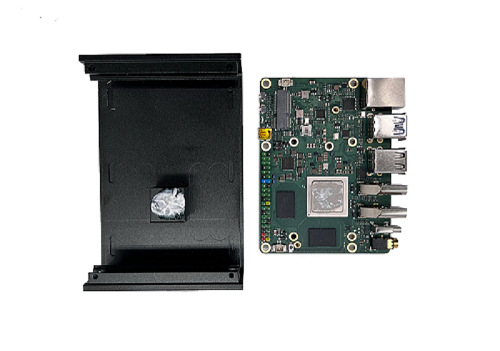
- Install the top cover with the thermal copper posts aligned to the SoC position, as shown below.
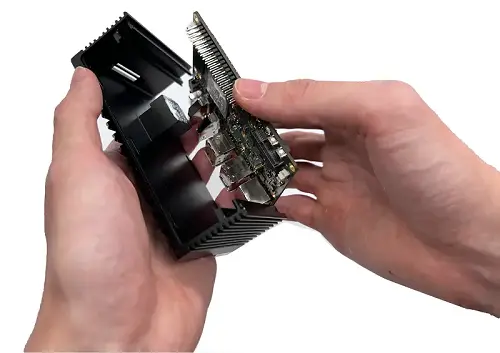
-
Align the 4 M2.5 x 7.5 mm standoffs with the mounting holes on the ROCK 5B, then fasten them from the front side of the board with 4 CM2.5 x 4 mm screws.
-
Make sure the cylindrical parts of the plastic side pieces align with the heatsink structure, as shown below.
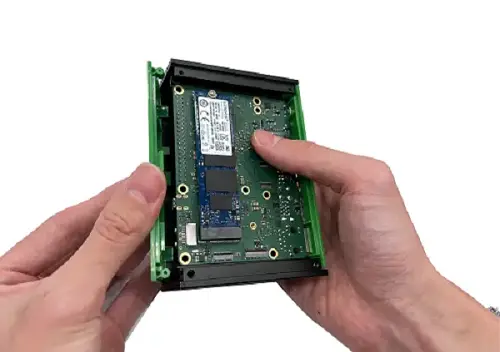
- Place the ROCK 5B with the installed standoffs into the bottom cover, align the standoffs with the bottom-cover mounting holes, and fasten them from the back of the bottom cover with 4 KM2.5 x 4 mm screws.
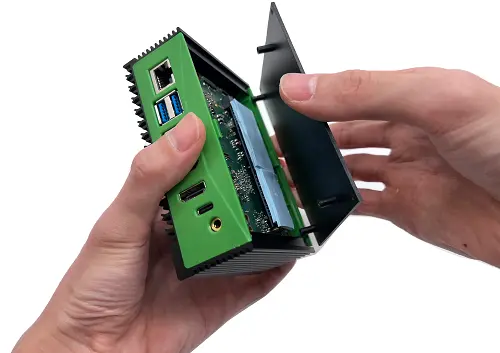
- After the top cover is in place, use the remaining 5 KM3 x 4 mm screws to fasten the enclosure.