Install the operating system
This document explains how to install the Kaihong OS image on the ROCK 5C.
ROCK 5C supports booting from microSD cards or eMMC modules. We describe both installation methods below.
Preparation
- 1x microSD card (capacity >= 8GB, speed class >= Class 10)
- 1x microSD card reader
- 5V Type-C power adapter (recommended: Radxa PD 30W Power Adapter)
Download the image
Visit the Resource Download page and download the matching image.
Prepare the flashing tools
Users of eMMC modules need RKDevTool, while microSD users need SD_Firmware_Tool.
Install drivers
Download DriverAssitant, extract it, run DriverInstall.exe, and click Install Driver.
If you have installed other driver versions before, click Uninstall Driver first, then reinstall.
Install RKDevTool
RKDevTool is a Rockchip utility for USB flashing on Windows. If it is not installed on your Windows PC, follow the steps below.
Download and extract:
After extracting RKDevTool_Release.zip, run RKDevTool.exe.
Install SD_Firmware_Tool
SD_Firmware_Tool is a Rockchip tool for flashing microSD cards on Windows. If it is not installed on your Windows PC, follow the steps below.
Download and extract:
After extracting SDDiskTool_cn_v1.74.zip, run SD_Firmware_Tool.exe.
Flash the image
eMMC modules support USB cable flashing and flashing with an eMMC reader.
When flashing with an eMMC reader, the process is the same as flashing to a microSD card.
Flash to an eMMC module via USB cable
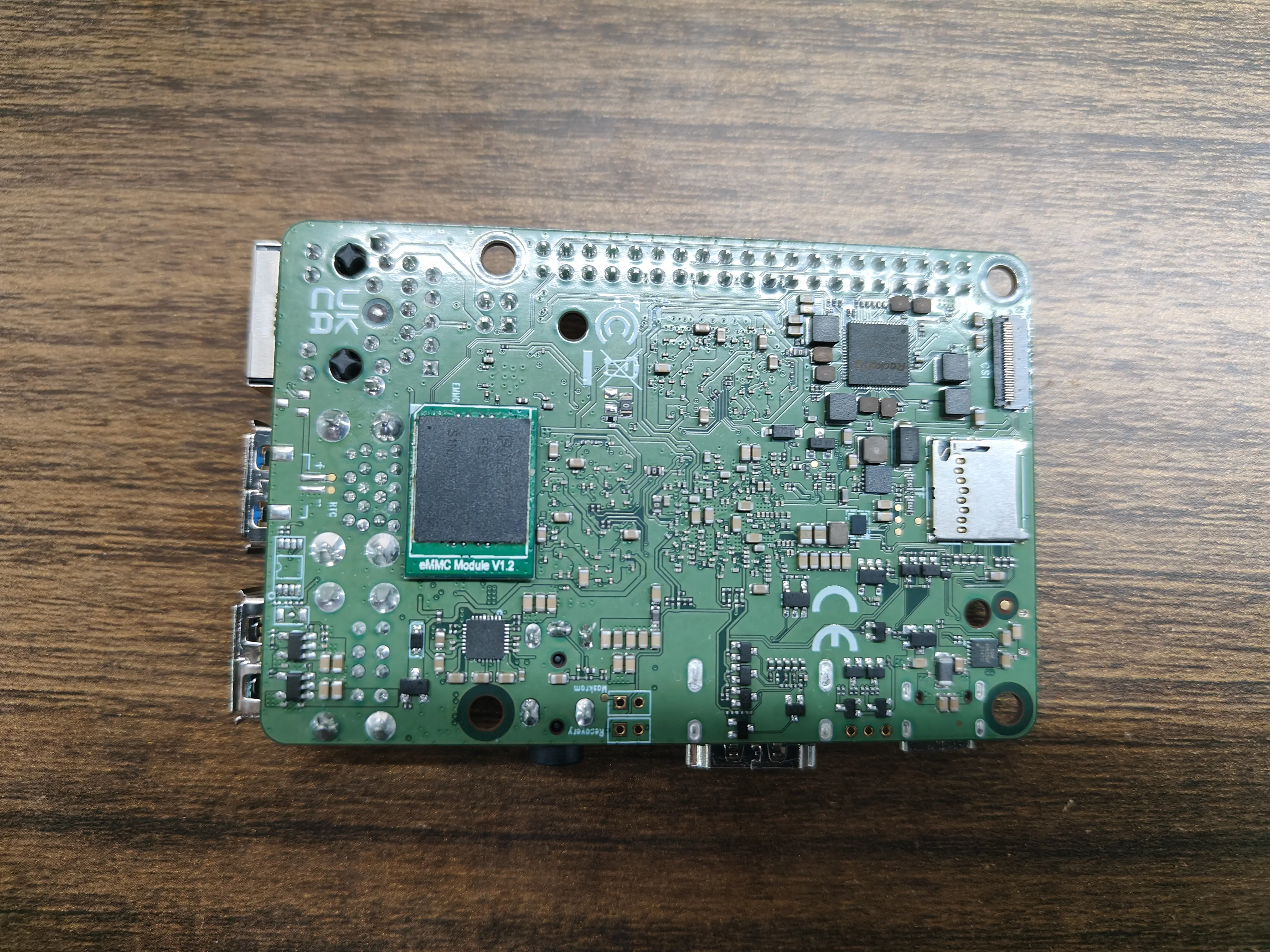
- Install the eMMC module
Install the eMMC module on the board as shown below.
- Enter Maskrom mode
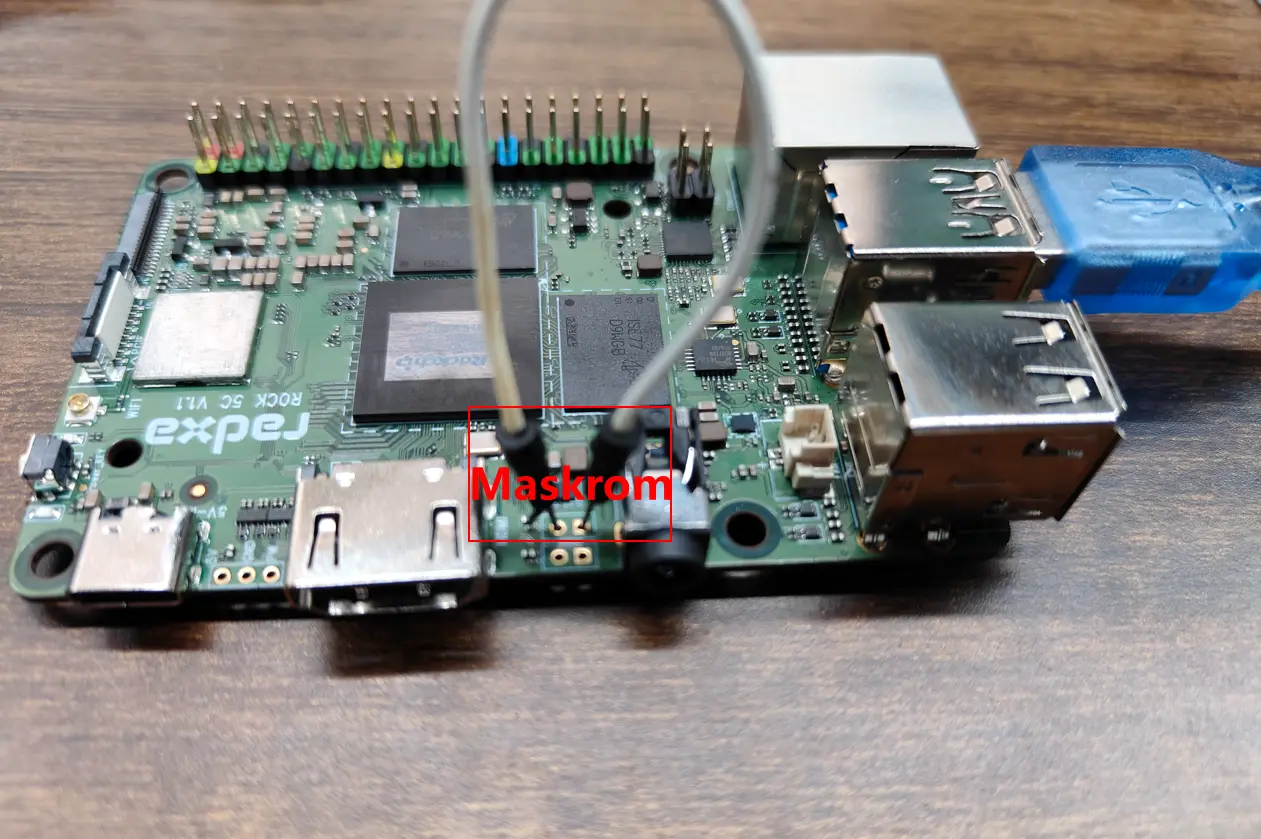
Connect the PC and the board's OTG port with a Type-A to Type-C cable. Short the Maskrom pins as shown to enter Maskrom mode.
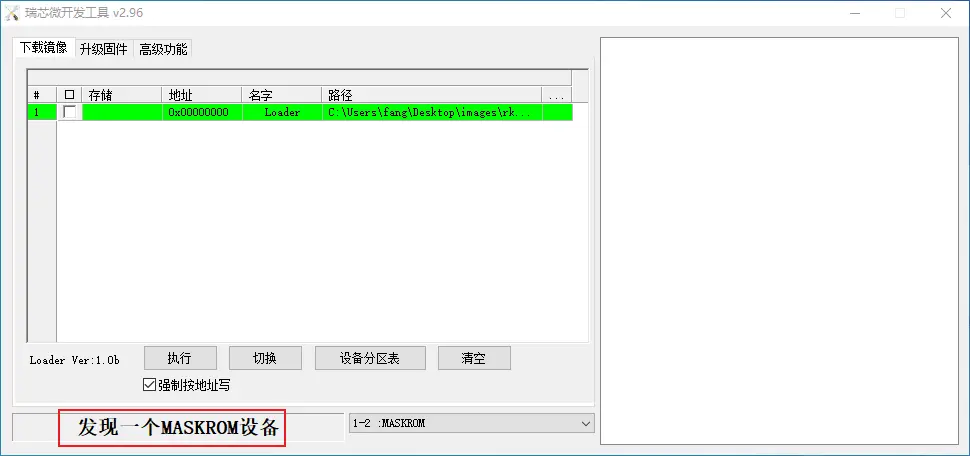
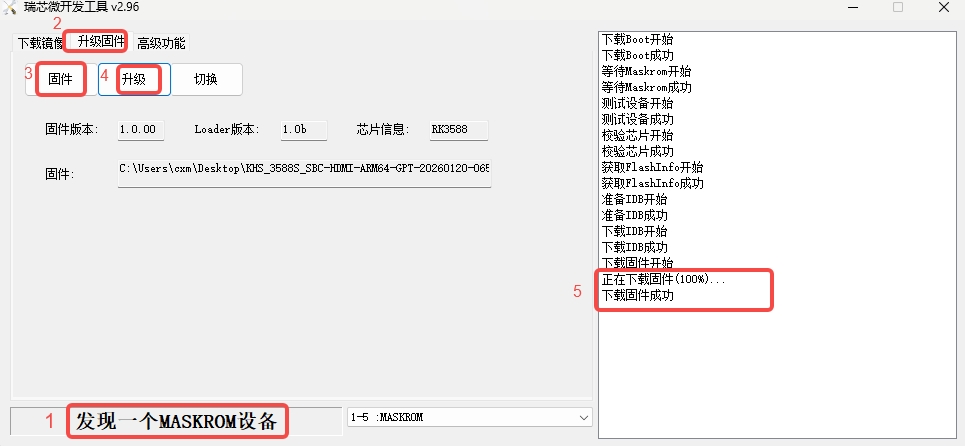
- Flash the image to the eMMC module
Flash to an eMMC module or microSD card with a reader
- Insert the microSD card into the microSD reader, or insert the eMMC module into the eMMC reader
- Connect the reader to the PC
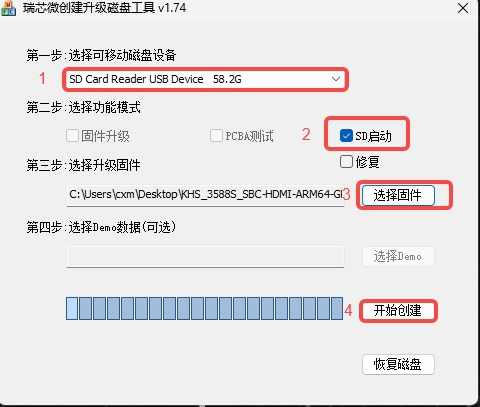
- Use
SD_Firmware_Toolto flash the image