Auto Login
Enabling auto-login allows you to access your desktop directly without entering a password each time you start the system.
VNC Black Screen
After enabling auto-login, you might experience a black screen when using VNC remote control. It is recommended to enable auto-login only for users with direct display connections.
If you need to use VNC remote control, you should disable the auto-login feature.
Enable Auto-Login
Enter the rsetup command in the terminal to use the Rsetup tool for enabling auto-login:
radxa@device$
rsetup
- Use the arrow keys to select the
User Settingsoption, then press Enter to confirm.
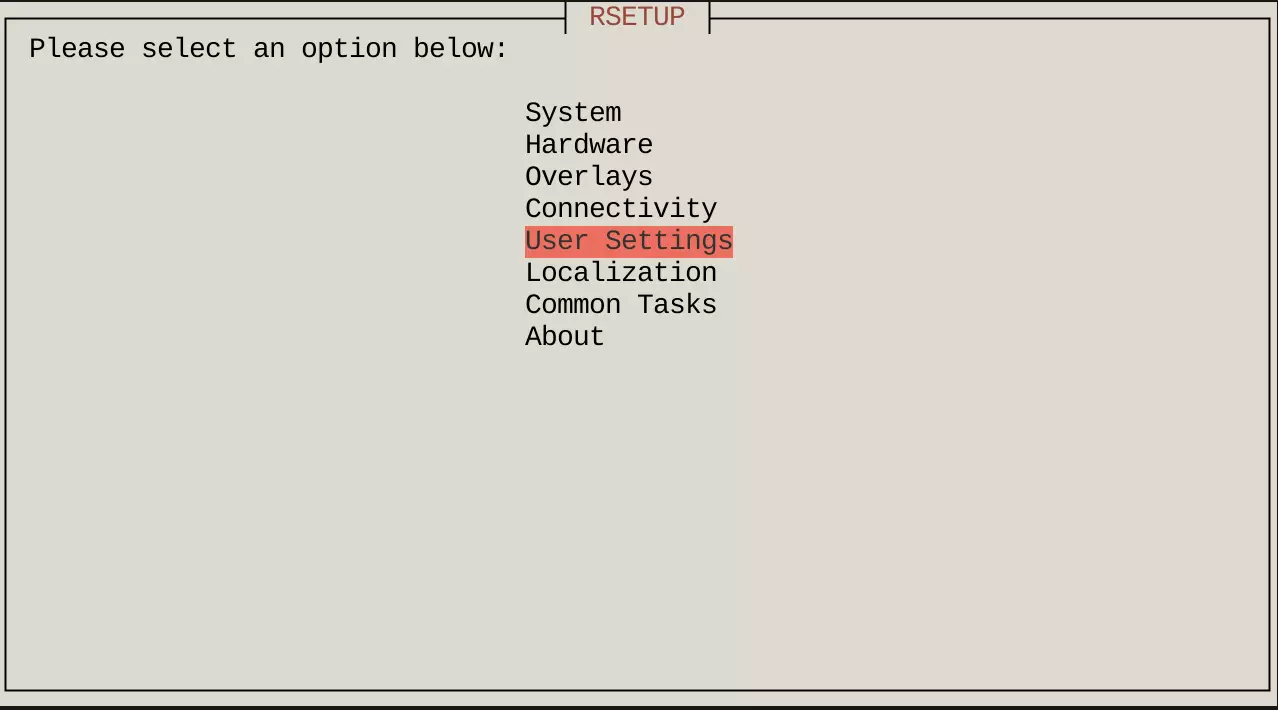
- Use the arrow keys to select the
Configure auto loginoption, then press Enter to confirm.
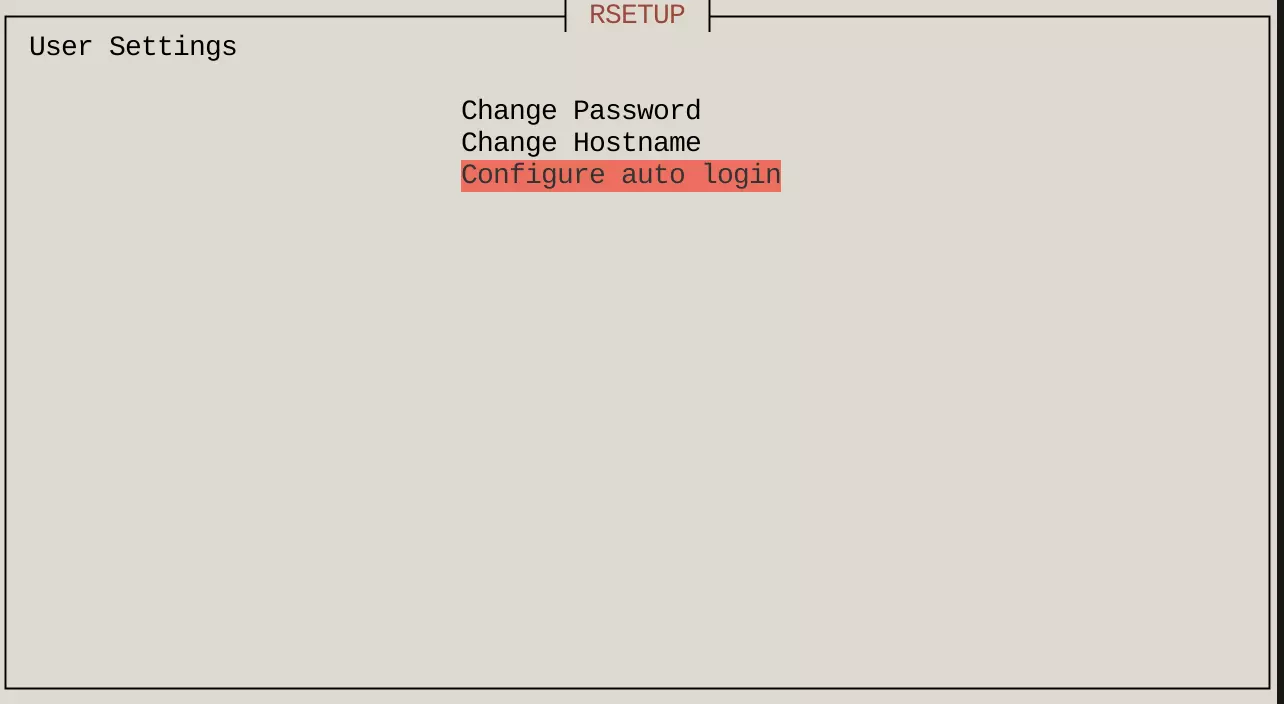
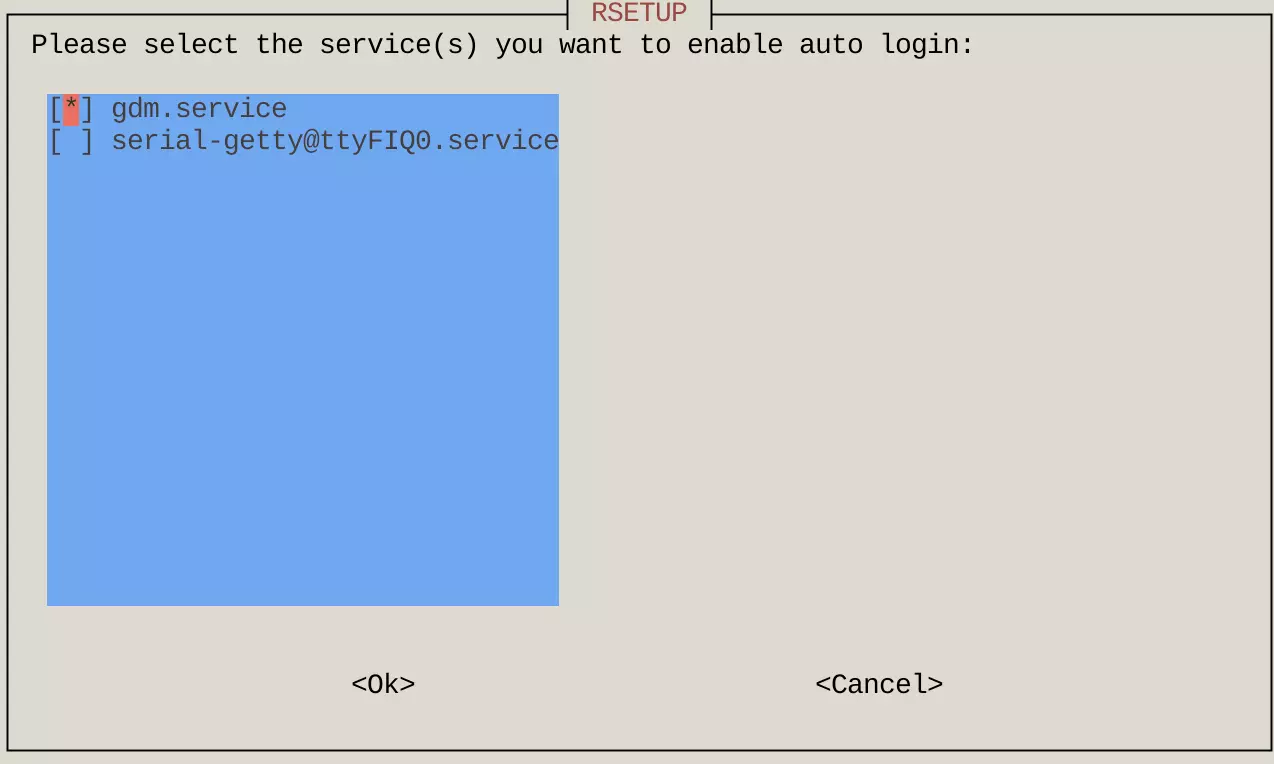
- Use the arrow keys to select the
Enable auto loginoption, press Space to check thegdm.servicebox, then press Enter to confirm.
tip
A * in the checkbox indicates that the option is enabled.
- Reboot the system for the auto-login configuration to take effect.