Radxa Display 8 HD
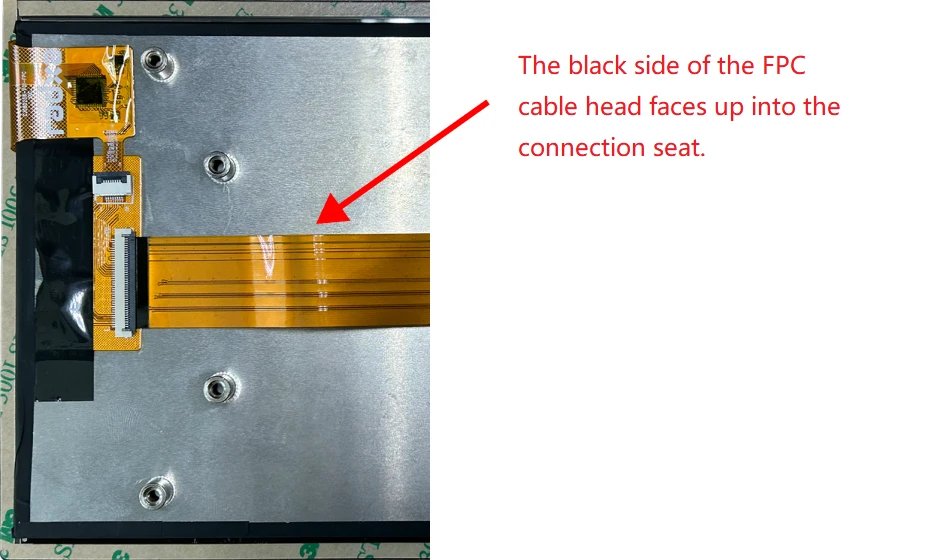
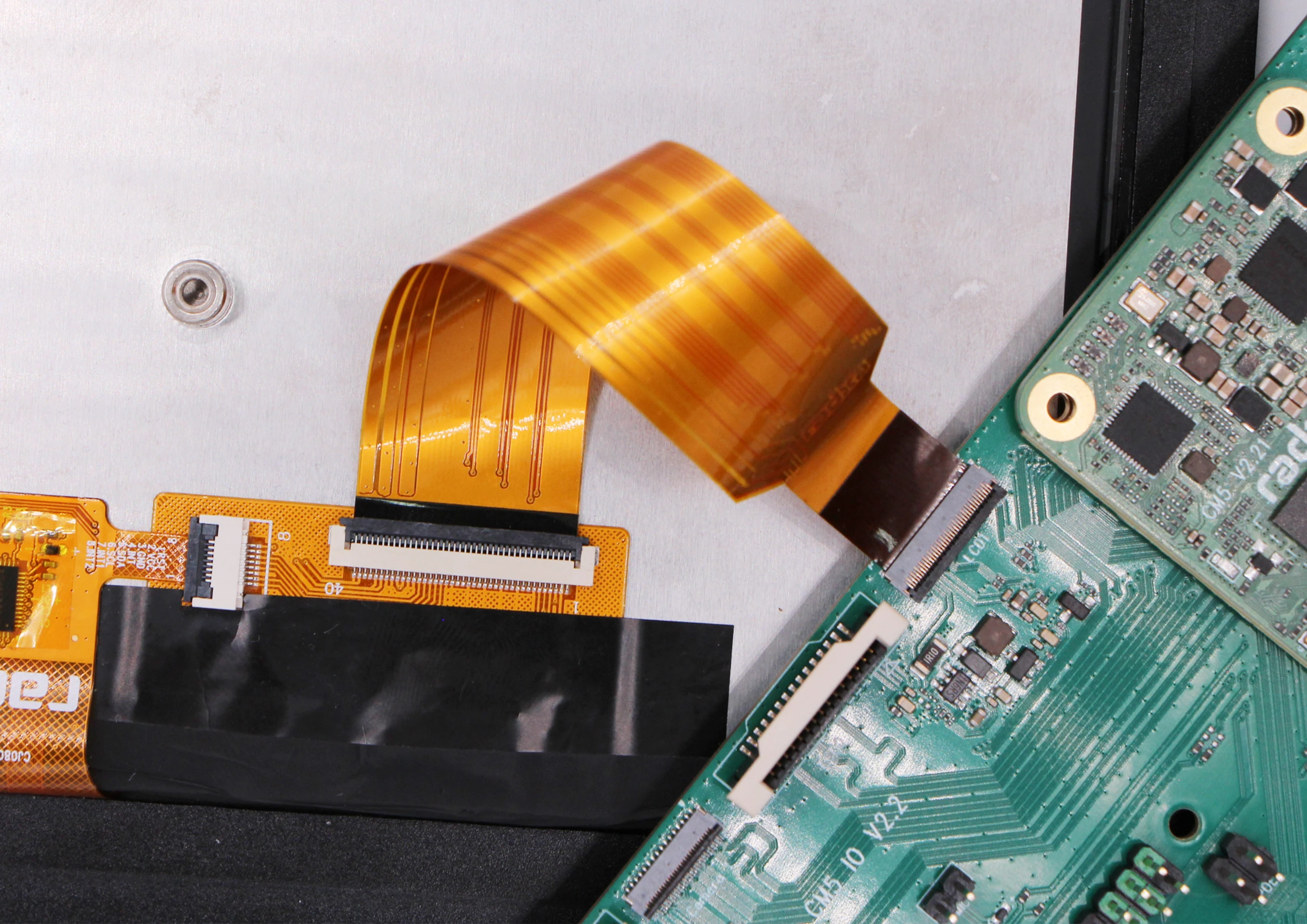
Prepare the Radxa Display 8HD, Radxa Display 10HD or Radxa Display 10FHD and connect it to the LCD1 connector of the Radxa CM5 IO board via FPC cable.
Take the example of connecting a radxd 8 inch display
- Open the Kconsole terminal via the Application Launcher in the lower left corner, and run the
rsetupcommand:
radxa@radxa-cm5-io:~$ rsetup
- Via device tree configuration to enable Overlay for the Radxa 8" touchscreen.
[Note]
- Please enable the
[] Enable Radxa Display 8HD on DSI1item Overlay. - Exit and reboot after enabling the
[*] Enable Radxa Display 8HD on DSI1successfully for the configuration to take effect.