Accessory Usage Instructions
This section describes the common accessories supported by the Radxa CM5 IO Board and how to use them.
Interface Overview
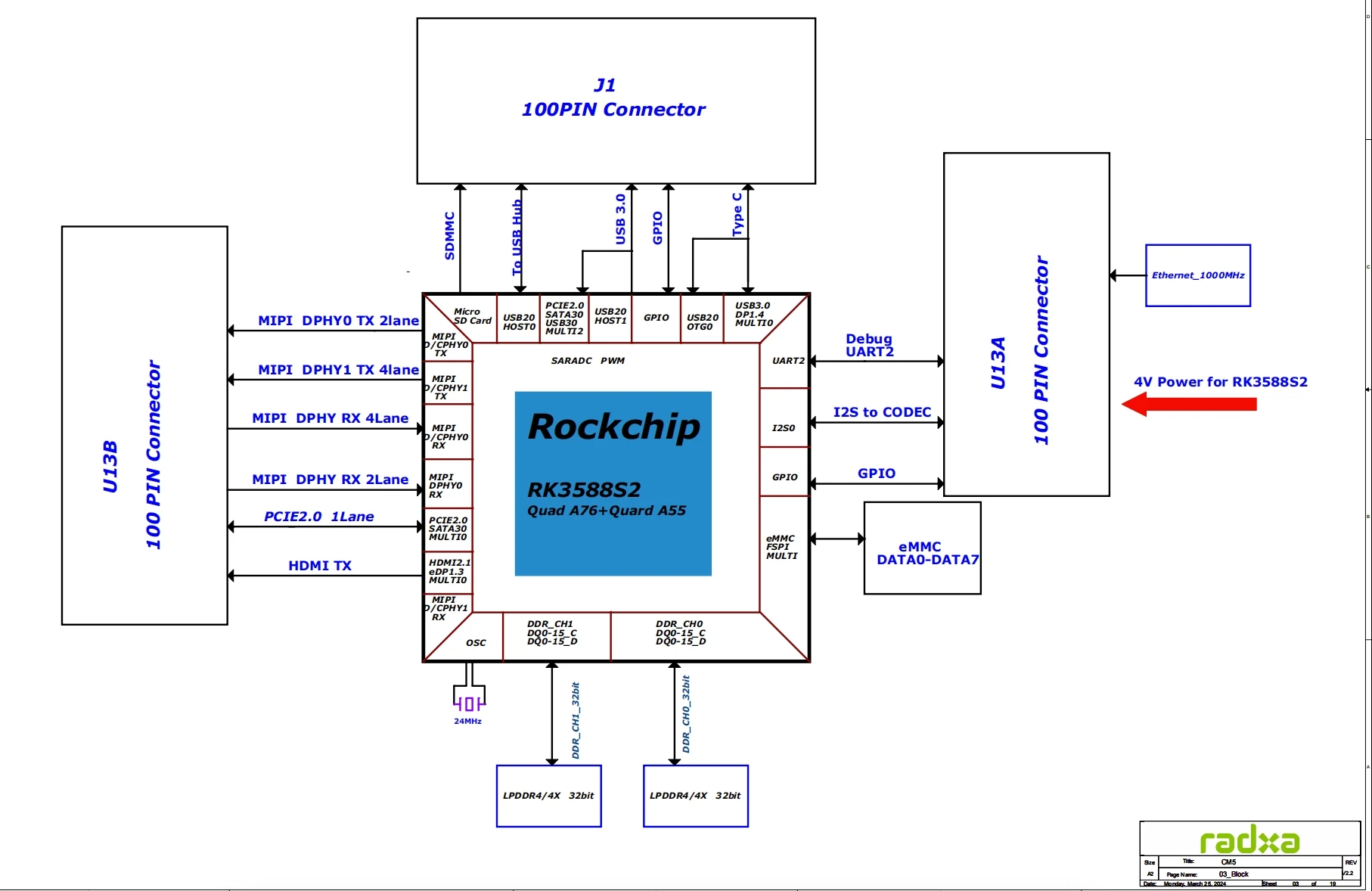
Camera
The Radxa CM5 IO Board provides one MIPI CSI camera interface (4 lane, 31-pin) and one MIPI CSI camera interface (2 lane, 15-pin). The following cameras are currently supported:
| Camera Name | Sensor Model | Resolution | Interface |
|---|---|---|---|
| OKDO 5MP Camera | OV5647 | 5 megapixels | MIPI CSI (15-pin) |
| Radxa Camera 8M | IMX219 | 8 megapixels | MIPI CSI (31-pin) |
| Radxa Camera 4K | IMX415 | 8.29 megapixels | MIPI CSI (31-pin) |
| Raspberry Pi Camera V2 | IMX219 | 8 megapixels | MIPI CSI (15-pin) |
| Raspberry Pi Camera v1.3 | OV5647 | 5 megapixels | MIPI CSI (15-pin) |
The 4-lane MIPI CSI (31-pin) camera interface can be used with the Radxa Camera 4K usage tutorial.
The 2-lane MIPI CSI (15-pin) camera interface can be used with the Radxa Camera 8M usage tutorial.
Display
The Radxa CM5 IO Board provides one MIPI DSI display interface (4 lane, 39-pin) and one MIPI DSI display interface (2 lane, 15-pin). The following displays are currently supported:
| Screen Name | Resolution | Interface |
|---|---|---|
| ALLNET 5 inch DSI Display | 800 ×3(RGB) ×480 pixels | MIPI DSI (40-pin) |
| Radxa Display 8 HD | 1280x800 pixels | MIPI DSI (40-pin) |
| Radxa Display 10FHD | 1200x1920 pixels | MIPI DSI (40-pin) |
| Raspberry Pi 7 inch Touchscreen | 800 x 480 pixels | MIPI DSI (15-pin) |
The 4-lane MIPI DSI (39-pin) display interface can be used with the Radxa 8" HD Display usage tutorial.
The 2-lane MIPI DSI (15-pin) display interface can be used with the Raspberry Pi 7 inch display usage tutorial.
WIFI & BT Support Module List
| NO. | Model | Chip | WiFi | BT | WIFI Throughput | Remark |
|---|---|---|---|---|---|---|
| 1 | Radxa wireless A8 | RTL8852BE | 2.4G&5G&WIFI6 | 5.0 | up:600 Mbits/sec down: 900 Mbits/sec | |
| 2 | Intel 0MHK36 (PCIE+USB) | Intel 3165 | 2.4G&5G | 4.2 | up:283 Mbits/sec down: 334 Mbits/sec | |
| 3 | Intel 7265NGW (PCIE+USB) | Intel 7265 | 2.4G&5G | 4.2 | up:363 Mbits/sec down: 619 Mbits/sec | |
| 4 | Intel AX210 (PCIE+USB) | Intel AX210 | WiFi 6 | 5.2 | up:859 Mbits/sec down: 813 Mbits/sec |
- Radxa CM5 with Radxa CM5 IO board does not have an on-board WiFi/BT module and requires an external module. The above are supported and tested WITI/BT cards. For wireless module usage, please refer to WIFI/BT Usage
For more information on accessories see Accessories List