Enter Maskrom Mode
About Maskrom Mode
In Rockchip platform development, RKDevTool is a commonly used flashing tool. We can enter Maskrom mode and use RKDevTool to flash the firmware.
Maskrom mode is the "hardware first-aid kit" for embedded devices, enabling device recovery by directly accessing the chip's low-level interfaces.
Maskrom mode is a built-in low-level recovery mode in Rockchip chips. When the device cannot boot from any storage media (eMMC, SD card, etc.), we can use RockUSB protocol to rewrite the device firmware.
Entering Maskrom Mode
Our board features a dedicated Maskrom button. To enter Maskrom mode, press and hold the Maskrom button before powering on the board. The system will detect the button press and automatically enter Maskrom mode.
Detailed steps:
① : Press and hold the Maskrom button
② : Power on the board using the power adapter
③ : Release the Maskrom button
④ : Connect the board's OTG port to your computer's USB port using a data cable
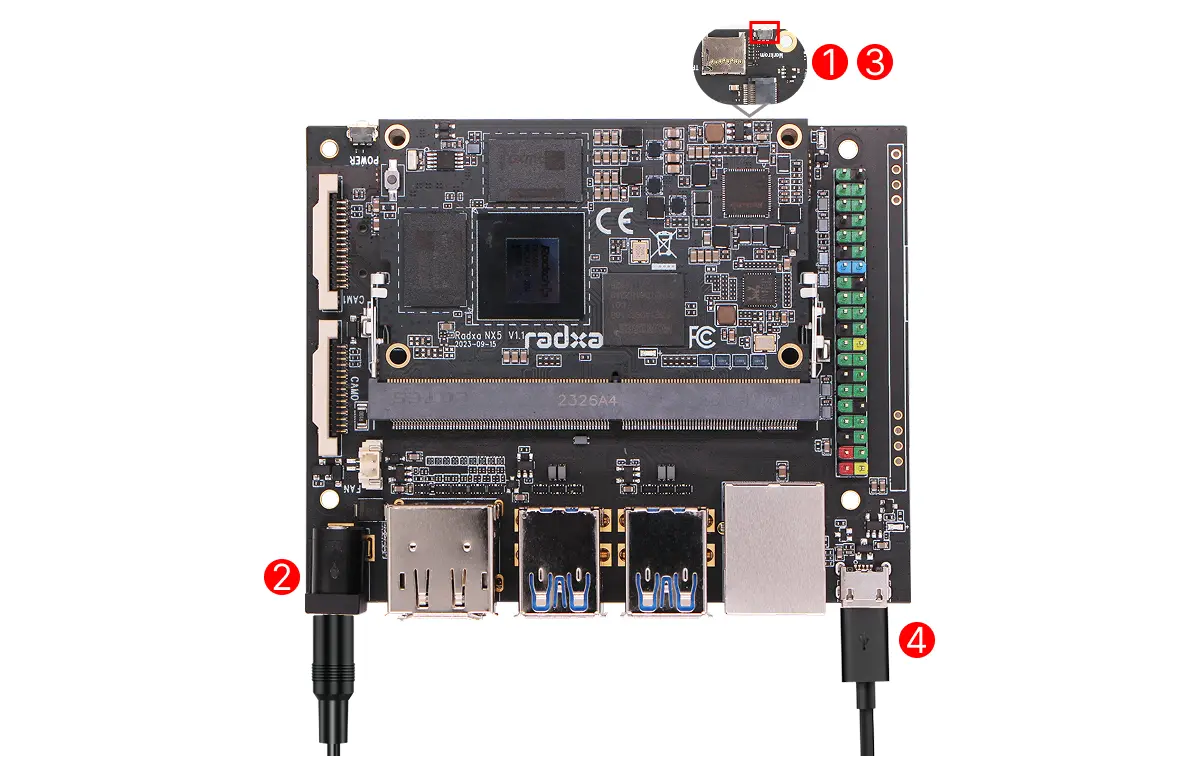
After the board enters Maskrom mode, you can use the RKDevTool to verify the mode.
Verifying Maskrom Mode
- Windows
- Linux / MacOS
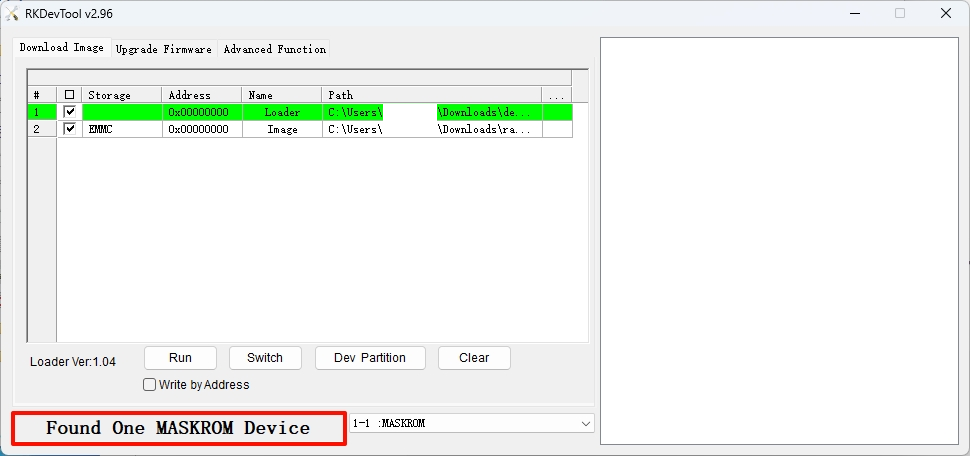
On Windows, open the RKDevTool. The software will automatically detect if the board is in Maskrom mode.
If the board is in Maskrom mode, the bottom left corner of the software will display Found One MASKROM Device.
If RKDevTool reports No Device Found and Windows Device Manager shows an "Unknown device", the Rockchip USB driver has not been installed on your computer.
Install the driver first: download and extract DriverAssistant v5.14, right-click DriverInstall.exe and run it as administrator, then click Install Driver. After the driver is installed, reconnect the USB cable (or re-enter Maskrom mode) and reopen RKDevTool — the device should then be detected.
On Linux/MacOS, you can use the RKDevTool to verify if the board is in Maskrom mode.
Use the rkdeveloptool ld command to check the Maskrom mode status.
sudo rkdeveloptool ld
If the terminal outputs a message similar to the following, the board is in Maskrom mode:
DevNo=1 Vid=0x2207,Pid=0x350e,LocationID=109 Maskrom