Bluetooth Usage
The Radxa NX5 IO Board is equipped with an M.2 E Key interface, which can be used to install WiFi/Bluetooth modules.
Currently tested compatible accessories:
- Radxa A8 Wireless Module
- Intel AX210 Wireless Module
This guide explains how to pair and connect Bluetooth devices.
- Graphical Interface
- Command Line
Pair and connect Bluetooth devices using the graphical interface.
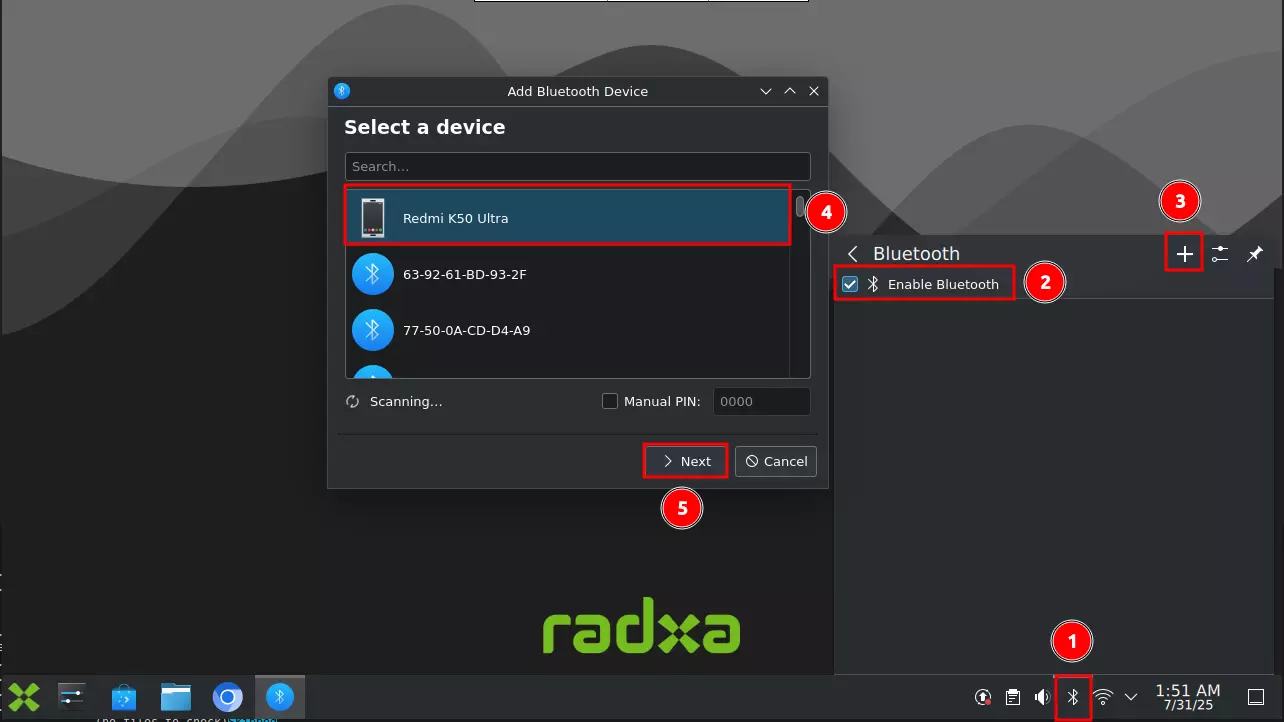
- Enable Bluetooth
① : Click the Bluetooth icon
② : Click Enable Bluetooth to turn on Bluetooth
③ : Click the + symbol to add a Bluetooth device
④ : Select the Bluetooth device you want to connect
⑤ : Click Next to continue
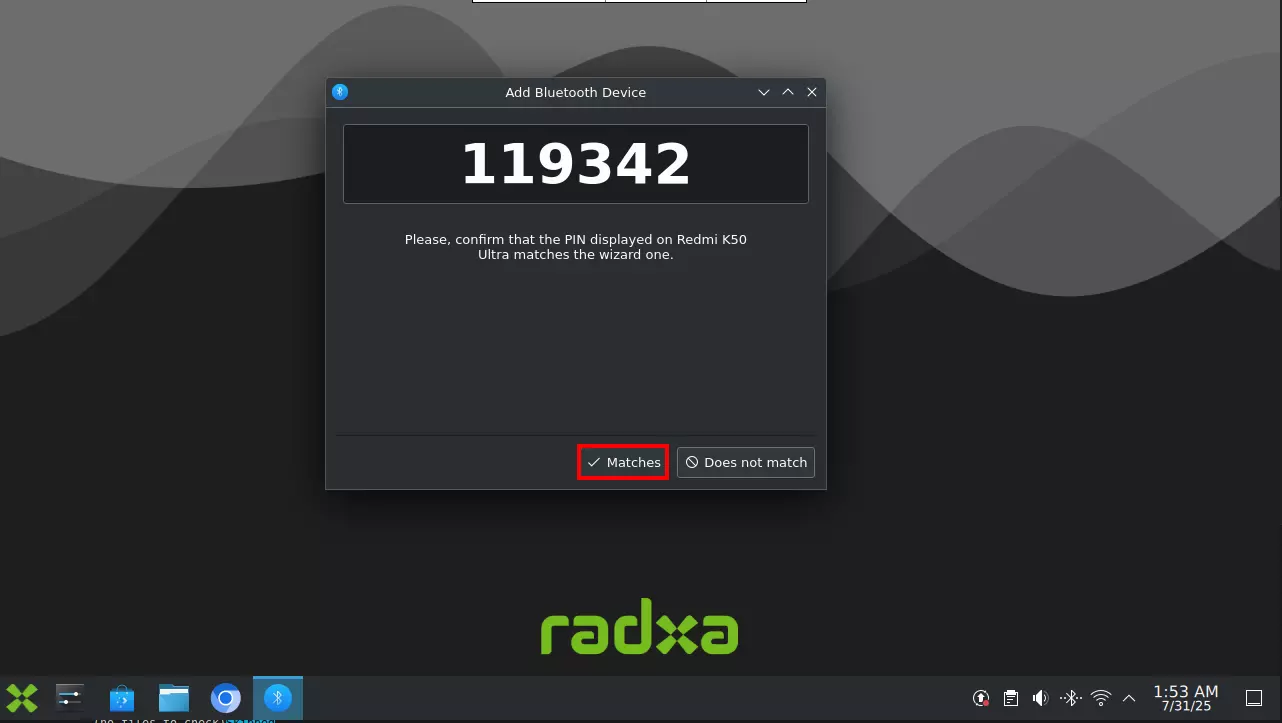
- Pair Bluetooth Device
Select the Matches option to pair with a Bluetooth device. The device will connect automatically after successful pairing.
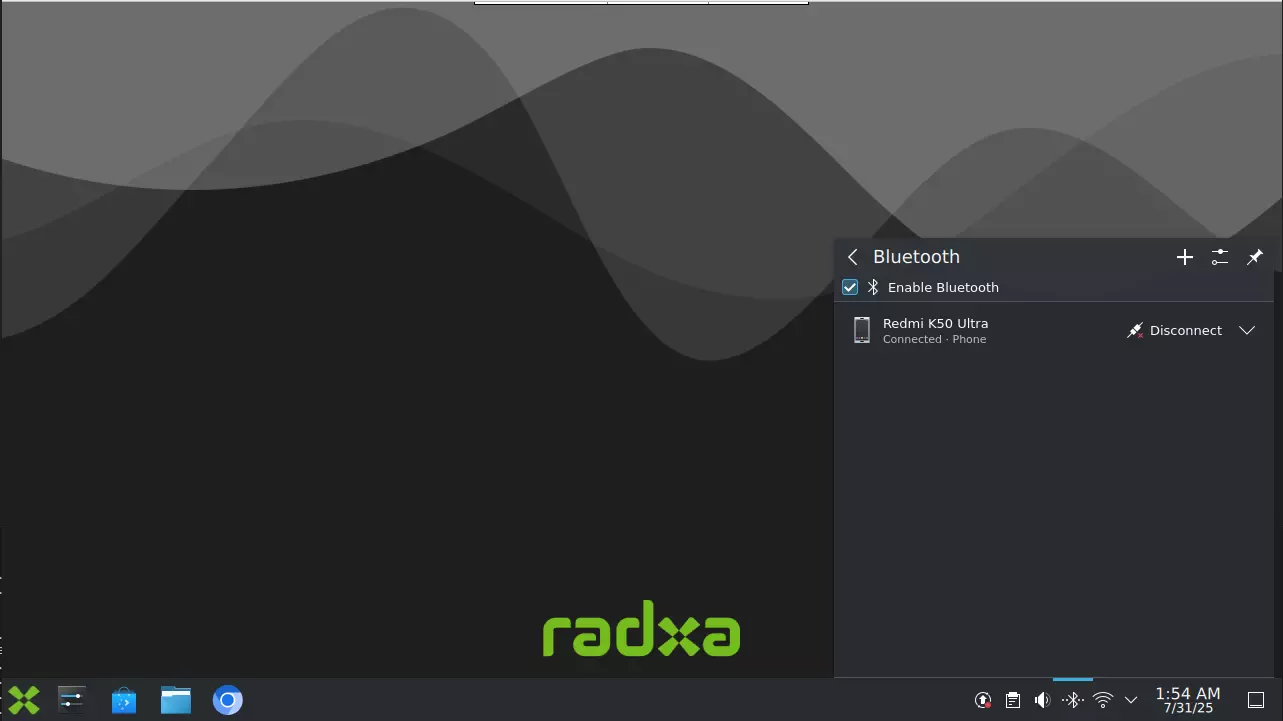
- View Connected Devices
Click the Bluetooth icon to view connected Bluetooth devices.
Pair and connect Bluetooth devices using command line tools.
- Start Bluetooth Service
sudo systemctl start bluetooth
- Enable Bluetooth on Boot
sudo systemctl enable bluetooth
- Check Bluetooth Status
sudo systemctl status bluetooth
- Pair and Connect Bluetooth Device
Use the bluetoothctl command-line tool to manage Bluetooth devices.
Enter bluetoothctl in the terminal to enter the interactive command-line interface.
To exit the bluetoothctl interface, type exit.
bluetoothctl
- Power On Bluetooth Adapter
In the bluetoothctl interface, type power on to enable Bluetooth.
power on
- Enable Agent
In the bluetoothctl interface, type agent on to enable the agent.
agent on
- Scan for Devices
In the bluetoothctl interface, type scan on to search for nearby Bluetooth devices.
scan on
Discovered devices will appear in the terminal with their MAC address and name. For example, EC:30:B3:40:0A:20 is the device's MAC address, and Redmi K50 Ultra is the device name.
[NEW] Device EC:30:B3:40:0A:20 Redmi K50 Ultra
- Stop Scanning
If not stopped, bluetoothctl will continue scanning. It's recommended to scan for a short time, then stop scanning to find your device's MAC address.
scan off
- Pair with Device
In the bluetoothctl interface, type pair <device_address> to pair with a device. Follow any on-screen prompts on both devices to complete pairing.
pair <device_address>

# Example

pair EC:30:B3:40:0A:20
- Trust Device
trust <device_address>

# Example

trust EC:30:B3:40:0A:20
- Connect to Device
In the bluetoothctl interface, type connect <device_address> to connect to a paired device.
connect <device_address>

# Example

connect EC:30:B3:40:0A:20
- Disconnect Device
In the bluetoothctl interface, type disconnect <device_address> to disconnect from a Bluetooth device.
disconnect <device_address>

# Example

disconnect EC:30:B3:40:0A:20
- Unpair Device
remove <device_address>

# Example

remove EC:30:B3:40:0A:20
- Power Off Bluetooth Adapter
power off