Wi-Fi hotspot
- KDE Desktop
- Shell
Configuration
- Access to system settings.
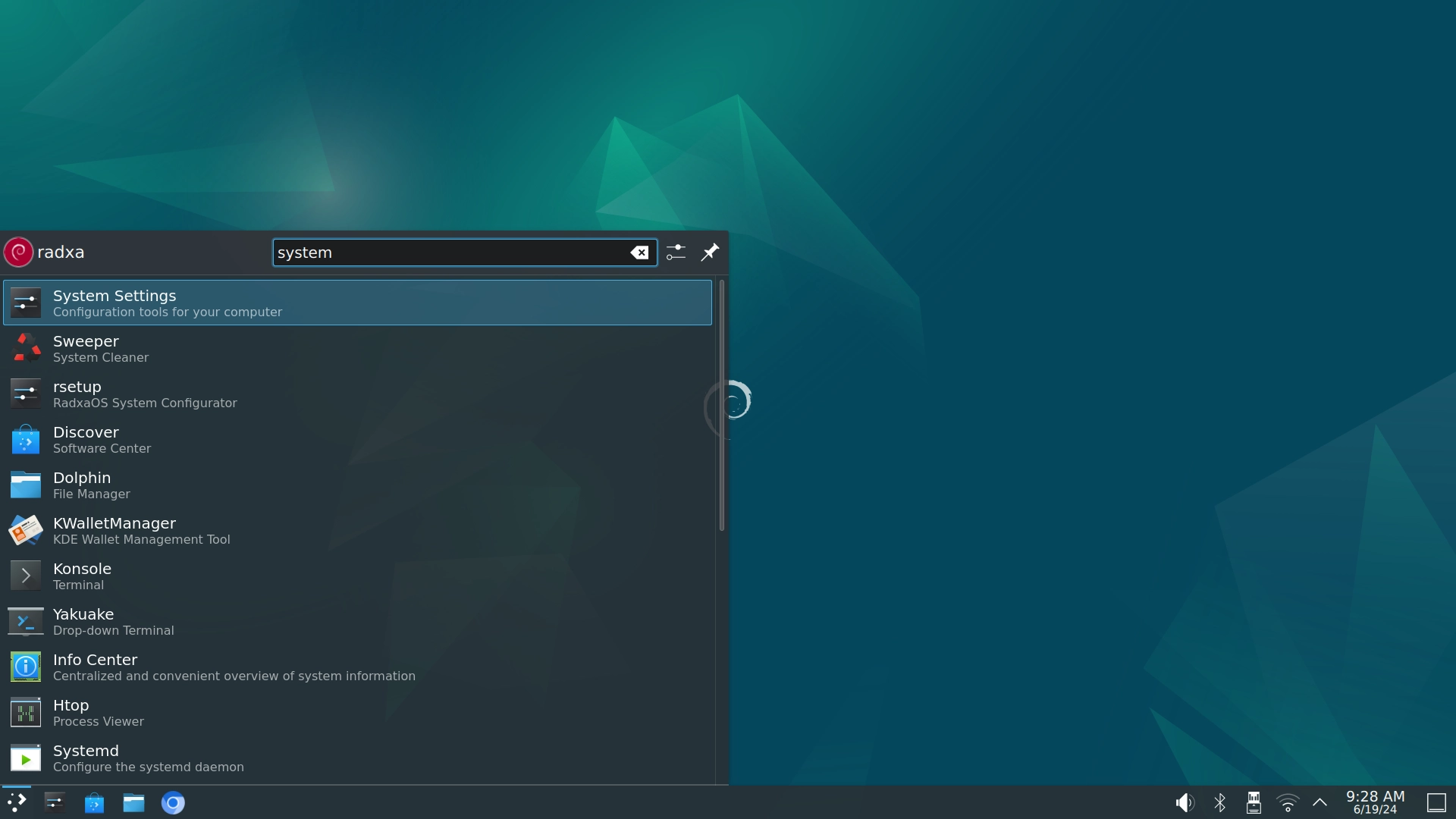
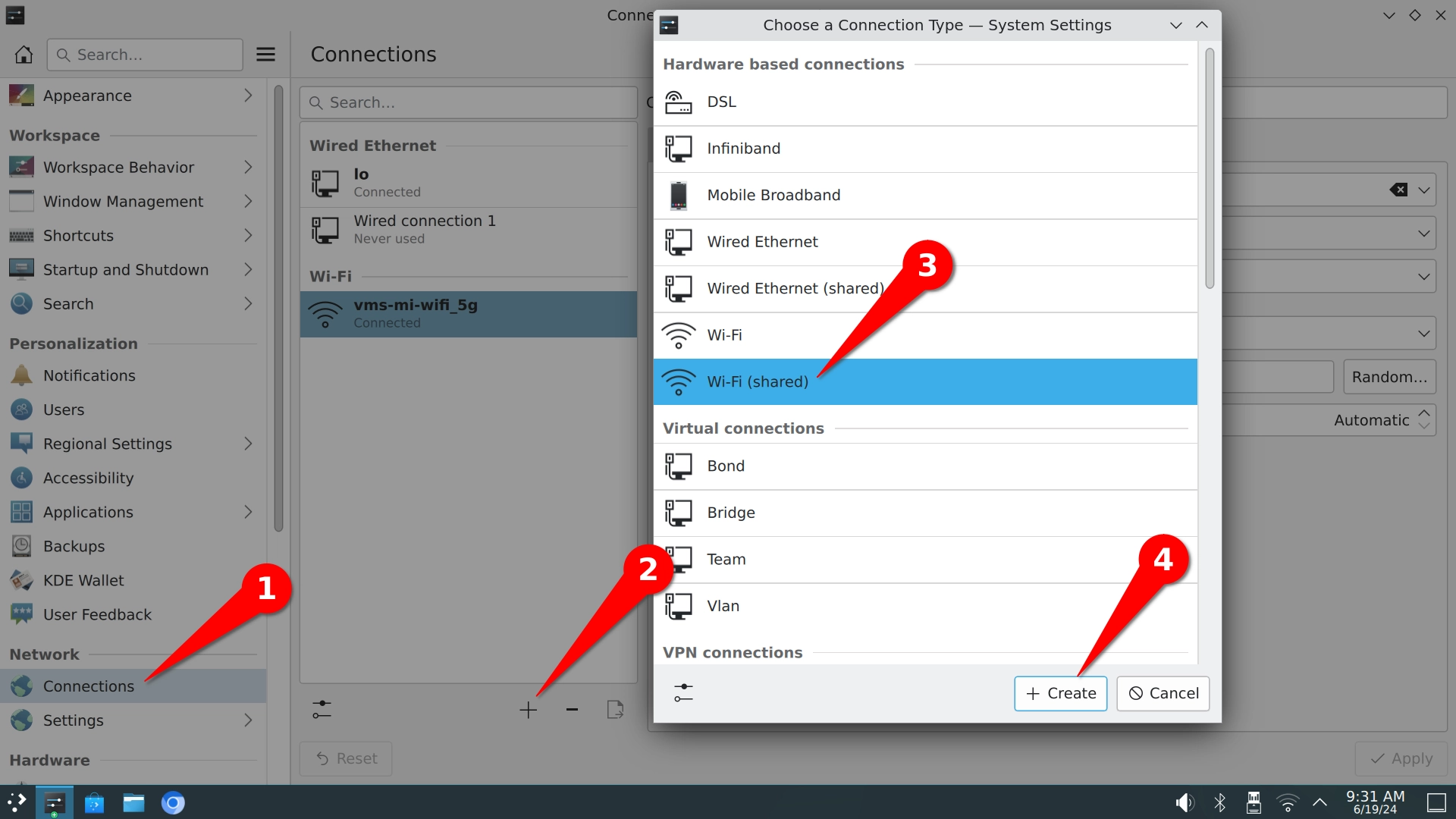
- Select the
Connections---->+---->Wi-Fi (shared)---->Createbutton in order.
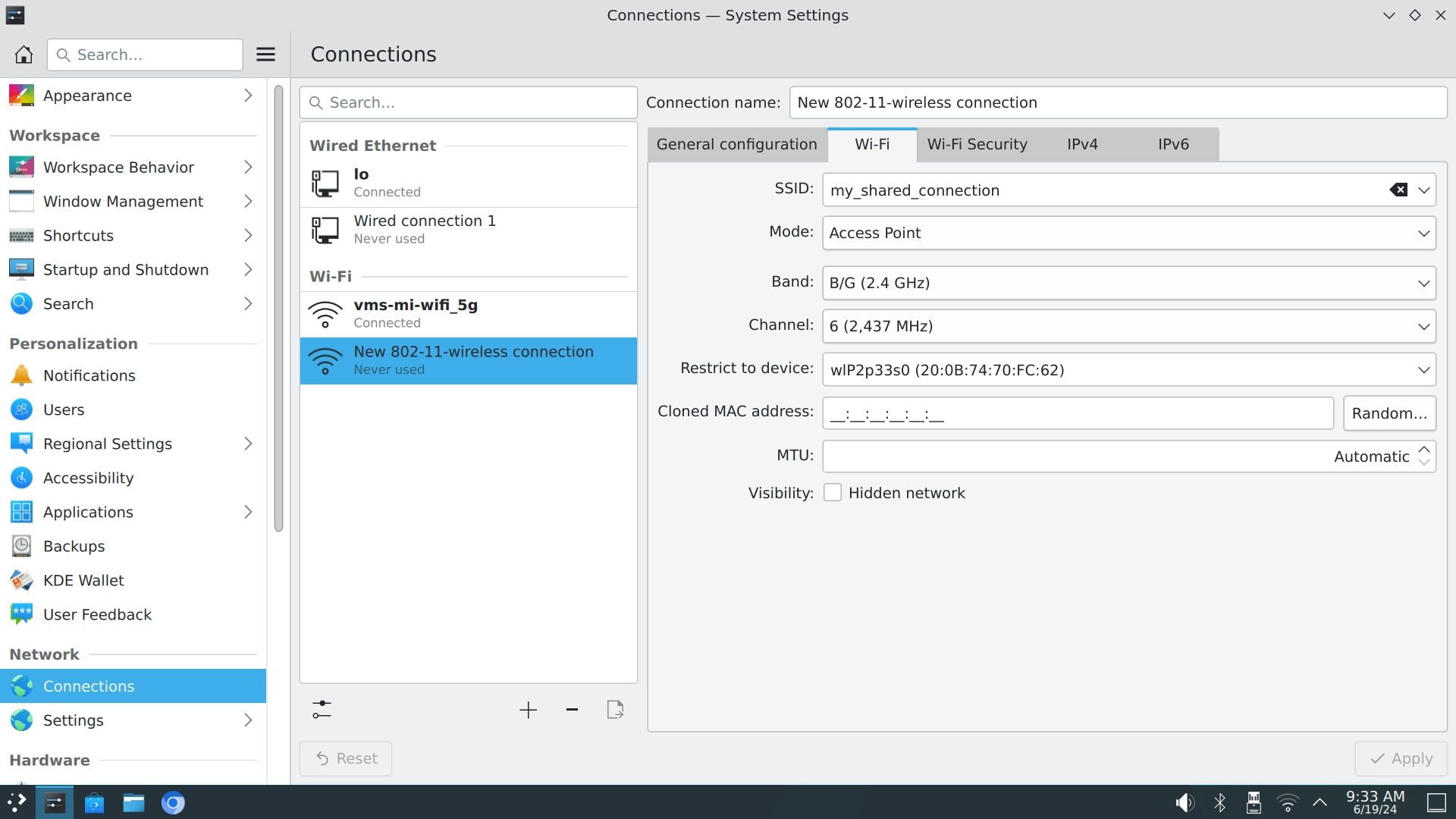
- Refer to the following configuration and fill in the configuration you need to modify.
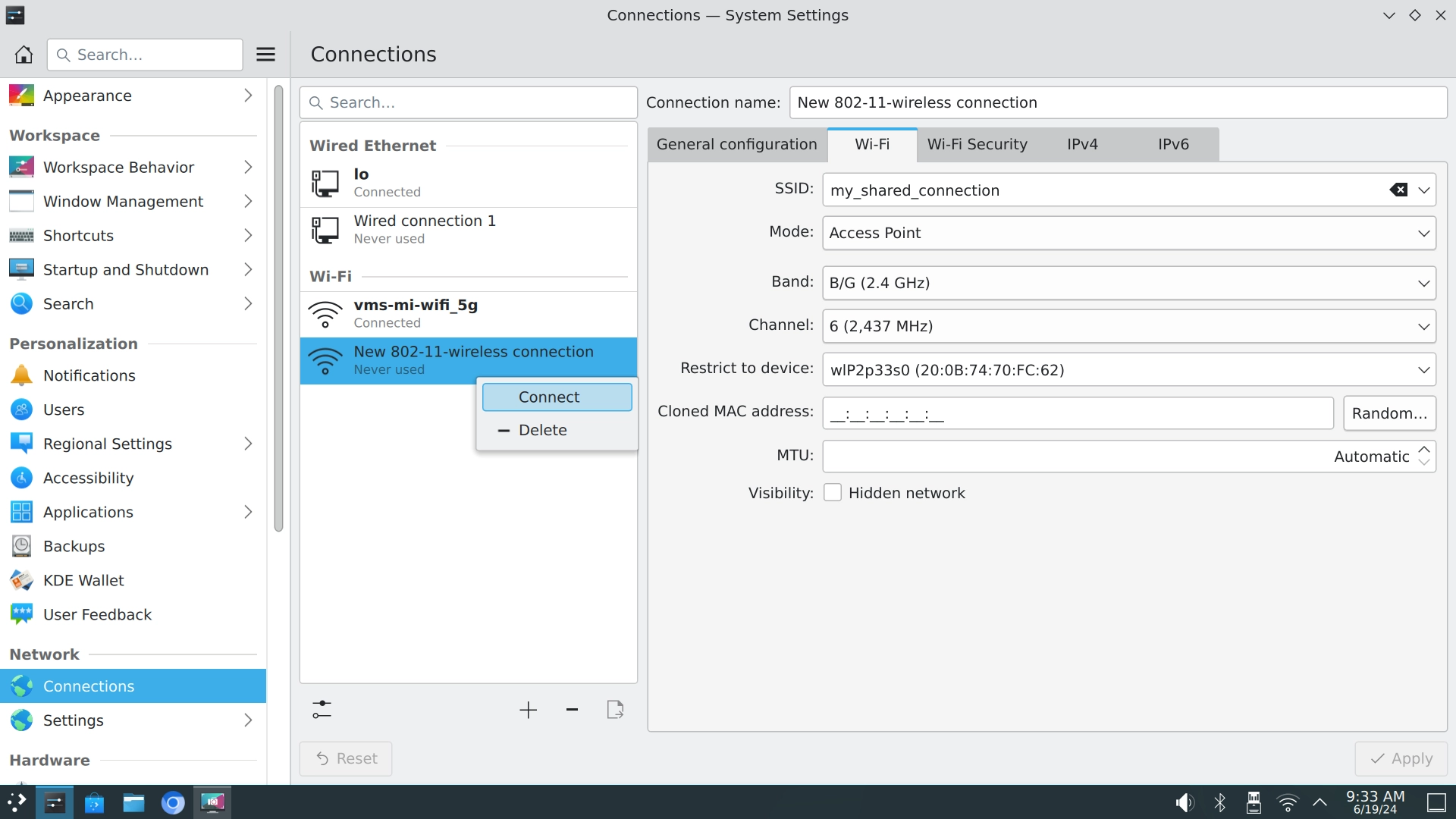
Enable Hotspot
Right-click on the hotspot configuration and select Connect Enable Wi-Fi hotspot.
Configuration
-
Use
sudo nmtuito enter the NetworkManager configuration interface. -
Select the
Edit a connection---->Add---->Wi-Fibutton. -
Refer to the following configuration and fill in the configuration you need to modify.
┌────────────────────────────┤ Edit Connection ├─────────────────────────────┐
│                                                                          ↑│
│            Profile name AP______________________________________          ▮│
│                  Device ________________________________________          ▒│
│                                                                           ▒│
│ ╤ WI-FI                                                          <Hide>   ▒│
│ │                  SSID AP______________________________________          ▒│
│ │                  Mode <Access Point>                                    ▒│
│ │               Channel <Automatic>                                       ▒│
│ │                                                                         ▒│
│ │              Security <WPA & WPA2 Personal>                             ▒│
│ │              Password ********________________________________          ▒│
│ │                       [ ] Show password                                 ▒│
│ │                                                                         ▒│
│ │                 BSSID ________________________________________          ▒│
│ │    Cloned MAC address ________________________________________          ▒│
│ │                   MTU __________ (default)                              ▒│
│ └                                                                         ▒│
│                                                                           ▒│
│ ═ IPv4 CONFIGURATION    <Shared>                                 <Show>   ▒│
│                                                                          ↓│
└────────────────────────────────────────────────────────────────────────────┘
-
Save and exit.
-
Add a NAT rule to specify traffic egress
sudo iptables -t nat -A POSTROUTING -o end0 -j MASQUERADE, whereend0is the name of the egress NIC.
Enable hotspot
sudo nmcli connection up AP
Q&A
1. Can't turn on 5G hotspot
Try specifying the Channel parameter as <A (5 GHz)> 36.
2. The client can scan the hotspot but connection fails.
This is because the front-end of NetworkManager is wrongly described,
and the encryption method selected is WPA2, but the actual encryption method is WPA3,
and some WIFI devices do not support WPA3.
Because some WIFI devices don't support WPA3, it can only scan the hotspot but fail to connect,
you can disable WPA3 by adding the following parameter.
sudo nmcli connection modify <CONNECTION NAME> wifi-sec.key-mgmt wpa-psk
sudo nmcli connection down <CONNECTION NAME> connection
sudo nmcli connection up <CONNECTION NAME> connection --ask