Wi-Fi 与蓝牙
Wi-Fi 与蓝牙支持模块列表
| 序号 | 模块 | 芯片 | Wi-Fi | 蓝牙 | Wi-Fi 传输速率 | 备注 |
|---|---|---|---|---|---|---|
| 1 | 瑞莎无线模块 A8 | RTL8852BE | 2.4G、5G、Wi-Fi 6 | 5.0 | 上行:600 Mbit/s;下行:900 Mbit/s | |
| 2 | Intel 0MHK36 (PCIe+USB) | Intel 3165 | 2.4G、5G | 4.2 | 上行:283 Mbit/s;下行:334 Mbit/s | |
| 3 | Intel 7265NGW (PCIe+USB) | Intel 7265 | 2.4G、5G | 4.2 | 上行:363 Mbit/s;下行:619 Mbit/s | |
| 4 | Intel AX210 (PCIe+USB) | Intel AX210 | Wi-Fi 6 | 5.2 | 上行:859 Mbit/s;下行:813 Mbit/s |
-
瑞莎 CM5 搭配瑞莎 CM5 载板时没有板载 Wi-Fi/蓝牙模块,需要外接模块。以上是经过支持性测试的 Wi-Fi/蓝牙卡。
-
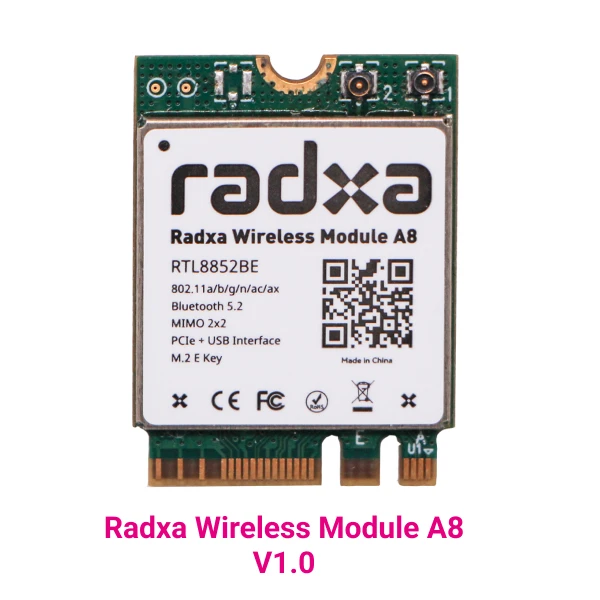
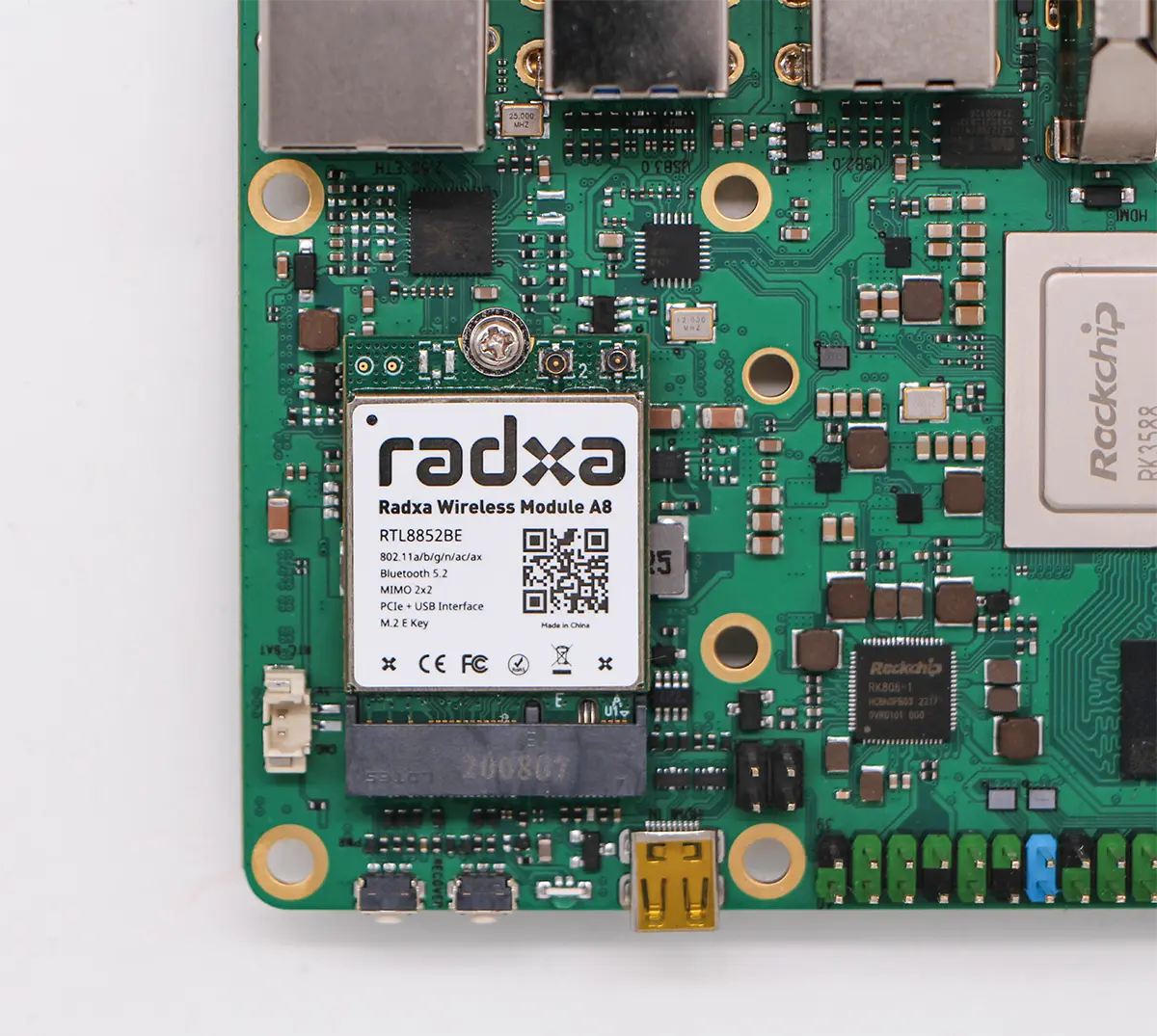
本教程以瑞莎无线模块 A8 为例。
- 安装如图所示:
Wi-Fi 使用
- 首先进入 root 用户模式。
sudo su
- 启用 Wi-Fi。
nmcli r wifi on
- 扫描 Wi-Fi 网络。
nmcli dev wifi
- 连接 Wi-Fi 网络。
nmcli dev wifi connect "wifi_name" password "wifi_password"
蓝牙使用
- 使用瑞莎无线模块 A8 时,必须添加以下黑名单才能使蓝牙正常工作。
root@radxa-cm5-io:~# cat /etc/modprobe.d/blacklist.conf
blacklist pgdrv
blacklist btusb
blacklist btrtl
blacklist btbcm
blacklist btintel

root@radxa-cm5-io:~# reboot
- 测试蓝牙模块的状态并检查蓝牙设备。
root@radxa-cm5-io:~# systemctl status bluetooth
- 运行蓝牙设备。
root@radxa-cm5-io:~# systemctl start bluetooth
- 检测蓝牙设备
root@radxa-cm5-io:~# hciconfig
hci0:   Type: Primary Bus: UART
       BD Address: 10:2C:6B:49:D5:53 ACL MTU: 1021:8 SCO MTU: 64:1
       UP RUNNING
       RX bytes:850 acl:0 sco:0 events:58 errors:0
       TX bytes:2814 acl:0 sco:0 commands:58 errors:0
- 测试:连接蓝牙音箱,首先安装pulseaudio
root@radxa-cm5-io:~# apt-get install -y pulseaudio-module-bluetooth pulseaudio
- 运行 pulseaudio
root@radxa-cm5-io:~# pulseaudio --start
- 使用 pulseaudio 连接
root@radxa-cm5-io:~# bluetoothctl
[bluetooth]# default-agent
[bluetooth]# power on
[bluetooth]# scan on
[bluetooth]# trust 41:42:1A:8D:A9:65       #BT-280
[bluetooth]# pair 41:42:1A:8D:A9:65
[bluetooth]# connect 41:42:1A:8D:A9:65
- 现在您可以听音乐了。